peripherals
Best Ultra‑Budget Gaming Keyboards for CS2 & Valorant 2026 under $20: Rii RK100+ vs Redragon K521 vs GEODMAER GM68 vs MageGee TS91
Four ultra‑budget keyboards with gaming on the label. Which one registers every key when you counter‑strafe? Let's dive into the specs.
- 10 min read
Ultra‑budget keyboards in 2026 are a gamble: some are office membrane boards dressed with rainbow LEDs and a "gaming" badge, while others squeeze genuine anti‑ghosting and mechanical-feeling switches into an impossibly cheap frame. In CS2 and Valorant, where a missed key during a counter‑strafe costs you the round, the difference between a properly debounced key matrix and an office keyboard wearing RGB is not subtle. We compared the specifications of four popular contenders — Rii RK100+, Redragon K521, GEODMAER GM68, and MageGee TS91 — to identify which one provides the reliability, rollover, and responsive feel that competitive shooters demand, without exceeding an ultra‑budget price point.
Info
Keyboard Buying Guide for FPS Games
Key rollover & anti-ghosting determine whether your keyboard registers every keypress when you press multiple keys simultaneously. CS2 and Valorant require precise counter‑strafe combinations — A+D, W+S, crouch‑jump — that cheap office keyboards simply cannot handle.
Full-size vs compact — size affects counter‑strafe reach Full‑size keyboards offer dedicated multimedia keys and numpads, but they eat desk space and force a wider arm posture during mouse movements. Compact 60‑65% layouts free up space for larger mouse swipes — a tangible advantage in CS2 and Valorant.
What to check in an ultra-budget gaming keyboard:
- Insufficient key rollover - Cheap keyboards with 3‑6 key rollover drop inputs when you press W+A+D simultaneously — a common counter‑strafe sequence in CS2.
- Slow debounce and mushy keys - Membrane keyboards that are not tuned for gaming can feel spongy, with an uncertain actuation point that slows repeated taps.
- Poor build quality and cable failure - Non‑braided cables and plastic chassis can degrade within months of intense gaming. Frayed cables cause intermittent disconnections in the middle of rounds.
- No brightness or mode control - Fixed backlighting with no customization can be distracting if too bright, or useless if too dim to see keys in a dark room.
Four rules to avoid a disappointing keyboard purchase:
- Prioritize key rollover: 19-key minimum. If the box doesn't mention it, the board probably has 6-key or lower — a dealbreaker for FPS.
- A detachable USB cable is a big plus on a budget — it saves the keyboard if the cable gets yanked or frayed.
- Full‑size keyboards eat desk space, compact layouts give more mouse‑pad real estate for wide Valorant swipes.
- Check that the keyboard has adjustable brightness, not just on/off — you don't want to be locked into a blinding glow at night.
Keyboard Comparison: Key Specs & Features
Rii RK100+ Rainbow LED Backlit USB Wired | Full-size | Membrane | 19-key rollover | 105 | 622 g | 5 million presses | Check price on Amazon |
Redragon K521 Upgrade Rainbow LED Wired | Full-size | Membrane | 25-key rollover | 104 | 780 g | 10 million presses | Check price on Amazon |
GEODMAER 65% Wired Backlit Mini | 65% compact | Membrane | 26-key rollover | 68 | 549 g | 10 million presses | Check price on Amazon |
MageGee Mini 60% RGB Backlit 61 Key Ultra-Compact Best pick | 60% compact | Membrane | Full n-key rollover (61-key) | 61 | 380 g | 10 million presses | Check price on Amazon |
Rii RK100+ Rainbow LED Backlit USB Wired
Full-size19-key rollover105 keys622 g1 yearRedragon K521 Upgrade Rainbow LED Wired
Full-size25-key rollover104 keys780 g1 yearGEODMAER 65% Wired Backlit Mini
65% compact26-key rollover68 keys549 g3 yearsMageGee Mini 60% RGB Backlit 61 Key Ultra-Compact Best pick
60% compactFull n-key rollover (61-key)61 keys380 g1 year
* As an Amazon Associate I earn from qualifying purchases.
Rii RK100+: The silent, cheap workhorse
* As an Amazon Associate I earn from qualifying purchases.
- 1
Full‑size layout and 105 keys — what do you get for the lowest price?
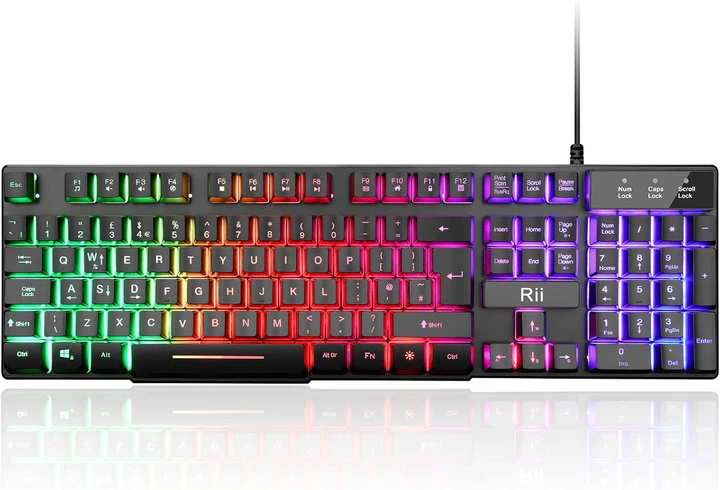
The Rii RK100+ is frequently spotted as one of the most affordable full‑size keyboards. It uses membrane switches tuned for a 'mechanical feel' with 3.6mm of key travel and a reported lifespan of 5 million keystrokes per key — adequate for casual use but over a shorter timespan than competitors. The key feel is described as 'spongy' and the RGB backlighting is 'inflexible and weak in places,' yet the overall build quality is 'solid for plastic.'
- 2
Good enough for casuals, risky for competitive play
The RK100+ supports 19-key anti-ghosting — sufficient for basic FPS movement combos. The keyboard includes basic brightness adjustment via Fn key combinations, along with a limited set of lighting modes such as breathing effects, but it does not offer advanced RGB customization or software-based control. The non-braided 1.5m USB cable has been highlighted as a potential durability concern. The layout also features a one-line Enter key, which may feel unfamiliar to users accustomed to standard ANSI layouts. Users generally praise the low price and decent functionality for everyday use, but note that the key feel and lighting are not on the level of higher-end mechanical keyboards — which is expected in this price range. For a student or casual backup keyboard, it performs well; for a dedicated CS2 competitive setup, there are more suitable options available.
Pros and Cons: Rii RK100+
Pros
Lowest price in the comparison
Full‑size 105‑key layout
11 multimedia combination keys
Plug and play, no drivers needed
Automatic sleep mode saves power
Cons
Only 5M keystroke lifespan — the lowest in this comparison
Non‑braided 1.5m cable less durable
Spongy membrane feel
One‑line return key may confuse ANSI users
Conclusion
The Rii RK100+ is a full‑size keyboard at the lowest price, with acceptable 19‑key rollover and a cramped return key. It's a fine backup, but the Redragon K521 out‑specs it for only a little more.Redragon K521: The gaming‑branded membrane with 25-key rollover
* As an Amazon Associate I earn from qualifying purchases.
- 1
Upgraded rainbow LED and 25-key rollover — the spec leader
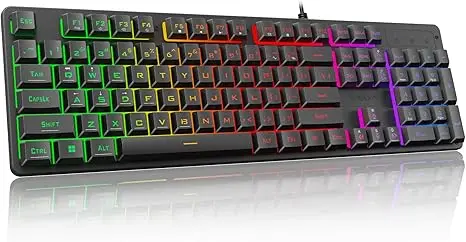
The Redragon K521 Upgrade is the most aggressively specced membrane keyboard in this comparison. It supports 25-key rollover across a full 104‑key layout — the highest simultaneous key count among full-size keyboards in this comparison. The upgraded rainbow LED backlighting is brighter and more penetrating than typical budget rainbow patterns, with four brightness levels and three breathing modes controlled via a dedicated one‑touch lighting button. Laser‑engraved ABS keycaps promise better durability against letter fading, and the braided USB Type‑C cable is a welcome touch at this price.
- 2
A serious budget contender for FPS gamers
With mechanical-feeling membrane switches tuned for fast tapping, 12 dedicated multimedia keys, and adjustable height settings, the Redragon K521 aims to keep your hands comfortable through long gaming sessions. User feedback places it above the Rii RK100+ in overall satisfaction. The 10-million-keystroke lifespan matches the GEODMAER GM68 and exceeds the Rii's 5 million — a real difference for heavy users. The only notable downside is that the membrane feel will not satisfy players who have tried even a cheap mechanical board.
Pros and Cons: Redragon K521
Pros
25‑key rollover — the highest among full‑size here
Upgraded rainbow LED with 4 brightness + 3 breathing modes
Braided USB Type‑C cable
10M keystroke lifespan (matching GEODMAER)
12 multimedia keys for extra productivity
Cons
Weight at 780g — the heaviest of the four
Full‑size layout requires more desk space
Still a membrane, not a true mechanical
Conclusion
The Redragon K521 combines 25‑key rollover, the brightest rainbow LED, and a braided USB‑C cable in a full‑size layout. The best full‑size option in this bracket.GEODMAER GM68: The compact 65% underdog with the longest coverage
* As an Amazon Associate I earn from qualifying purchases.
- 1
68 keys, detachable USB‑C, and 26-key rollover — plus extended peace of mind
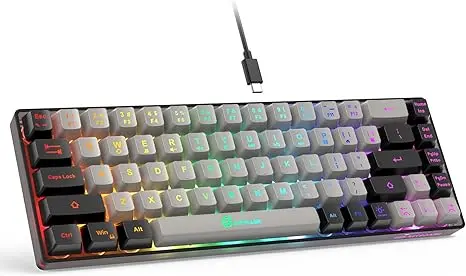
The GEODMAER GM68 stands out with a level of after‑sales coverage that no other keyboard in this comparison can match. Priced similarly to the cheapest option, it packs a 65% compact design (68 keys with dedicated arrow keys), membrane switches with a mechanical‑feeling tactile bump, and 26-key anti-ghosting — the second-best rollover spec of the group, behind only the MageGee TS91's full NKRO. A detachable USB Type‑C cable adds longevity, and UV-coated ABS keycaps resist fading from sweat and sun exposure.
- 2
A desk-space champion with mixed reviews
The GM68 is popular among budget gamers who want maximum mouse-pad real estate, and its 549g weight and slim footprint (329×138×44 mm) make it easy to slide into a carry bag. The backlighting is dual-color (not full RGB) with a breathing mode and adjustable brightness — more limited than the MageGee TS91, but sufficient for low-light visibility. User feedback is generally mixed: some report connection or quality-control issues, while others praise its value for the price. The extended coverage is often seen as a sign of manufacturer confidence, making the GM68 a compelling choice for those who prioritize affordability and desk space efficiency.
Pros and Cons: GEODMAER GM68
Pros
Best coverage in its class
26‑key rollover — second-best in the group, behind only the MageGee's NKRO
USB Type‑C detachable cable
10M keystroke lifespan
65% compact layout saves desk space
UV‑coated durable keycaps
Cons
Dual‑color LED only — no full RGB
68‑key layout means missing dedicated F‑keys and numpad
Membrane switches, not mechanical
Conclusion
The GEODMAER GM68 wins on extended coverage and rollover (26 keys) with a compact footprint. A strong candidate for gamers who want a small desk footprint and long‑term peace of mind.MageGee TS91: The 60% RGB champion with real n‑key rollover
* As an Amazon Associate I earn from qualifying purchases.
- 1
61 keys, full n‑key rollover, and vibrant RGB — the most refined compact option
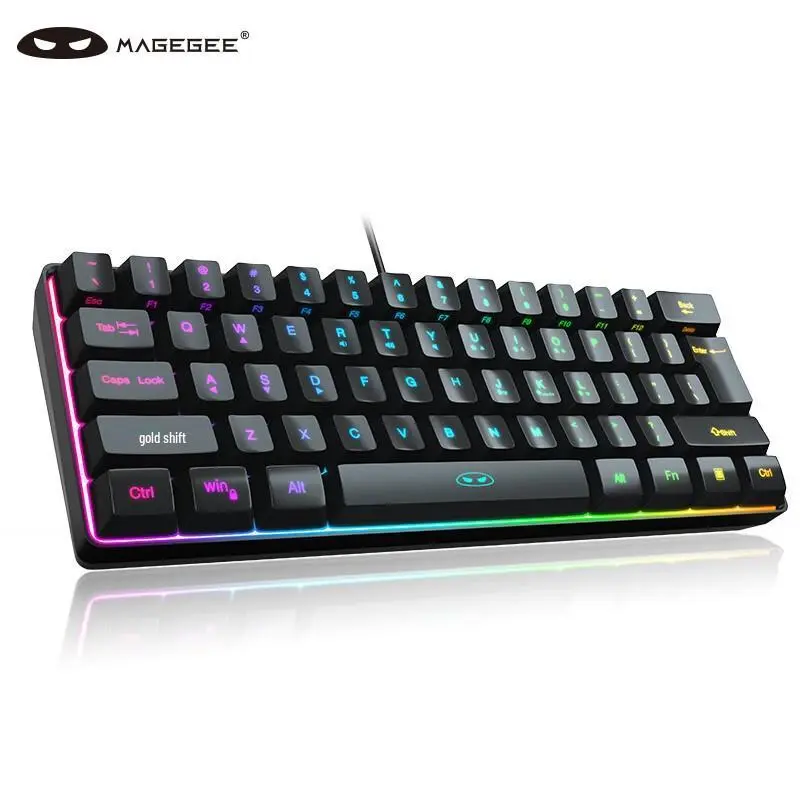
The MageGee TS91 is the only keyboard in this comparison with true n‑key rollover: all 61 keys are independently wired and can be pressed simultaneously without ghosting. The RGB backlighting is also the most feature‑rich of the four, supporting 16.8 million colors and multiple dynamic modes with adjustable speed and brightness — closer to the customization level of a low‑end mechanical board. Double‑color injection molded keycaps provide a clearer, more durable backlight shine than laser‑etched alternatives, and the detachable USB‑C cable (1.6m) is a practical inclusion.
- 2
Tiny size, big trade-offs — and a dedicated fan base
At 380g, the TS91 is the lightest keyboard by a noticeable margin, and its 60% layout (291×101×39 mm) frees up the most desk space of the four — a real advantage for Valorant and CS2 players who rely on large, low-sensitivity mouse pads. The cost is only slightly above the cheapest option. User feedback consistently highlights the RGB quality and pleasant typing feel. The main complaint is that the 60% layout requires Fn-key combinations for arrow keys and function keys, which is a well-known trade-off of this form factor. For gamers who want maximum desk space and true NKRO on a tight budget, the TS91 is the strongest pick.
Pros and Cons: MageGee TS91
Pros
True n‑key rollover (NKRO) across all 61 keys
16.8M color RGB with dynamic modes, speed & brightness control
Detachable USB Type‑C cable
Lightest weight (380g) — perfect for portability
Double‑color injection keycaps — durable and clear shine
Maximum desk space savings — 60% layout
Cons
Arrow and function keys require Fn combos
Only 61 keys — no dedicated function keys
Membrane, not mechanical
Conclusion
The MageGee TS91 delivers true n‑key rollover and the best RGB lighting of the four. It's the best choice for competitive FPS players who want a tiny keyboard with zero ghosting.Verdict
Each keyboard has strengths, but one stands out for competitive play MageGee TS91
MageGee TS91 is our overall winner for competitive FPS players on a strict budget. True n‑key rollover guarantees no dropped inputs during the most complex CS2 counter‑strafes, and the fully customizable RGB backlighting is the richest of all four keyboards. It is the lightest, most desk‑space‑saving option, and it delivers features normally found on boards costing significantly more. The only real concession to the price point is the shorter coverage compared to the GEODMAER.
Why the others are still compelling:
-
Redragon K521 is the best full‑size choice: 25‑key rollover, a braided USB‑C cable, 4 brightness levels, and a 4.5‑star customer rating make it the go‑to if you need a numpad and dedicated media keys and don't mind the extra desk space occupied.
-
GEODMAER GM68 is the dark horse for long‑term value: its extended coverage and 26‑key rollover at a price matching the cheapest option make it the safest bet for those who just need a reliable, compact, no‑frills gaming keyboard.
-
Rii RK100+ is the budget baseline: it works, it lights up, and it's the most affordable way to get a full‑size 105‑key keyboard. But it's out‑specced by the K521 in every measurable way for only a very small extra cost.
Frequently Asked Questions
Key rollover is the number of keys a keyboard can register simultaneously. In competitive shooters, counter‑strafing requires pressing A and D together (sometimes with W or crouch key) in rapid succession. If your keyboard has low rollover — say, 3‑6 keys — you could find your strafe key not registering, leaving you momentarily frozen in place — a free kill for the enemy. A 19‑key anti‑ghosting minimum is recommended for tactical FPS games. The MageGee TS91 with its full n‑key rollover guarantees that every single key press is registered independently, no matter how many you press.
Yes, for most players. Membrane keyboards can be responsive when engineered with gaming in mind, and all four boards we compared use 'mechanical‑feeling' membrane switches tuned for faster actuation and tactile feedback. You won't get the same crisp, linear travel and longevity of a real mechanical switch (which are typically pricier), but in this ultra‑budget category, a good membrane keyboard with anti‑ghosting and responsive keys will not hold back your aim below the highest skill tiers. The difference is more about feel and longevity than raw performance.
Compact keyboards (60–65%) give you more space for your mouse, which matters in CS2 and Valorant for low‑sensitivity aiming and wide swipes. Full‑size keyboards are better for productivity, as they include a numpad and dedicated media keys, but they force a wider arm posture that can limit mouse movements. Among our four, the Redragon K521 and Rii RK100+ are full‑size; the GEODMAER GM68 (65%) and MageGee TS91 (60%) are compact. If you play on a small desk or with low DPI, compact is the smarter choice.
The GEODMAER GM68 offers a very strong value with its 26‑key rollover and the longest coverage in the group, often retailing at the same low level as the cheapest option. The Redragon K521 is the best full‑size value with 25‑key rollover, superior LED brightness control, and a high customer rating. For the absolute best feature‑to‑price ratio in the compact segment, the MageGee TS91 delivers true n‑key rollover and fully customizable RGB at a price barely above the cheapest — features rarely seen at this level.
For gameplay itself, no — backlighting doesn't affect your counter‑strafe accuracy. But for usability and environment, it matters: in a dark room, seeing your WASD keys reduces mis‑clicks during clutch moments. Having adjustable brightness and breathing modes also helps you tune the light to your preference, rather than being stuck with a blinding glow or an invisible board. The Rii RK100+ lacks adjustable brightness, which can be a frustration if you play in varied lighting conditions. The Redragon K521 and MageGee TS91 offer the richest lighting control in this bracket.
Keyboards gain weight from internal metal plates (for rigidity and durability), heavier plastic chassis, and braided cables. Heavier boards (like the Redragon K521 at 780g) are more stable and shift less during intense typing or rapid key presses. Lighter boards (MageGee TS91 at 380g) are easier to carry and slide into a backpack, but they can feel flimsier and may move around on your desk if they lack good rubber feet. Neither weight class is inherently better — it comes down to whether you value portability or stability.
If you want a full‑size layout for work and play, the Redragon K521 is the best pick, with 25‑key rollover, bright adjustable rainbow LED, a braided USB‑C cable. If you prefer a compact desk with more mouse space: choose between the GEODMAER GM68 (26‑key rollover, longest coverage) for the best long‑term security, or the MageGee TS91 (n‑key rollover, full RGB) for the best technical performance and lighting. The Rii RK100+ is a serviceable backup at the lowest price — good for casual use, but out‑specced by the competition.
You May Also Like
- Best Ultra-Budget IEM Earbuds under $20 for CS2 & Valorant: KZ Taurus vs CCZ DC01 Pro vs Yeabomy AK3FILE
- Best Budget Microphones for CS2 & Valorant Under $20 (2026): TONOR TC‑777 vs Neptune Sonus vs LRUFOB MU5000
- How to Lube Mechanical Keyboard Switches: From Scratchy to Smooth on a Budget
- Best Ultra-Budget Rapid Trigger Keyboards Under $40 for CS2 & Valorant (2026)
- Best Ultra-Budget Wireless Keyboards Under $20: CS2 & Valorant