hardware
Best Ultra-Budget DDR5 RAM for CS2 & Valorant: Kingston FURY Beast vs Corsair Vengeance vs Crucial DDR5
Three affordable 16GB DDR5 kits tested for competitive gaming performance. Plus: why high-end 32GB DDR5 is money better spent on your GPU or CPU.
- 7 min read
Switching to a DDR5 platform for CS2 and Valorant and unsure which memory kit to pick? The market has three clear ultra-budget options: Kingston FURY Beast 5200MHz CL40, Corsair Vengeance DDR5 5200MHz CL40, and Crucial DDR5 5600MHz CL46. All three are available at very competitive ultra-budget price points. The first question every budget gamer asks is: 16GB or 32GB? For an ultra-budget build focused on competitive gaming, the answer is 16GB. CS2 uses 8–12GB of total system RAM during a match. Valorant uses even less. 32GB DDR5 kits are extremely expensive in 2026 — that's more than an ultra-budget GPU or CPU. We are comparing these Kingston FURY Beast, Corsair Vengeance DDR5, and Crucial DDR5 16GB kits to find which one delivers the best ultra-budget DDR5 RAM performance for competitive gaming builds, and why 16GB beats expensive 32GB DDR5.
Info
16GB or 32GB DDR5 for CS2 and Valorant? Save your money — 16GB is enough
32GB DDR5 is extremely expensive in 2026 That's ultra-budget graphics card territory. CS2 uses 8–12GB of total system RAM during active play (including Windows, Discord, and a browser tab). Valorant is even leaner. A 16GB dual-channel kit leaves you 4–6GB of headroom — more than enough for any competitive gaming session. The extra savings are better invested in a faster GPU, better CPU, or a 144Hz monitor.
Always buy 2x8GB Dual-Channel — never a single 16GB stick A single 16GB DDR5 stick runs in Single-Channel mode (64-bit bus). Two 8GB sticks run in Dual-Channel (128-bit bus) — doubling memory bandwidth. This directly improves your 1% low FPS by 20–30% in CS2 and Valorant. All three kits in this comparison come as 2x8GB dual-channel kits.
Three DDR5 ultra-budget mistakes to avoid:
- Overspending on 32GB DDR5 when 16GB covers everything - 32GB DDR5 kits are extremely expensive in 2026. CS2 and Valorant peak at 12GB total system RAM. That is a massive premium for zero competitive advantage. For reference, an ultra-budget 1080p GPU or a B650 motherboard costs less. Spend that money where it moves the framerate needle.
- Choosing looser CL46 timings over CL40 kits - The Crucial DDR5 5600MHz CL46 runs at 16.43ns true latency. Even with XMP/EXPO enabled, the loose timings access data slower than Kingston and Corsair CL40 kits, which run at 15.38ns true latency.
- Forgetting to enable XMP 3.0 or EXPO in BIOS - All DDR5 boards default to 4800MHz JEDEC out of the box. Enable XMP 3.0 (Intel Z690/Z790/B760) or EXPO (AMD X670/B650) in BIOS to reach rated speeds. Without this step, your DDR5 kit performs no better than a basic JEDEC 4800MHz stick.
Three golden rules for ultra-budget DDR5 gaming builds:
- Always enable XMP 3.0 (Intel) or EXPO (AMD AM5) in BIOS on first boot — without it, DDR5 runs at 4800MHz JEDEC by default.
- Verify Dual-Channel in CPU-Z Memory tab — both sticks should show 64-bit channel each (128-bit total).
- If you ever upgrade to 32GB, buy a new 2x16GB kit — mixing kits of different brands or timings risks stability issues.
How to enable XMP 3.0 or EXPO on DDR5 in BIOS:
Step-by-step guide to activating XMP 3.0 on Intel Z690/Z790/B760 or EXPO on AMD X670E/X670/B650 in 60 seconds to unlock full DDR5 speeds.
XMP 3.0 / EXPO BIOS Setup GuideDDR5 RAM Comparison: Speed, Latency & XMP Support
Kingston FURY Beast 16GB (2x8GB) DDR5 5200MHz CL40 | 5200 MHz | CL40 | 40-40-40-77 | 1.25V | XMP 3.0 + EXPO | Check price on Amazon |
Corsair Vengeance DDR5 16GB (2x8GB) 5200MHz CL40 Best Overall | 5200 MHz | CL40 | 40-40-40-77 | 1.25V | XMP 3.0 + EXPO | Check price on Amazon |
Crucial 16GB Kit (2x8GB) DDR5 5600MHz CL46 | 5600 MHz | CL46 | 46-45-45-90 | 1.1V | XMP 3.0 + EXPO | Check price on Amazon |
Kingston FURY Beast 16GB (2x8GB) DDR5 5200MHz CL40
16GB (2x8GB)5200 MHzCL4040-40-40-77XMP 3.0 + EXPOCorsair Vengeance DDR5 16GB (2x8GB) 5200MHz CL40 Best Overall
16GB (2x8GB)5200 MHzCL4040-40-40-77XMP 3.0 + EXPOCrucial 16GB Kit (2x8GB) DDR5 5600MHz CL46
16GB (2x8GB)5600 MHzCL4646-45-45-90XMP 3.0 + EXPO
* As an Amazon Associate I earn from qualifying purchases.
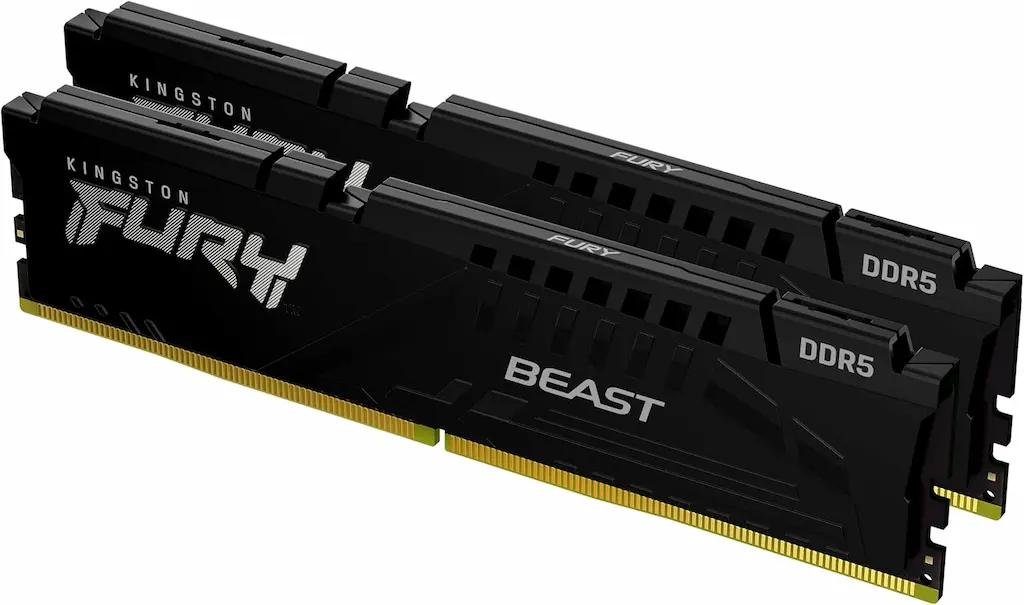
Kingston FURY Beast 16GB (2x8GB) DDR5 5200MHz CL40: Great alternative — pricier option
* As an Amazon Associate I earn from qualifying purchases.
- 1
CL40 XMP 3.0 & AMD EXPO at 5200MHz — 15.38ns true latency, On-Die ECC stability
The Kingston FURY Beast DDR5 (KF552C40BBK2-16) delivers 5200MHz at CL40 timings with native support for both Intel XMP 3.0 and AMD EXPO profiles. Kingston's On-Die ECC (ODECC) corrects single-bit errors internally, making this one of the most stable DDR5 ultra-budget kits available. True latency at 15.38ns is identical to the Corsair CL40 kit — but Kingston is noticeably more expensive, which makes it harder to recommend on an ultra-budget.
- 2
Ultra-low profile fits all CPU coolers — no height clearance worries
The FURY Beast's low-profile aluminum heat spreader keeps compatibility with any tower cooler including Noctua NH-D15 and DeepCool AK620. No RGB, no bulk — technically solid, but the price premium over Corsair is hard to justify for the same CL40 5200MHz performance.
Pros and Cons: Kingston FURY Beast DDR5 16GB
Pros
Identical 15.38ns CL40 at 5200MHz performance
XMP 3.0 + AMD EXPO one-click BIOS profile setup
On-Die ECC (ODECC) for single-bit error correction and stability
Ultra-low profile — fits under all CPU coolers
Cons
Significantly more expensive than Corsair for the same performance
No RGB lighting — purely functional aesthetic
Conclusion
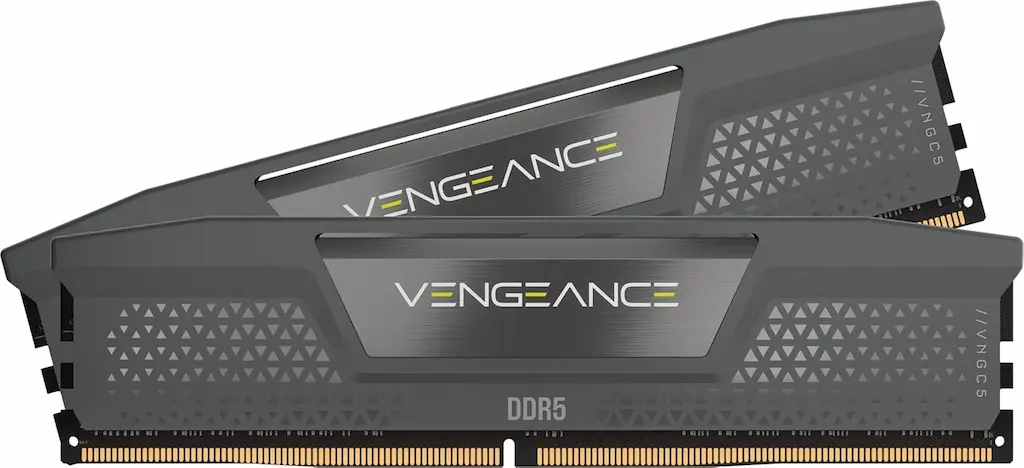
Identical 15.38ns CL40 latency and On-Die ECC stability, but Kingston is significantly more expensive than Corsair for the exact same gaming performance. Consider it if you find it at a much lower price.Corsair Vengeance DDR5 16GB (2x8GB) 5200MHz CL40: Best Overall — Best Value Ultra-Budget CL40 Kit
* As an Amazon Associate I earn from qualifying purchases.
- 1
Dual-platform XMP 3.0 + AMD EXPO — identical 15.38ns CL40 latency, available for less
The Corsair Vengeance DDR5 (B0D2P1CVQD) natively supports both Intel XMP 3.0 and AMD EXPO. Whether you are on Intel LGA1700 or AMD AM5 (Ryzen 7000 series), the profiles ensure one-click setup. CL40 at 5200MHz delivers 15.38ns true latency — the same as Kingston — but at a significantly lower price, making it the best DDR5 ultra-budget value pick for CS2 and Valorant.
- 2
35mm low-profile heat spreader with Corsair's proven build quality
Corsair's integrated PMIC (Power Management IC) in DDR5 provides precise on-module voltage regulation, improving stability under sustained load. At 35mm height, it fits under all standard CPU coolers with zero clearance issues.
Pros and Cons: Corsair Vengeance DDR5 16GB
Pros
Best value CL40 DDR5: 15.38ns at 5200MHz for the lowest price
Dual-profile support: both Intel XMP 3.0 and AMD EXPO
Corsair's integrated PMIC for stable on-module voltage regulation
35mm low-profile — fits all tower coolers
Cons
No On-Die ECC (unlike Kingston FURY Beast)
Conclusion
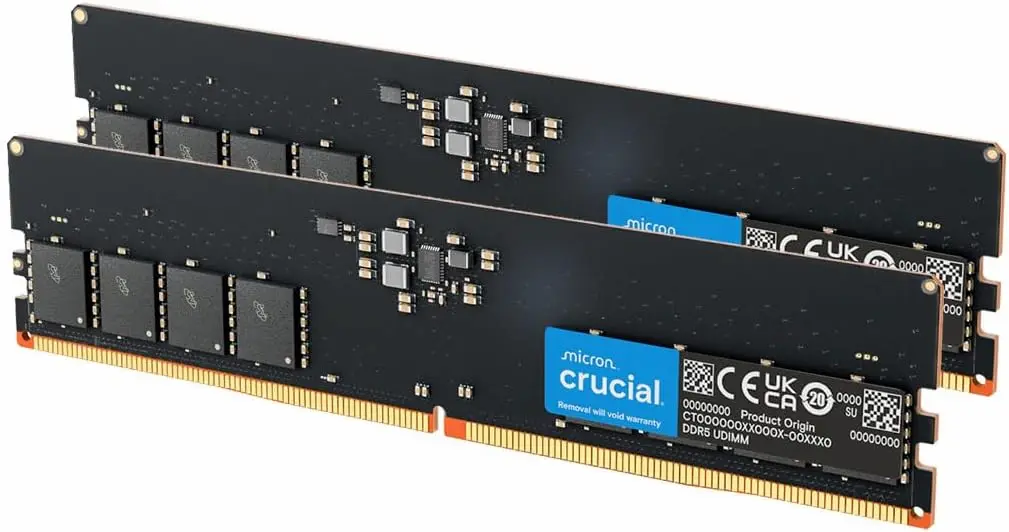
Our top ultra-budget DDR5 pick. 15.38ns CL40 latency with XMP 3.0 and AMD EXPO support — same performance as Kingston but at a much more attractive price point for an ultra-budget competitive gaming build.Crucial DDR5 16GB (2x8GB) 5600MHz CL46: Cheapest option — but not the fastest
* As an Amazon Associate I earn from qualifying purchases.
- 1
Highest rated speed (5600MHz) but looser CL46 timings (16.43ns)
The Crucial CT2K8G56C46U5 is rated at 5600MHz, but it runs CL46-45-45 JEDEC timings at 1.1V. While it features XMP 3.0 and AMD EXPO profiles to run at 5600MHz, its true latency at 16.43ns is slower than Kingston and Corsair's 5200MHz CL40 (15.38ns). The frequency advantage is nullified by the looser timings.
- 2
Bare PCB with no heatspreader — cheap but slightly slower for gaming
The no-heatspreader design keeps costs down. While it has standard profile support to reach its rated 5600MHz, the looser CL46 timings yield slightly lower 1% low FPS compared to CL40 kits. For a small premium, the Corsair Vengeance CL40 kit is a better buy.
Pros and Cons: Crucial DDR5 16GB CL46
Pros
Cheapest option in the 16GB DDR5 segment
Stable JEDEC 1.1V operation — lowest power draw of the three
5600MHz rated speed — highest frequency number on paper
Cons
CL46 timings result in 16.43ns true latency — slowest of the three
Bare PCB with no heatspreader
Lower 1% low FPS vs XMP CL40 kits in CS2 and Valorant
Conclusion
The Crucial's higher 5600MHz rating sounds impressive but the CL46 timings result in 16.43ns true latency — slower than both CL40 kits. Save for the Corsair Vengeance unless price is your absolute priority.Verdict
The Verdict: Best Ultra-Budget DDR5 RAM for CS2 & Valorant — Corsair Vengeance DDR5
Corsair Vengeance DDR5 16GB is the best overall pick for ultra-budget builds, delivering 5200MHz CL40, 15.38ns true latency, Intel XMP 3.0 and AMD EXPO support, and rock-solid stability—all while matching Kingston's performance at a significantly lower price.
🎯 Best for different needs:
-
Kingston FURY Beast — technically excellent with On-Die ECC stability, but noticeably more expensive for exactly the same gaming performance. Only worth it if you find it at a price closer to Corsair.
-
Crucial DDR5 CL46 — the ultra-cheap option (avoid for gaming). CL46 timings produce 16.43ns true latency — slower than the CL40 kits even with XMP/EXPO enabled. Save for Corsair unless every dollar counts.
💡 16GB vs 32GB — the final verdict:
32GB DDR5 is expensive in 2026. CS2 and Valorant never use more than 12GB. Spend on a 16GB CL40 kit and put the savings you get toward a better GPU or a high-refresh monitor — those upgrades will actually raise your framerate.
Frequently Asked Questions
No. 32GB DDR5 kits are extremely expensive in 2026 — more than an ultra-budget CPU or GPU. CS2 uses 8–12GB of total system RAM during a match (including Windows, Discord, and background processes). Valorant uses even less, typically 6–9GB total. A 16GB dual-channel kit leaves you with 4–6GB of comfortable headroom. The only real reason to go 32GB is content creation (video editing, 3D rendering, streaming while recording), not competitive FPS gaming.
Both deliver identical 15.38ns true latency at 5200MHz CL40 — real-world gaming performance is the same. However, Kingston is significantly more expensive than Corsair, making the Corsair Vengeance DDR5 the better choice for an ultra-budget build. You get the exact same CL40 performance for less money.
No. Despite the higher megahertz number, the Crucial CL46 runs slower in actual gaming. True latency at 5600MHz CL46 = 16.43ns. True latency at 5200MHz CL40 = 15.38ns. The CL40 kits are faster per memory access cycle. In CS2 and Valorant — where your CPU issues thousands of memory requests per second at 300+ FPS — CL46 accumulates more access stalls that show up as lower 1% low FPS during smoke and multi-player encounters.
Yes — this step is mandatory. Every DDR5 board defaults to 4800MHz JEDEC 1.1V at boot, regardless of what your RAM is rated at. You must go into BIOS → AI Tweaker / OC section → and enable XMP 3.0 (Intel) or EXPO (AMD AM5) to reach 5200MHz or 5600MHz. Without enabling XMP/EXPO, a 5200MHz CL40 kit runs at 4800MHz CL40 — measurably slower. Even the JEDEC-based Crucial kit needs its profile enabled to reach 5600MHz CL46.
No. RAM capacity does not bottleneck GPU performance in gaming workloads. Even if you upgrade from an ultra-budget GPU to a mid-range GPU like an RX 7600 or RTX 4060, 16GB dual-channel DDR5 will remain sufficient for CS2, Valorant, and all other competitive titles. GPU VRAM and GPU compute performance are the limiting factors in gaming — not whether you have 16GB or 32GB of system RAM. The only scenarios that genuinely benefit from 32GB are video editing (4K+), 3D rendering, and running virtual machines.
You May Also Like
- Best Ultra-Budget DDR4 RAM for CS2 & Valorant: G.Skill vs Corsair vs Silicon Power — CL16 Beats CL22
- Best Ultra‑Budget Gaming Desk 2026 under $100: WALKINGDESK 48" vs Sweetcrispy 48" vs Korfile 48"
- Best Ultra-Budget gaming PC builds for CS2 & Valorant in 2026 with Ryzen 5600G vs 8600G comparison
- Best Ultra-Budget 240Hz Monitors Under $120 for CS2 & Valorant (2026)
- Best Ultra-Budget 144Hz Monitors Under $80 for CS2 & Valorant (2026)