hardware
Best Ultra-Budget DDR4 RAM for CS2 & Valorant: G.Skill Ripjaws V vs Corsair Vengeance RGB PRO vs Silicon Power
Three ultra-budget 3200MHz DDR4 kits compared on the metric that matters most in competitive shooters: true memory latency. Learn which kit gives you stutter-free frames and which one to avoid.
- 6 min read
When building or upgrading an ultra-budget gaming PC for CS2 and Valorant, RAM is often treated as an afterthought: "it's 3200MHz, so it must be fine." But in CPU-bound competitive shooters, memory latency dictates how fast your processor receives frame data. Two memory kits displaying the exact same 3200MHz rating on Amazon can deliver drastically different frametime stability depending on their CAS Latency (CL16 vs CL22) and XMP profile support. We compared three popular ultra-budget 16GB (2x8GB) DDR4 kits — G.Skill Ripjaws V (CL16), Corsair Vengeance RGB PRO (CL16), and Silicon Power (CL22) — to find out which memory kit actually guarantees high, stutter-free 1% low FPS in clutch esports rounds.
Info
How to choose ultra-budget DDR4 RAM for CS2 and Valorant: Don't buy CL22 by mistake
True latency in nanoseconds determines how quickly your CPU receives data. Frequency (MHz) is only half the equation; CAS Latency (CL) is the other half. In CPU-heavy titles like CS2 and Valorant, 10ns latency keeps frametimes smooth, while 13.75ns latency causes micro-stutters during heavy firefights.
Always choose 2x8GB (Dual-Channel) over a single 16GB stick Running two RAM sticks doubles the bandwidth channel width (128-bit vs 64-bit). Installing a single 16GB stick reduces your 1% low FPS by 20% to 30% in CS2 and Valorant.
Three common RAM mistakes ultra-budget builders make:
- Buying CL22 JEDEC memory instead of CL16 XMP memory - Cheap bare-PCB ultra-budget kits like Silicon Power run at CL22 (13.75ns latency) and lack XMP profiles. For a similar price, CL16 kits run 37.5% faster per access cycle.
- Forgetting to enable XMP / DOCP in BIOS - Out of the box, all DDR4 RAM defaults to 2133MHz JEDEC speeds. You MUST boot into BIOS and enable XMP profile 1 to get advertised 3200MHz speeds.
- Installing RAM in adjacent slots (A1 + A2) - Placing two sticks side-by-side forces Single-Channel mode. Always install sticks into alternating slots (slots 2 and 4 from the CPU socket).
Three golden rules for DDR4 gaming memory:
- Target 3200MHz CL16 or 3600MHz CL18 — both deliver 10ns true latency.
- Verify dual-channel operation in CPU-Z under the Memory tab after installation.
- Check CPU cooler clearance: Corsair Vengeance RGB PRO (51mm) requires checking high-clearance air coolers, G.Skill Ripjaws V requires 42mm clearance.
How to enable XMP in your BIOS step-by-step:
Learn how to toggle XMP (Intel) or D.O.C.P. (AMD) in 60 seconds to unlock your memory's full rated speed.
XMP BIOS Setup VideoDDR4 RAM Comparison: Key Specs & Latency
G.Skill Ripjaws V Series 16GB (2x8GB) DDR4 3200MHz CL16 Best Overall | 3200 MHz | CL16 | 16-18-18-38 | 1.35V | XMP 2.0 | Check price on Amazon |
Corsair Vengeance RGB PRO 16GB (2x8GB) DDR4 3200MHz CL16 | 3200 MHz | CL16 | 16-18-18-36 | 1.35V | XMP 2.0 | Check price on Amazon |
Silicon Power 16GB (2x8GB) DDR4 3200MHz CL22 | 3200 MHz | CL22 | 22-22-22-52 | 1.2V | None (JEDEC 1.2V) | Check price on Amazon |
G.Skill Ripjaws V Series 16GB (2x8GB) DDR4 3200MHz CL16 Best Overall
16GB (2x8GB)3200 MHzCL1616-18-18-38XMP 2.0Corsair Vengeance RGB PRO 16GB (2x8GB) DDR4 3200MHz CL16
16GB (2x8GB)3200 MHzCL1616-18-18-36XMP 2.0Silicon Power 16GB (2x8GB) DDR4 3200MHz CL22
16GB (2x8GB)3200 MHzCL2222-22-22-52None (JEDEC 1.2V)
* As an Amazon Associate I earn from qualifying purchases.
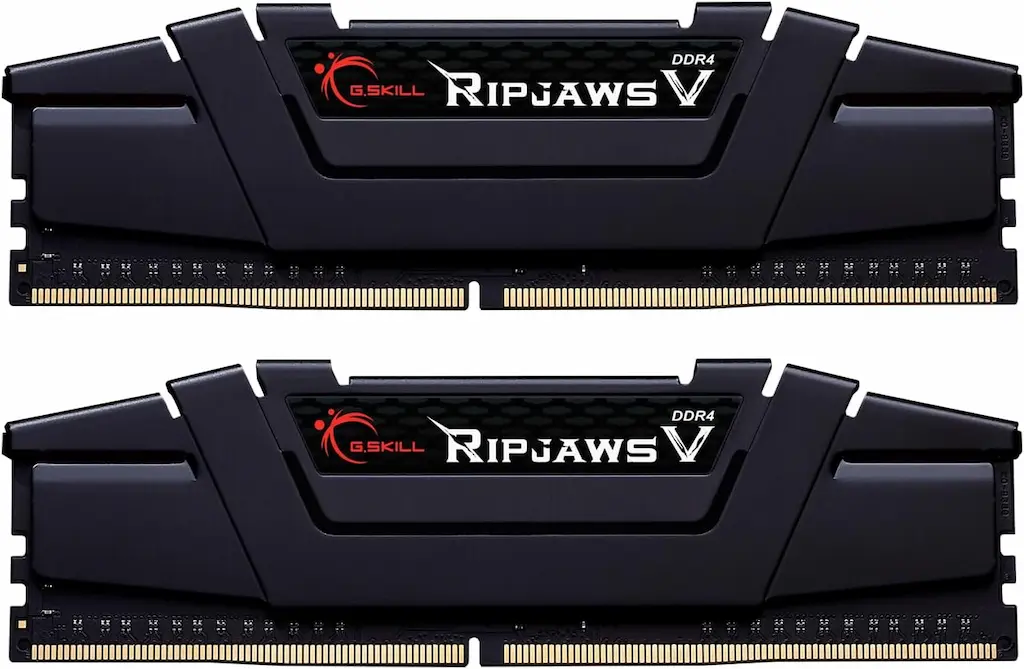
G.Skill Ripjaws V 16GB (2x8GB) 3200MHz CL16: The undisputed ultra-budget king
* As an Amazon Associate I earn from qualifying purchases.
- 1
Tight 16-18-18-38 timings & XMP 2.0 support
The G.Skill Ripjaws V (F4-3200C16D-16GVKB) is widely considered the gold standard for ultra-budget DDR4 gaming builds. Running at 3200MHz with CL16 latency at 1.35V, it delivers 10ns true access time. XMP 2.0 profile loads effortlessly on both Intel LGA1200/1700 and AMD AM4 motherboards.
- 2
High-grade aluminum heatspreader with great thermal dissipation
The classic black aluminum heatspreader keeps memory ICs cool under extended gaming sessions, making it one of the most reliable and thoroughly tested memory kits on the market.
Pros and Cons: G.Skill Ripjaws V 16GB
Pros
Fast 10ns true latency (3200MHz CL16)
Intel XMP 2.0 / AMD DOCP one-click setup
Proven long-term reliability and market track record
Sturdy aluminum heatspreader
Cons
Slightly taller heatsink (42mm) — check air cooler clearance
Conclusion
The G.Skill Ripjaws V is our top recommended ultra-budget DDR4 memory kit. Excellent 10ns true latency, instant XMP profile loading, and rock-solid reliability in CS2 and Valorant.Corsair Vengeance RGB PRO 16GB (2x8GB) 3200MHz CL16: The best for RGB setups
* As an Amazon Associate I earn from qualifying purchases.
- 1
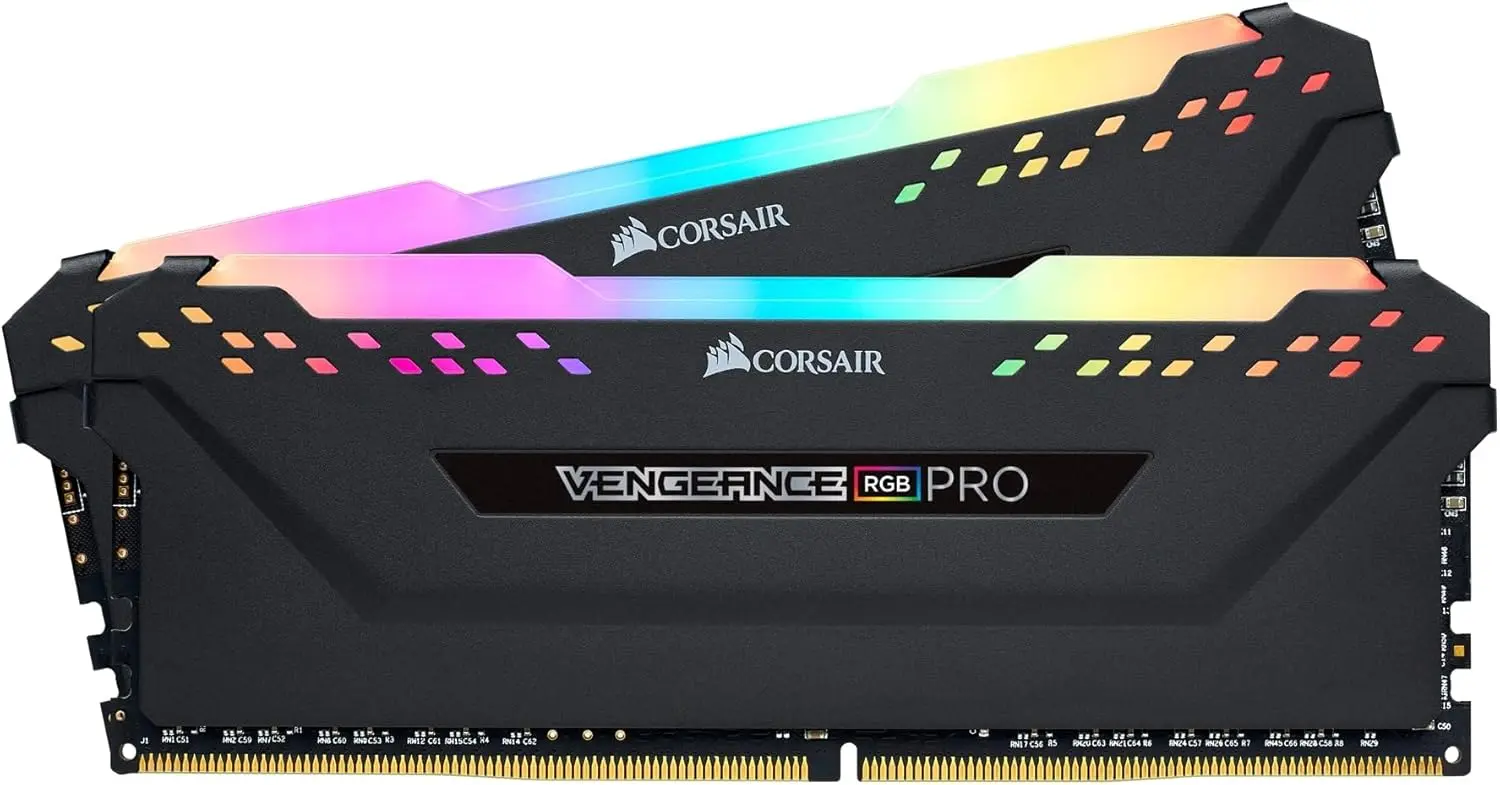
Dynamic multi-zone RGB lighting with full iCUE integration
If you have a windowed case and value aesthetics, the Corsair Vengeance RGB PRO delivers stunning, fully customizable RGB lighting. It syncs with Corsair's iCUE software, allowing you to match lighting effects with CPU temperatures or custom profiles.
- 2
Identical 10ns CL16 performance with tight 16-18-18-36 timings
Matches the G.Skill Ripjaws V in true latency (10ns at 3200MHz CL16) while offering slightly tighter row precharge timings. Includes Intel XMP 2.0 for quick BIOS setup.
Pros and Cons: Corsair Vengeance RGB PRO 16GB
Pros
Stunning addressable RGB lighting syncable via iCUE
Tight CL16-18-18-36 timings (10ns latency)
Premium build quality with aluminum heatspreader
Intel XMP 2.0 support
Cons
Tall 51mm profile — check CPU cooler clearance
Conclusion
Delivers top-tier CL16 10ns performance with stunning addressable RGB lighting. Perfect choice for windowed cases, but check height clearance for large air coolers.Silicon Power 16GB (2x8GB) 3200MHz CL22: Cheap, but slow for gaming
* As an Amazon Associate I earn from qualifying purchases.
- 1
High CL22 latency (13.75ns) reduces 1% low FPS in shooters
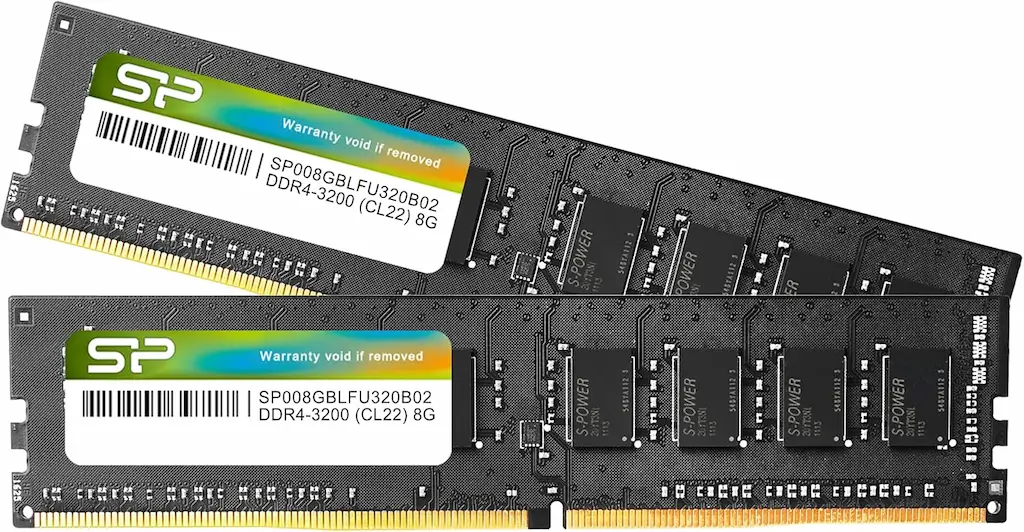
While Silicon Power advertises 3200MHz, it runs at loose CL22-22-22-52 JEDEC timings at 1.2V. The 13.75ns response time is 37.5% slower per clock cycle compared to CL16. In CS2 and Valorant, this extra latency leads to frame drops and stuttering during smoke and utility-heavy scenes.
- 2
No XMP profile and bare PCB design
Lacks an XMP profile and comes with no heatspreader. Saving a small amount compared to CL16 kits is not worth the measurable drop in gaming smoothness. Skip this kit for competitive gaming.
Pros and Cons: Silicon Power 16GB CL22
Pros
Lowest price point among the three kits
Standard 1.2V voltage operation
Cons
High CL22 latency (13.75ns) — 37.5% slower per cycle
No XMP profile support — defaults to JEDEC 2133MHz
Bare PCB with no heatspreader
Causes micro-stutters and lowers 1% low FPS in CS2 & Valorant
Conclusion
The loose CL22 timings and lack of XMP profile make this kit a poor choice for CPU-bound shooters like CS2. Choosing G.Skill or Corsair CL16 kits is worth the slight price difference for better gaming performance.Verdict
The Verdict: Which ultra-budget DDR4 RAM kit wins for CS2 & Valorant — G.Skill Ripjaws V
G.Skill Ripjaws V is the overall winner for ultra-budget DDR4 gaming. It delivers 10ns true latency, instant XMP 2.0 profile loading, and proven rock-solid stability in competitive shooters.
🎯 Best for different needs:
-
G.Skill Ripjaws V — the best overall pick. Low 10ns latency keeps 1% low FPS high in CS2 and Valorant, and the aluminum heatspreader provides great thermal dissipation.
-
Corsair Vengeance RGB PRO — the best RGB option. Delivers identical 10ns performance with stunning multi-zone RGB lighting, though its 51mm height requires checking cooler clearance.
-
Silicon Power CL22 — the ultra-budget option (Avoid for Gaming). High CL22 latency (13.75ns) and lack of XMP support result in micro-stutters and frametime instability during intense firefights.
Frequently Asked Questions
Yes. Both games are CPU-bound competitive titles with modest RAM consumption. CS2 typically uses 6–9GB of total system RAM during a match, Valorant even less. 16GB in dual-channel gives you full game headroom plus Discord, a browser, and background processes with no paging to the SSD. The only reason to exceed 16GB on a DDR4 platform is running content creation workloads simultaneously — not competitive gaming.
True latency in nanoseconds: CL16 at 3200MHz = 10ns, CL22 at 3200MHz = 13.75ns. That's a 37.5% difference in memory response time per access cycle. For general desktop use, you'll never notice. For a CPU-bound game like CS2 running at 300+ FPS — where the CPU issues thousands of memory requests per second — the CL22 kit introduces accumulated stalls that appear as lower 1% lows and microstutters during heavy scenes with smoke and multiple players.
Both are CL16 kits at identical 10ns latency. The G.Skill Ripjaws V (42mm height) is a standard non-RGB kit and serves as the best cost-to-performance choice. The Corsair Vengeance RGB PRO features customizable RGB lighting, making it ideal for windowed builds. However, at 51mm tall, it is very high — check your CPU cooler clearance if using a large dual-tower air cooler.
Mixing kits — different brands, different CL values, or different PCB revisions — can cause instability and may force the system to run at the slower kit's timings. If you plan to upgrade to 32GB in the future, buying a 2×16GB CL16 kit now is cleaner than adding a second 2×8GB kit later. Running four sticks at full XMP speed also carries compatibility risk on some AM4 boards — check the motherboard's QVL list.
You must enable XMP manually in BIOS every time you install a new kit. By default, every motherboard runs DDR4 at 2133MHz (Intel) or 2133/2667MHz (AMD) regardless of what the kit is rated for. Without XMP enabled, a 3200MHz CL16 kit runs at 2133MHz — a significant underperformance. The XMP toggle is in the AI Tweaker / D.O.C.P. section of your BIOS and takes under 60 seconds to configure. There is no reason to skip this step.
You May Also Like
- Best Ultra-Budget CPU for CS2 & Valorant 2026: Ryzen 5 5600 vs i3-12100F vs Ryzen 5 5500 vs i5-12400F
- Best Ultra-Budget DDR5 RAM for CS2 & Valorant in 2026: Kingston vs Corsair vs Crucial — Why 16GB Beats 32GB
- Best Ultra-Budget 240Hz Monitors Under $120 for CS2 & Valorant (2026)
- Best Ultra-Budget 144Hz Monitors Under $80 for CS2 & Valorant (2026)
- How to Overclock Your Monitor from 60 Hz to 75+ Hz Using CRU