peripherals
Best Ultra-Budget Wireless Gaming Mice under $20 for CS2 & Valorant: TECKNET TK-GM001 vs Redragon M656 vs T-DAGGER 066 vs Uineer U6P vs VersionTECH KM-1
We compare 5 budget wireless options for CS2 sub-tick responsiveness, Valorant headshot accuracy, 1000Hz polling rate, battery life, switches, and weight breakdown under $20.
- 9 min read
Looking for the best cheap wireless gaming mouse under $20? Playing competitive tactical shooters like CS2 & Valorant with an ultra-budget wireless mouse used to mean dealing with input lag, spin-outs, and heavy AA battery drag. However, modern budget 2.4GHz wireless chipsets, 8000 DPI optical sensors, and lightweight battery tech have brought sub-$20 wireless options into serious contention for entry-level esports. In tactical shooters like CS2 (with its sub-tick movement engine) and Valorant (with its tight headshot hitboxes), mouse latency and weight directly dictate your flick accuracy, spray control, and crosshair micro-adjustments. We compared 5 top budget wireless options — TECKNET TK-GM001, Redragon M656 Gainer, T-DAGGER 066, Uineer U6P, and VersionTECH. KM-1 — evaluating sensor tracking reliability, CS2 & Valorant input latency, 1000Hz polling rate consistency, battery life systems (USB-C rechargeable vs AA), weight distribution (72g to 95g), and high-velocity flick responsiveness.
Info
Wireless Mouse Buying Guide for CS2 & Valorant
Polling rate and wireless latency are the critical specs for competitive CS2 & Valorant play. A budget mouse with 250Hz polling rate introduces micro-stutter when tracking fast counter-strafe targets in Valorant or controlling rifle spray in CS2.
Rechargeable USB-C vs AA Battery USB-C rechargeable mice (TECKNET 72g, Uineer 95g) avoid AA battery drag. AA models add 20g-25g of extra weight when battery is installed, but offer months of cord-free play without charging cables.
Four specs to check for CS2 & Valorant in a sub-$20 wireless mouse:
- Native 1000Hz Polling Rate - Ensures 1ms response rate to sync with CS2 sub-tick movement and Valorant's competitive engine — only the TECKNET TK-GM001 hits 1000Hz in this price tier.
- Total Weight under 90g - Heavy wireless mice cause wrist fatigue during long CS2 competitive matches and overshooting when stopping crosshairs. If you choose an AA-powered mouse, you can drop up to 15g instantly with our AAA Battery Weight Mod Guide
- USB-C Fast Charging & Dual Mode - Allows seamless play while charging via cable if battery runs low mid-match during OT in Valorant.
- 2.4GHz Nano Receiver Stability - Avoid Bluetooth for competitive FPS — Bluetooth adds 10–20ms latency on top of your normal ping, making reaction shots significantly less reliable. All 5 mice here use 2.4GHz dongles.
Four rules for optimal CS2 & Valorant wireless performance:
- Plug the USB 2.4GHz dongle close to your mousepad to minimize wireless interference during tight gunfights
- Turn off high-brightness RGB modes to extend battery life — up to 100 hours on rechargeable models like the TECKNET TK-GM001
- Opt for 1000Hz models like the TECKNET TK-GM001 for high-rank CS2 Premier and Valorant Competitive play
- Plug the 2.4GHz dongle directly into a motherboard USB port (avoid unpowered hubs) to prevent packet loss in CS2 sub-tick updates
How to optimize wireless mouse settings for FPS:
Wireless Mouse Optimization VideoSub-$20 Wireless Gaming Mice Specs & Features
Redragon M656 Gainer Wireless Gaming Mouse | 1x AA Battery (ECO Mode) | 4000 | 87 g | 500 Hz | Check price on Amazon |
Uineer U6P Wireless Upgraded Gaming Mouse | Rechargeable Lithium (Type-C + Battery Display) | 2400 | 95 g | 500 Hz | Check price on Amazon |
TECKNET TK-GM001 Wireless Lightweight Gaming Mouse Best Pick (1000Hz) | Rechargeable 900mAh (USB-C) | 8000 | 72 g | 1000 Hz | Check price on Amazon |
T-DAGGER 066 Cordless Ergonomic Wireless Mouse | 1x AA Battery (Up to 3 months) | 2400 | 83 g | 500 Hz | Check price on Amazon |
VersionTECH. KM-1 Rechargeable Wireless Mouse | Rechargeable Lithium (Auto-Sleep) | 1600 | 95 g | 250 Hz | Check price on Amazon |
Redragon M656 Gainer Wireless Gaming Mouse
1x AA Battery (ECO Mode)4000 DPI87 g500 HzUineer U6P Wireless Upgraded Gaming Mouse
Rechargeable Lithium (Type-C + Battery Display)2400 DPI95 g500 HzTECKNET TK-GM001 Wireless Lightweight Gaming Mouse Best Pick (1000Hz)
Rechargeable 900mAh (USB-C)8000 DPI72 g1000 HzT-DAGGER 066 Cordless Ergonomic Wireless Mouse
1x AA Battery (Up to 3 months)2400 DPI83 g500 HzVersionTECH. KM-1 Rechargeable Wireless Mouse
Rechargeable Lithium (Auto-Sleep)1600 DPI95 g250 Hz
* As an Amazon Associate I earn from qualifying purchases.
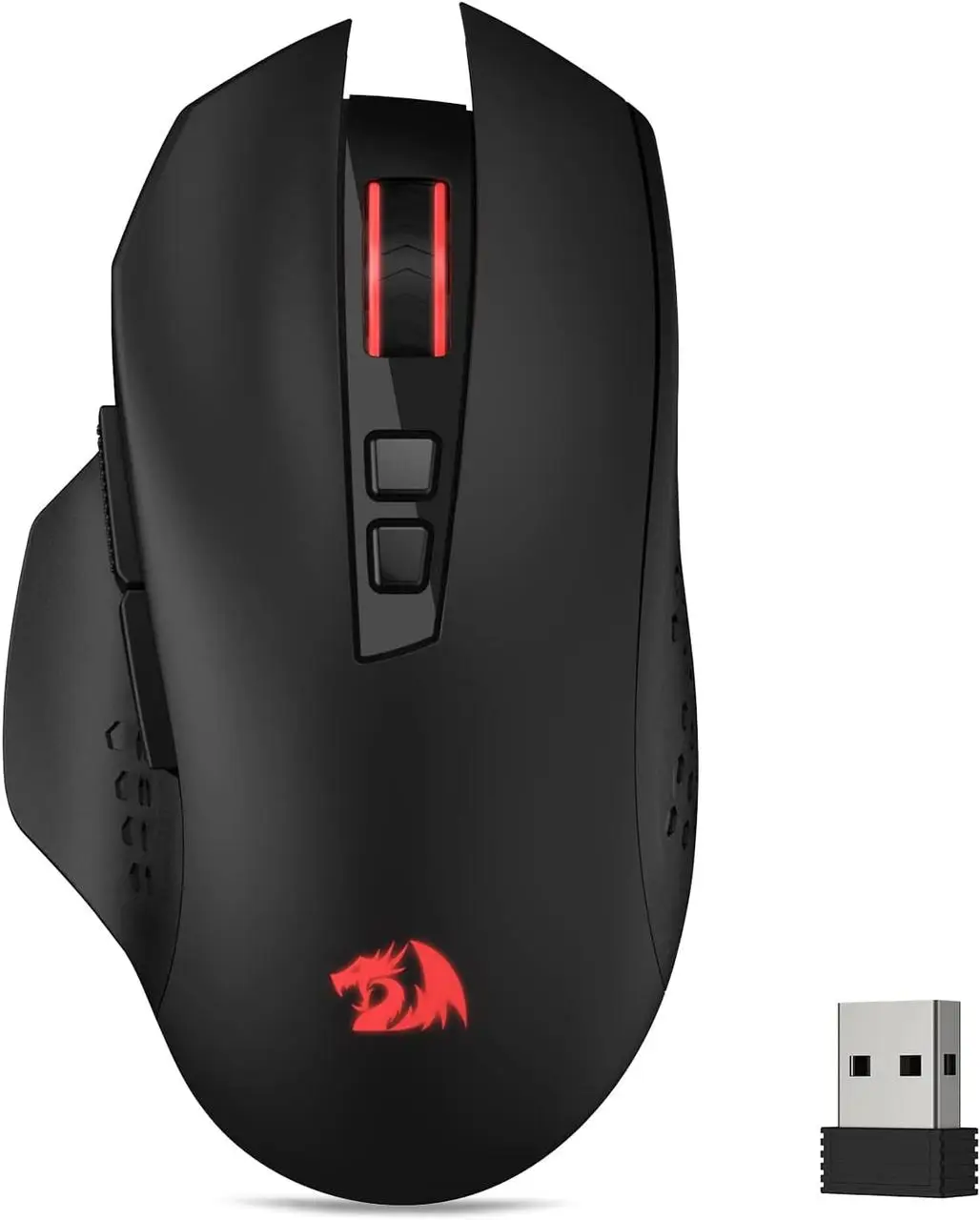
Redragon M656 Gainer: Ergonomic shape for steady CS2 spray control
* As an Amazon Associate I earn from qualifying purchases.
- 1
Proven PixArt PAW3104 optical sensor with 500Hz polling
The Redragon M656 Gainer delivers trusted hardware reliability with its PixArt PAW3104 optical sensor and 500Hz polling rate (2ms latency). Supporting up to 4000 DPI across 5 levels, it offers stable, predictable cursor tracking suitable for holding choke points and controlling rifle recoil in CS2. Note: 500Hz is passable for mid-rank play but falls below the 1000Hz competitive baseline.
- 2
Right-handed ergonomic shape & AA battery ECO longevity
Its sculpted ergonomic body features a dedicated thumb rest for maximum stability during long competitive sessions. Note: the listed weight of 87g includes the AA battery — no extra drag is added at install. The smart ECO sleep mode extends battery life for up to several months without needing a charging cable.
Pros & Cons: Redragon M656 Gainer
Pros
Reliable PixArt PAW3104 optical sensor
Comfortable ergonomic shape with thumb rest
Smart ECO mode gives months on 1x AA battery
7 programmable buttons with software support
Cons
500Hz maximum polling rate
Requires AA battery replacement (adds ~20-25g when installed)
Conclusion
A trusted PixArt PAW3104 optical sensor at 500Hz polling (2ms latency). The 87g weight includes the AA battery — no extra drag at install. Its ergonomic thumb rest helps maintain consistent crosshair placement during long CS2 sessions. At 500Hz it is passable for mid-Silver to high-Gold lobbies in CS2 and Valorant, but competitive players should opt for 1000Hz.T-DAGGER 066: 7 buttons for extra Valorant ability keybinds
* As an Amazon Associate I earn from qualifying purchases.
- 1
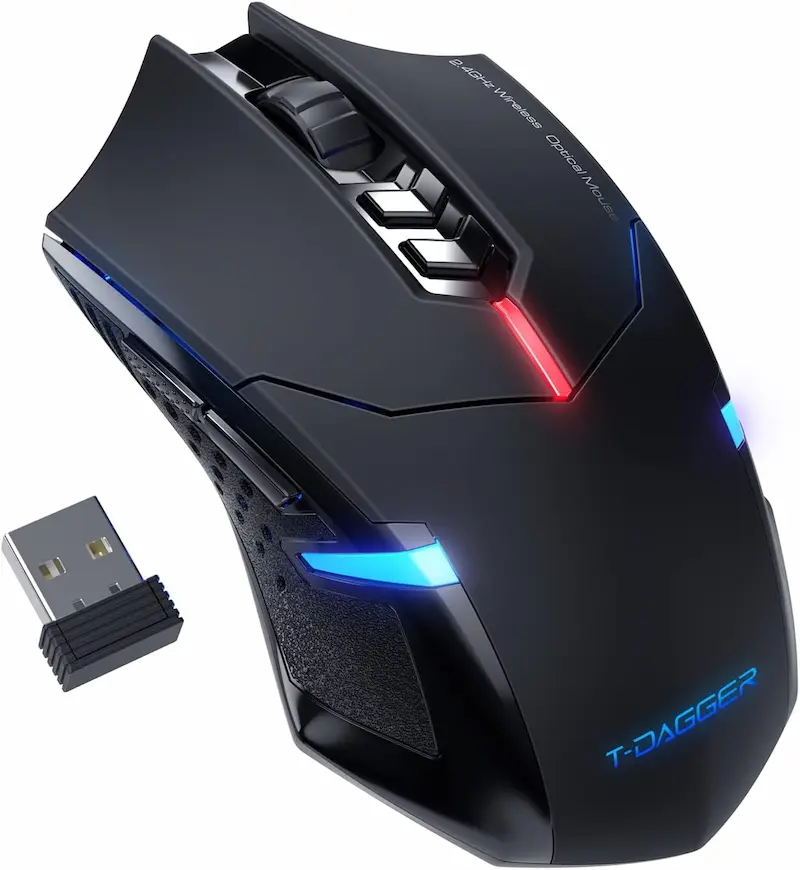
7 silent buttons with 83g dry frame (add ~20g for AA battery)
The T-DAGGER 066 Cordless combines quiet operation with practical utility. Listed at 83g without battery — with a standard AA battery installed, total weight rises to approximately 103g. Its 7 silent click buttons offer extra side buttons for Discord Push-To-Talk (PTT), CS2 grenade binds, or Valorant agent abilities.
- 2
2400 DPI optical tracking & 3-month AA battery efficiency
With 5 adjustable DPI steps up to 2400 DPI and a 500Hz polling rate (2ms latency), the T-DAGGER 066 provides reliable tracking on standard cloth mousepads. For CS2 and Valorant, most pro players use 400–800 DPI in-game — the 2400 DPI ceiling is more than sufficient. Automatic power-saving sleep mode allows up to 3 months of use from a single AA battery.
Pros & Cons: T-DAGGER 066
Pros
Lightweight 83g dry weight design
7 button layout for extra macros & PTT
Up to 3 months battery life on 1x AA battery
2400 DPI optical sensor with 500Hz polling
Cons
Requires AA battery replacement
Fixed blue LED lighting
Conclusion
7 silent buttons at 500Hz polling (2ms latency). The 83g is a dry weight — with AA battery installed, actual weight reaches ~103g. Its extra side buttons are well-suited for CS2 grenade binds or Valorant agent ability macros. Up to 3 months of battery life makes it ideal for players who dislike charging cables.TECKNET TK-GM001: The sub-$20 1000Hz breakthrough for CS2 & Valorant
* As an Amazon Associate I earn from qualifying purchases.
- 1
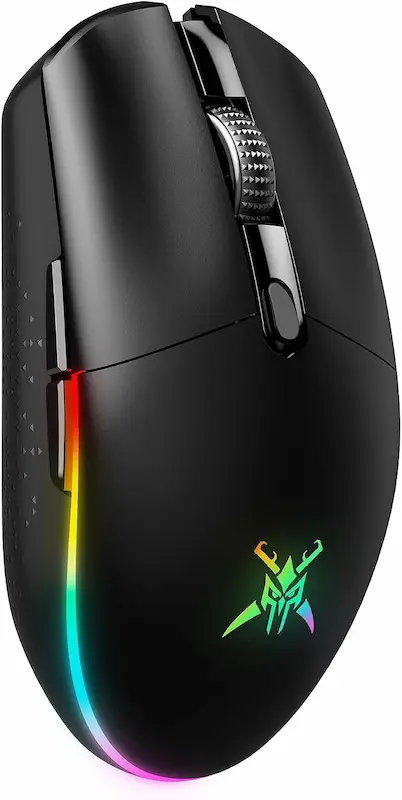
True 1000Hz polling rate, 8000 DPI, and 72g ultra-lightweight frame
The TECKNET TK-GM001 stands out as the top esports performer in the sub-$20 category. Featuring 1000Hz polling (1ms latency), an 8000 DPI optical sensor, and a featherlight 72g frame, it delivers the pixel-perfect tracking and low latency required for snappy sniper flicks and crosshair micro-adjustments in CS2 and Valorant.
- 2
Rechargeable 900mAh USB-C battery & dual-mode versatility
Equipped with a built-in 900mAh lithium battery, the TK-GM001 offers up to 100 hours of continuous wireless gaming with RGB lighting turned off. Its dual-mode connection allows you to switch between 2.4GHz wireless and USB-C wired mode seamlessly, ensuring you never drop out mid-round in competitive matches.
Pros & Cons: TECKNET TK-GM001
Pros
Native 1000Hz polling rate (1ms low latency)
Featherlight 72g chassis for swift aim adjustments
Up to 8000 DPI optical sensor with 6 levels
Rechargeable 900mAh battery via modern USB-C
Dual-mode 2.4GHz wireless & USB-C wired connection
Switches rated for >20 million clicks
Cons
RGB mode consumes battery faster if left on high
Plastic shell exhibits slight flex under heavy pressure
Conclusion
The only mouse in this comparison with a native 1000Hz polling rate (1ms latency). At 72g it is the lightest option — ideal for low-eDPI players who use wide arm sweeps. The 8000 DPI range covers any CS2 or Valorant sensitivity setup, and the 900mAh USB-C battery offers ~100 hours before needing a charge (RGB off). Best overall pick for competitive play.Uineer U6P: Silent click switches & battery display for casual FPS
* As an Amazon Associate I earn from qualifying purchases.
- 1
Visual LED battery percentage display & Type-C charging
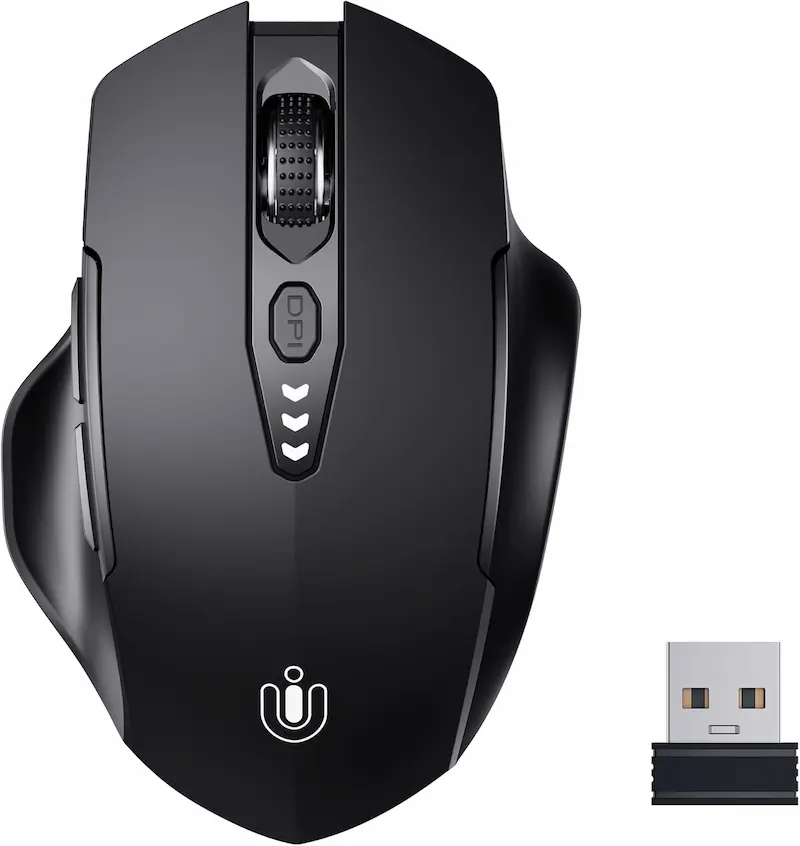
The Uineer U6P eliminates battery anxiety with a built-in LED display on top of the mouse that shows exact battery level percentage in real time. It uses 500Hz polling (2ms latency) — below the 1000Hz competitive standard, but adequate for casual CS2 and Valorant sessions. Fast Type-C USB charging ensures quick power top-ups between matches.
- 2
Quiet silent click switches & 2400 DPI optical sensor
Designed for sound-sensitive environments, the U6P uses silent click switches for noise-free clicking. Featuring a 2400 DPI optical sensor with 4 sensitivity levels (800/1200/1600/2400 DPI), it covers the typical CS2 and Valorant eDPI range (400–1600 DPI in-game × 1–2 sensitivity) with ease.
Pros & Cons: Uineer U6P
Pros
Visual LED battery percentage indicator
Silent click switches for noise-free gaming
Modern Type-C rechargeable battery
Cons
Max 2400 DPI optical sensor
Silent switches lack crisp click feedback
Conclusion
Silent click switches and a built-in LED battery percentage display — the most useful feature for players who frequently forget to charge. At 500Hz polling (2ms latency) and 2400 DPI max, it covers the typical CS2/Valorant eDPI range comfortably. At 95g it is heavier than TECKNET; suitable for casual matches and DM rather than ranked competitive play.VersionTECH. KM-1: Ultra-budget option for casual Deathmatch
* As an Amazon Associate I earn from qualifying purchases.
- 1
Ultra-budget price tag with rechargeable battery
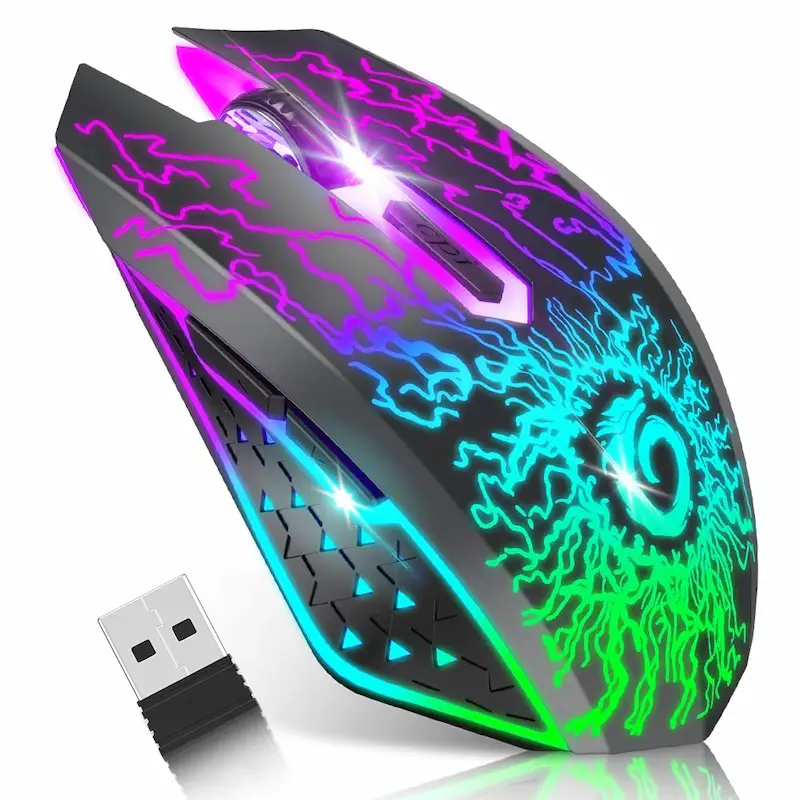
The VersionTECH. KM-1 is the most affordable wireless option on the list. Featuring a built-in rechargeable lithium battery and silent primary switches, it offers a budget-friendly wireless setup without spending extra on disposable batteries.
- 2
7-color RGB breathing lighting & casual 1600 DPI tracking
With 3 DPI levels (800/1200/1600 DPI) and eye-catching 7-color RGB breathing light effects, it provides stylish aesthetics for casual play. Its 250Hz polling rate (4ms latency) means it is not suitable for ranked CS2 or Valorant competitive matches — at this latency, fast counter-strafes and flicks will feel noticeably sluggish compared to 1000Hz mice.
Pros & Cons: VersionTECH. KM-1
Pros
Most affordable entry price point in the group
Rechargeable battery with silent clicks
7-color RGB breathing light effect
Cons
250Hz polling rate limits fast flick accuracy in CS2
1600 max DPI ceiling
Conclusion
Not recommended for competitive CS2 or Valorant ranked play due to its 250Hz polling rate (4ms latency) — fast counter-strafe tracking and flick shots will noticeably lag. Best used for casual unranked Deathmatch, creative workshop maps, or daily computer work. Its 7-color RGB and rechargeable battery make it a stylish daily driver.Verdict
The Verdict: Best Ultra-Budget Wireless Mice for CS2 & Valorant — TECKNET TK-GM001 Wireless Lightweight
TECKNET TK-GM001 is the best overall pick for ultra-budget competitive CS2 & Valorant gaming, delivering a native 1000Hz polling rate (1ms latency), 8000 DPI optical sensor, featherlight 72g chassis, and modern USB-C 900mAh rechargeable battery for responsive sniper flicks and pixel-perfect crosshair placement.
🎯 Best for different needs:
-
Redragon M656 Gainer — the best ergonomic pick. Powered by a PixArt PAW3104 optical sensor and single AA battery ECO mode, it offers comfortable right-handed grip for players who prefer a traditional AA battery setup for steady CS2 rifle spray control.
-
T-DAGGER 066 — the best 7-button utility pick. Weighing 83g dry, it features 7 silent buttons for extra macros, CS2 grenade binds, and Valorant Push-To-Talk (PTT) keybinds, with up to 3 months of AA battery life.
-
Uineer U6P — the best visual battery display pick. Features a real-time LED percentage display on top of the mouse and silent switches for quiet night Valorant & CS2 casual sessions with Type-C charging.
-
VersionTECH. KM-1 — the ultra-cheap entry-level option. Silent click switches, 7-color RGB, and rechargeable lithium battery for casual unranked play and basic daily computer tasks.
💡 USB-C Rechargeable vs AA Battery — the final verdict:
For competitive CS2 and Valorant, USB-C rechargeable mice (like TECKNET) keep total weight significantly lower (72g), maximizing flick agility and crosshair micro-aim corrections. AA-powered mice are great for zero-maintenance battery life, but add extra drag during rapid arm sweeps in tight duels.
Frequently Asked Questions
Yes, but only if it has 1000Hz polling. In this comparison, only the TECKNET TK-GM001 (72g, 1ms) meets the competitive standard. The other four mice run at 500Hz or 250Hz.
Most pro CS2 and Valorant players use 400–800 DPI on their mouse and adjust in-game sensitivity to reach their preferred eDPI (DPI × in-game sens). All 5 mice in this comparison cover that range. Higher DPI settings like 8000 DPI are available but rarely used competitively.
Yes — 2.4GHz wireless dongles add less than 1ms of latency and are indistinguishable from wired in gameplay. Bluetooth however adds 10–20ms, which is why all mice in this article use dedicated 2.4GHz nano receivers.
USB-C rechargeable mice avoid battery replacement costs. AA battery models add ~20g of extra weight when installed. For competitive flick accuracy, lower total weight (like TECKNET's 72g) is always better.
1000Hz (1ms) is the competitive standard for CS2 and Valorant. 500Hz (2ms) is passable for mid-rank casual sessions. 250Hz (4ms) causes visible tracking stutter in fast counter-strafe duels — avoid it for ranked play.
You May Also Like
- Best Ultra-Budget Wireless Keyboards Under $20: CS2 & Valorant
- Best Ultra-Budget XXL Mousepads for CS2 & Valorant under $10: Akduss, Naukay, and JOCYRN
- Best Ultra-Budget Gaming Mousepads Under $5 for CS2 & Valorant (2026)
- High LOD Tape Trick: How to Lower Sensor Lift-Off Distance for CS2 & Valorant
- Valorant Mouse Settings Guide 2026: DPI, eDPI & Sensitivity Explained