peripherals
Best Budget USB Microphones Under $40 for CS2 & Valorant: FIFINE A6V vs Amazon Basics vs ZealSound K66
A spec and design comparison of capsule isolation, noise filtering, and hardware controls across three USB options for competitive voice comms.
- 10 min read
In tactical first-person shooters like CS2 and Valorant, clear voice communication decides rounds. When an aggressive retake requires an instant callout, a microphone that clips, distorts, or transmits continuous mechanical switch stroke clatter creates confusion. Many entry-level headset microphones suffer from thin acoustic tuning and aggressive software compression that muffle speech. Transitioning to a dedicated USB condenser microphone significantly boosts vocal clarity and body, but introduces a mechanical challenge on a small desk: desk-borne vibration and switch clatter. Every desktop microphone placed near a mousepad picks up ambient acoustic energy. Kinetic energy from low-sensitivity mouse resets travels through desk surfaces, while sensitive condenser diaphragms register the snap of mechanical switches. In this spec comparison, based on manufacturer technical documentation, user manuals, and published owner reports, we evaluate three popular USB condenser microphones under forty dollars: the FIFINE AmpliGame A6V, the Amazon Basics S6524A, and the ZealSound K66 (specifically the standard non-RGB edition under ASIN B0932BCM2T). We compare their vibration damping solutions, noise rejection features, mounting options, and physical controls to determine how each design behaves on a competitive gaming desk.
Info
Voice Chat Acoustic Guide for Competitive Shooters
Vibration isolation and capsule positioning matter far more than advertised high sample rates. In CS2 and Valorant, in-game voice engines use lossy compression algorithms with strictly limited bitrates to preserve low network latency. A microphone advertising 192kHz sample rates delivers no audible competitive advantage over a standard 16-bit / 44.1kHz or 48kHz signal once transmitted through game voice servers. Physical isolation and gain staging are the real factors that protect voice comms.
Acoustic reality of condenser microphones vs. background noise Condenser microphones feature lightweight diaphragms engineered for high sensitivity and broad frequency capture. Consequently, no desktop condenser completely ignores mechanical keyboard switches without careful physical placement or digital filtering. For maximum passive keyboard isolation in noisy rooms, dynamic broadcast microphones or tight-proximity headset boom mics remain the gold standard. A budget condenser is chosen for vocal clarity and natural tone, but requires proper gain staging and physical placement to avoid switch clatter.
Acoustic bottlenecks common in budget desktop microphones:
- Rigid desktop coupling without external decoupling - Solid desktop feet without elastic suspension transfer mechanical kinetic energy from mousepad friction, keyboard bottom-outs, and desk nudges straight into the capsule housing as low-frequency thuds.
- Physical mute button tactile feedback - Pressing a firm mechanical switch on the mic chassis can transmit a short acoustic transient directly through the body into the capsule before muting takes effect. Capacitive touch sensors reduce or avoid this physical thud.
- Absence of hardware gain adjustment - Without an analog potentiometer on the body, adjusting your microphone sensitivity requires opening Windows Sound Control or software settings, making quick mid-match adjustments less convenient.
- Uncalibrated hardware DSP effects (Echo / Noise Cancellation) - Hardware echo circuits destroy vocal intelligibility and must be turned completely off for tactical shooters. Conversely, hardware DSP noise cancellation can help suppress continuous fan hum, but aggressive tuning may introduce slight vocal gating.
Guidelines for positioning a condenser mic for tactical shooters:
- Position the front grille 12 to 18 cm from your mouth and point the rear null-pickup angle directly toward your mechanical keyboard.
- Keep the hardware gain knob around 35 to 50 percent and project your natural speaking voice rather than excessively boosting digital gain.
- Consider mounting the microphone to an inexpensive boom arm if your mic has a 5/8-inch socket (e.g. Amazon Basics) to substantially reduce desk-borne vibration.
- Ensure any hardware echo or reverberation dials are confirmed at zero before joining ranked matches.
Budget USB Microphones: Physical Specs & Performance
FIFINE AmpliGame A6V USB Gaming Microphone Best Vibration Isolation | Cardioid | 44.1kHz | 16-bit | Yes (top tap-to-mute capacitive sensor) | Yes (bottom rotary dial) | No | Check price on Amazon |
Amazon Basics Desktop USB Condenser Microphone (AMZ-S6524A) Lowest Cost Option | Cardioid | 48kHz | 16-bit | Yes (front physical button with LED indicator) | No (software gain via Windows / Discord only) | No | Check price on Amazon |
ZealSound K66 Series USB Condenser Microphone Best for Monitoring | Cardioid (Unidirectional) | 48kHz | 16-bit | Yes (front mute button with blue DSP noise-cancellation hold mode) | Yes (front rotary potentiometer) | Yes (3.5mm real-time zero-latency monitoring jack) | Check price on Amazon |
FIFINE AmpliGame A6V USB Gaming Microphone Best Vibration Isolation
Condenser (Electret)Cardioid44.1kHz16-bitUSB Type-C (detachable cable)Amazon Basics Desktop USB Condenser Microphone (AMZ-S6524A) Lowest Cost Option
CondenserCardioid48kHz16-bitUSB Type-C (detachable cable)ZealSound K66 Series USB Condenser Microphone Best for Monitoring
Condenser (Electret)Cardioid (Unidirectional)48kHz16-bitUSB Type-C (detachable cable)
* As an Amazon Associate I earn from qualifying purchases.
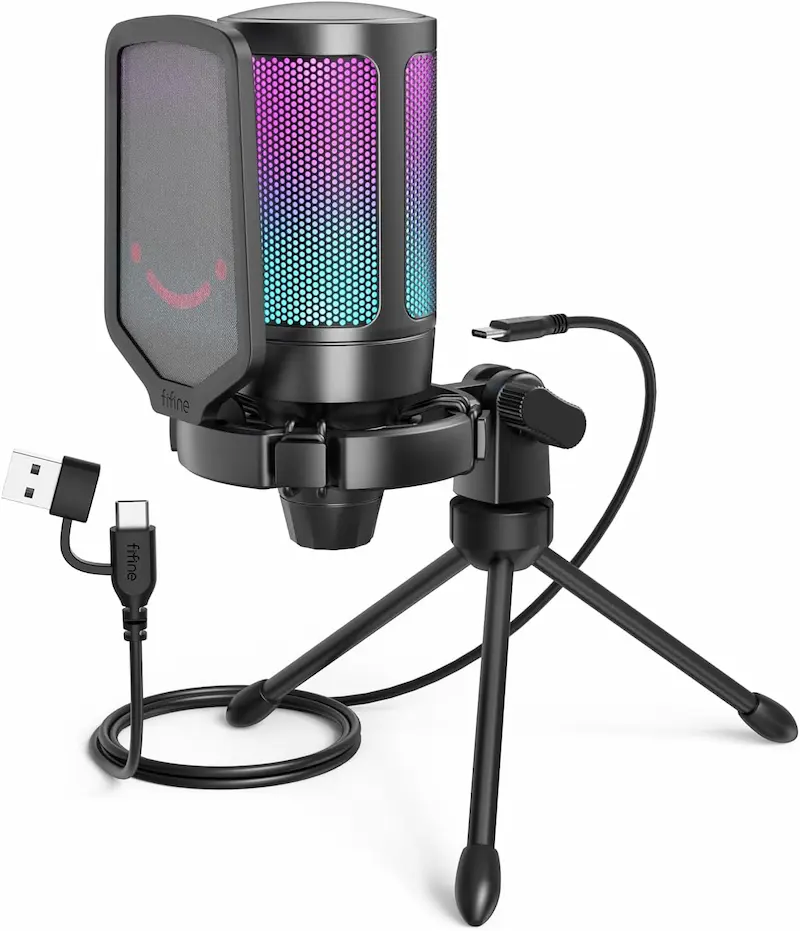
FIFINE AmpliGame A6V: Elastic suspension and practical controls for desk setups
* As an Amazon Associate I earn from qualifying purchases.
- 1
Pre-installed elastic shock mount designed to attenuate desk vibration
Based on manufacturer specifications and published reviews, the FIFINE A6V is built to address the common flaw of budget desktop microphones. By suspending its 16mm condenser capsule inside an elastic cord spider mount, mechanical vibrations from desk nudges and rapid mouse resets are damped before reaching the diaphragm. The included pop filter helps reduce breath plosives during close-proximity speaking, while the top-mounted capacitive touch-to-mute sensor allows silent muting without mechanical button thuds.
- 2
Documented trade-offs: non-defeatable RGB lighting and plastic housing
Manufacturer specifications and published reviews describe a clear, cardioid-focused pickup, but highlight several compromises. The two-tone gradient RGB lighting operates continuously while active and only turns off when the microphone is muted. The unit uses a plastic housing, requiring reasonable care when handling and adjusting angle screws. An analog gain dial on the bottom allows direct sensitivity adjustment without leaving your game window, though the unit does not include a 3.5mm headphone monitoring jack.
Pros and Cons: FIFINE AmpliGame A6V
Pros
Factory elastic shock mount reduces low-frequency desk vibrations from mouse resets
Capacitive tap-to-mute sensor avoids mechanical click transfer into voice channels
Bottom-mounted rotary gain dial allows quick sensitivity adjustments without alt-tabbing
Cons
Gradient RGB lighting cannot be turned off independently while unmuted
Plastic housing requires careful handling when adjusting mount screws
No 3.5mm direct audio monitoring jack for real-time headphone sidetone
Conclusion
The FIFINE A6V provides the most practical desktop isolation out of the box thanks to its factory-fitted elastic shock mount, capacitive mute sensor, and bottom gain dial. Its main trade-off is non-switchable RGB lighting.Amazon Basics S6524A: Compact footprint with standard 5/8-inch boom arm compatibility
* As an Amazon Associate I earn from qualifying purchases.
- 1
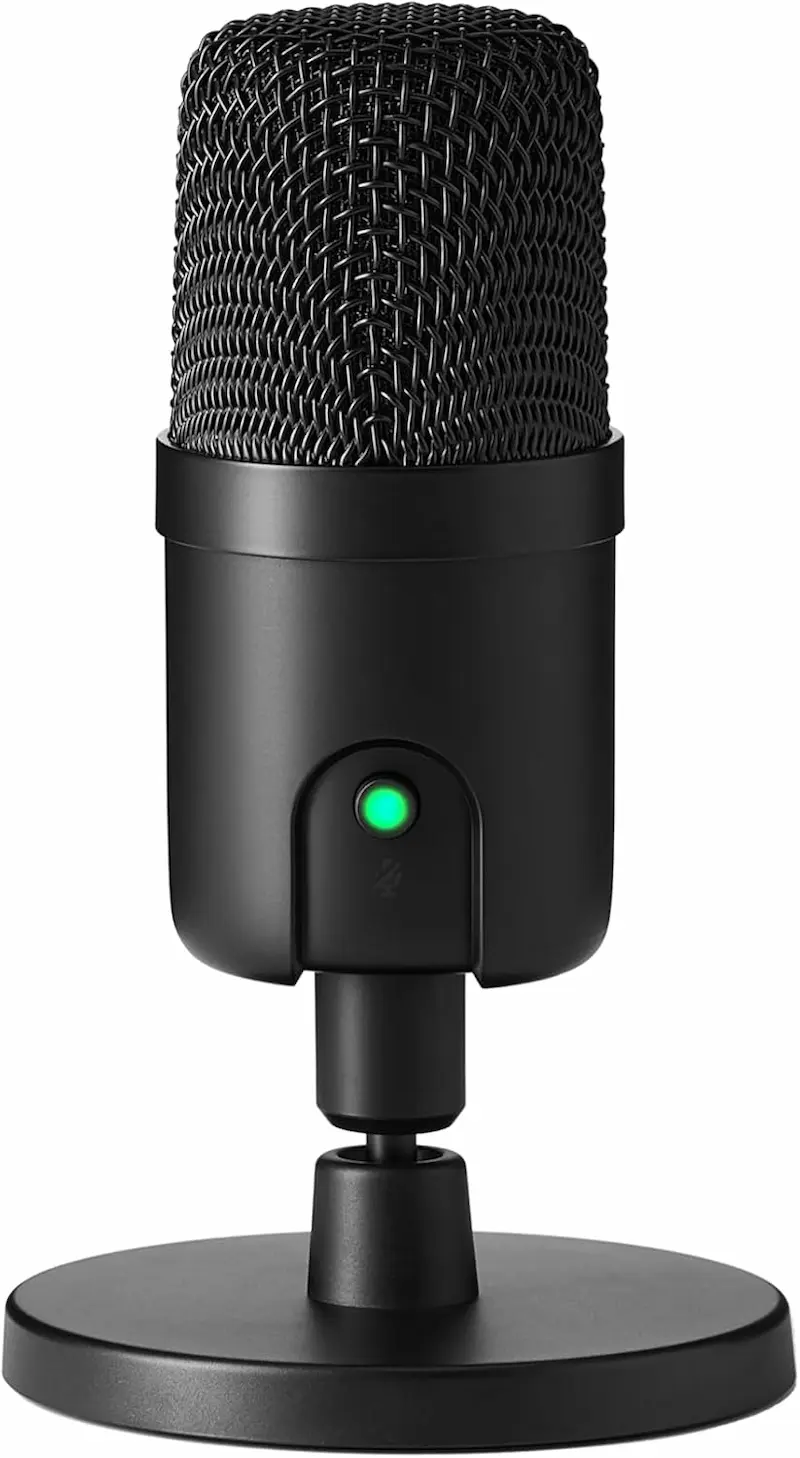
14mm condenser capsule with built-in shock absorber and boom arm threading
The Amazon Basics S6524A is built around a 14mm cardioid capsule with a 50Hz to 20kHz frequency response, delivering balanced speech clarity for in-game callouts. Weighing approximately 200 grams, it occupies minimal desk space. According to manufacturer documentation, it features an internal silicone rubber sleeve and a built-in shock absorber to help cushion the capsule. Crucially, the mic body can be detached from its stock desktop stand and threaded directly onto standard 5/8-inch microphone boom arms.
- 2
Documented trade-offs: stock stand provides modest isolation and lacks gain dial
While the manufacturer specifies an internal silicone rubber sleeve and shock absorber, isolation on the stock desktop stand remains more modest than with a dedicated external elastic suspension harness. Additionally, the unit does not have a physical gain knob; volume adjustments must be managed via Windows Sound settings or voice software. The front mute button is a physical switch with an LED indicator, positioning it as the most affordable option among the three.
Pros and Cons: Amazon Basics S6524A
Pros
Lowest purchase cost among the three compared models
Standard 5/8-inch threaded socket allows direct mounting onto budget boom arms
Compact 200g footprint takes up minimal space on small competitive desks
Internal silicone sleeve and shock absorber cushion the 14mm capsule
Cons
No hardware gain dial; requires adjusting input volume via software settings
Stock stand provides more modest isolation than external elastic spider mounts
Conclusion
The Amazon Basics S6524A delivers clean vocal capture at the lowest purchase cost. While its stock stand transmits desk thuds more readily than an elastic spider, its standard 5/8-inch threading allows easy mounting to a boom arm.ZealSound K66: Metal build, 3.5mm monitoring, and hardware DSP noise cancellation
* As an Amazon Associate I earn from qualifying purchases.
- 1
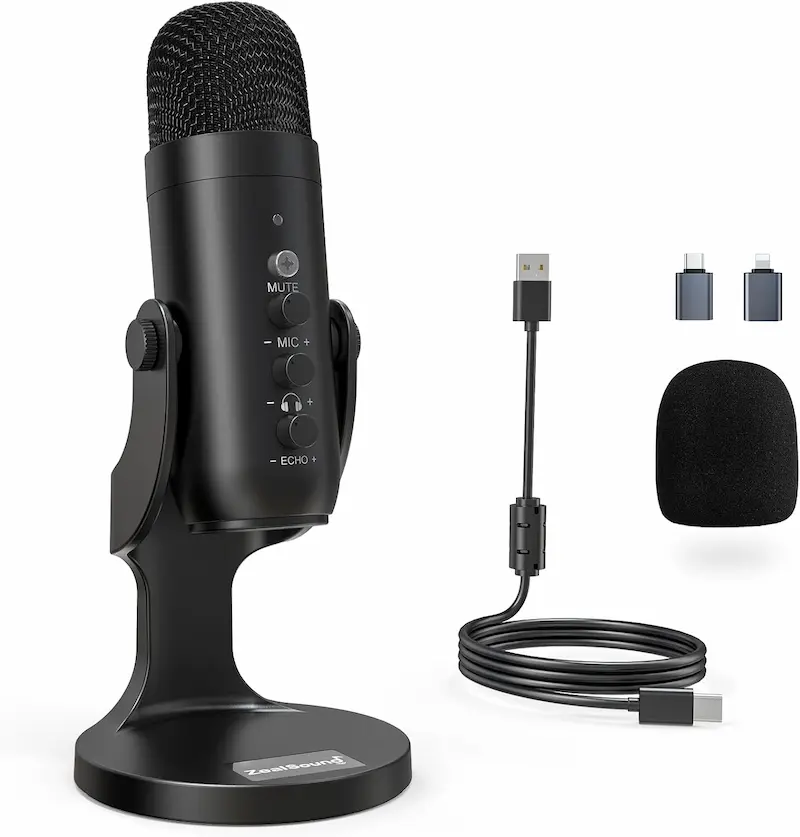
16mm electret diaphragm, zero-latency monitoring, and switchable DSP filtering
The ZealSound K66 (ASIN B0932BCM2T) features a 16mm electret condenser capsule, a weighted metal desktop base, and a built-in 3.5mm headphone jack for real-time zero-latency sidetone monitoring. A notable feature verified on this specific model is integrated DSP noise cancellation: holding down the front mute button switches the LED indicator to blue, activating active filtering intended to suppress continuous ambient background noise. Independent physical dials provide analog control over mic gain and headphone volume.
- 2
Documented trade-offs: redundant echo circuit and no documented elastic suspension
The K66 includes an analog echo potentiometer designed for karaoke use. For tactical shooters, this feature must be kept strictly at zero to prevent slurring tactical speech. While the manufacturer positions the solid metal base as an anti-vibration mount, no elastic suspension is documented, so isolation is likely limited during table impacts. The front mute control uses a physical button with an LED indicator, and buyers should note that this specific ASIN is the non-RGB version with a single status LED.
Pros and Cons: ZealSound K66
Pros
Integrated 3.5mm headphone jack provides zero-latency hardware voice monitoring
Long-press mute button toggles built-in DSP noise cancellation (blue LED indicator)
Independent physical rotary knobs for both microphone gain and headphone volume
Weighted metal disc base and included mobile adapter kit
Cons
Hardware echo dial must be kept at zero to avoid distorting tactical callouts
No elastic suspension is documented; rigid base may still conduct table strikes
No documented standard 5/8-inch socket on mic body for direct boom arm mounting
Conclusion
The ZealSound K66 features a weighted metal base, real-time headphone monitoring, and optional DSP noise reduction, but requires keeping its redundant echo dial at zero to maintain clear tactical callouts.Verdict
Acoustic Isolation and Practical Controls: The Deciding Factors FIFINE AmpliGame A6V
Based on manufacturer specifications and published reviews, the FIFINE AmpliGame A6V emerges as the most practical out-of-the-box solution for competitive desktop placement under forty dollars.
Its pre-installed elastic shock mount actively decouples the 16mm condenser capsule from desk vibrations caused by rapid mouse resets, while its top-mounted capacitive touch sensor allows silent muting without mechanical button clicks. The bottom rotary gain dial enables immediate hardware sensitivity tuning, ensuring your voice remains balanced without tabbing out of matches.
Evaluation of the Alternatives:
-
Amazon Basics S6524A represents the lowest purchase cost and offers an ultra-compact footprint. While its stock stand provides less vibration isolation than an elastic suspension spider, its inclusion of standard 5/8-inch boom arm threading makes it an excellent ultra-budget candidate if you plan to mount it on a decoupled arm. However, the absence of an analog gain dial requires setting input levels in software.
-
ZealSound K66 features a weighted metal disc base, includes a valuable 3.5mm real-time monitoring jack, and offers switchable DSP noise cancellation (blue LED mode) for suppressing ambient fan noise. However, its redundant karaoke echo circuit must be kept strictly at zero, and no elastic suspension is documented on its stock metal base, so desk isolation is likely limited unless you add a decoupling pad or choose a bundle that ships with its own boom arm.
Frequently Asked Questions
Condenser microphones feature lightweight diaphragms with high sensitivity across mid and high frequencies. Because mechanical switches produce sharp acoustic transients right in this frequency range, placing a condenser microphone on a desk between you and your keyboard causes switch sounds to bleed into your open voice channel. While a cardioid pickup pattern attenuates sound from the rear, keeping the capsule close to your mouth and lowering the hardware gain is required to separate voice from clicks.
Yes. In tactical shooters where players use low sensitivity (such as 400 to 800 eDPI), aggressive mouse repositions and resets create mechanical vibrations that travel across the desk surface. A rigid desktop stand conducts this kinetic energy directly into the microphone capsule as low-frequency thuds. An elastic shock mount—like the factory spider on the FIFINE A6V—absorbs these mechanical vibrations before they reach the diaphragm.
For the Amazon Basics S6524A, yes: detaching the microphone from its stock desktop stand exposes a standard 5/8-inch female threaded socket on the bottom, allowing it to screw directly onto standard microphone boom arms without adapters. ZealSound does not document a standard 5/8-inch socket on the mic body; some bundles ship with their own boom arm and mount hardware.
On the ZealSound K66 (ASIN B0932BCM2T), pressing and holding the front mute button switches the LED indicator to blue, engaging an internal DSP noise-reduction algorithm. This filter actively attenuates continuous background hum (such as PC case fans or air conditioning). However, players should test this in Discord to ensure the gate does not clip softer consonant sounds during quiet callouts.
A mechanical plastic button creates a physical click that can travel through the microphone body directly into the capsule right as the circuit cuts off. A capacitive touch sensor, as featured on the FIFINE A6V, registers contact without mechanical travel, allowing players to mute and unmute without transmitting an audible mechanical pop to teammates.
The FIFINE A6V is officially compatible with PC, Mac, PlayStation 4, and PlayStation 5. The ZealSound K66 officially lists PC, Mac, mobile devices, and PS4/PS5 compatibility. For the Amazon Basics S6524A, official manufacturer documentation explicitly confirms plug-and-play support for Windows and macOS; PlayStation 5 compatibility is not officially specified.
If your gaming environment has significant background noise—such as blue clicky switches, open windows, or roommates—a dynamic microphone (or a headset with a tight boom mic) naturally rejects more off-axis noise due to its heavier diaphragm. Budget condensers like the three compared here deliver richer vocal presence and clarity, but require being positioned close to your mouth (12–18 cm) with lower gain to minimize ambient pickup.
You May Also Like
- Best Budget Gaming PC Cases under $50
- Best Ultra-Budget SSD NVMe for CS2 & Valorant (2026): WD vs Kingston vs fanxiang — Speed and Stability in Shooters
- How to Hear Footsteps in CS2 & Valorant: Loudness Equalization + Audio Settings Guide
- Best Ultra‑Budget Gaming Headsets under $20 for CS2 & Valorant: ZIUMIER Z66 vs IMYB A36 vs Tatybo XW1
- Best Ultra-Budget USB-C to 3.5mm Audio Adapters Under $10 for CS2 & Valorant: UGREEN vs JXMOX vs JSAUX