peripherals
PMW3325 vs PAW3311 in CS2 & Valorant: Sensor Spinout Limits & Tracking Speed
A physics-based comparison of PMW3325 (100 IPS) vs PAW3311 (300 IPS) tracking limits in CS2 and Valorant. Swipe speed math, safe eDPI thresholds, and 4 budget mice compared.
- 9 min read
The budget gaming mouse market contains two distinct generations of optical sensors: the legacy PixArt PMW3325 (100 IPS / 20G) and the modern PixArt PAW3311 (300 IPS / 35G). Competitive players in low-sensitivity tactical shooters (CS2 and Valorant) can run into sensor spinouts on older budget mice during rapid 180-degree lateral flicks. Tracking failure is governed by physical mechanics rather than marketing claims. At 100 IPS, the PMW3325 stops tracking reliably when hand velocity exceeds 2.54 m/s — a velocity easily surpassed during arm sweeps at sub-1000 CS2 eDPI. In contrast, the PAW3311 raises the tracking ceiling to 7.62 m/s, which covers most arm aiming. This article is a calculation-based spec and physics comparison: it applies swipe speed physics and kinematic formulas to manufacturer-rated IPS limits, determining safe eDPI ranges across four budget mice — two on PMW3325 (Redragon M711 10000 DPI, Redragon M602 Griffin) and two on PAW3311 (ATK VXE Dragonfly R1 SE, AJAZZ AJ099).
Info
Sensor Mechanics: Why IPS Is the Hard Physical Limit
IPS (Inches Per Second) is the maximum linear velocity at which an optical sensor can track without losing orientation. Exceeding it causes the sensor to output 0-velocity frames or chaotic axis inversions: the crosshair freezes or snaps directly to the floor. On a 2000 eDPI setup, the hand travels 10.4 cm per 180°; at 600 eDPI, it travels 34.6 cm. For a 180° flick lasting 90 ms, peak hand velocity is about 2.2 m/s (85 IPS) at 2000 eDPI but about 7.2 m/s (284 IPS) at 600 eDPI. The sensor either samples that speed or loses tracking.
The 100 IPS wall PMW3325 sensors fail when peak hand velocity exceeds 2.54 m/s. For a 90 ms 180° flick, that happens at any sensitivity below ~1700 CS2 eDPI (≈535 Valorant eDPI). For arm aimers playing below 1000 CS2 eDPI (or below ~314 Valorant eDPI), the PMW3325 is a hardware bottleneck that can directly cost rounds.
Three physical differences between PMW3325 and PAW3311:
- Tracking Speed Ceiling: 100 IPS vs 300 IPS - The PMW3325 is rated at 100 IPS by PixArt. The PAW3311 is rated at 300 IPS. At 600 CS2 eDPI (34.6 cm per 180°), a 90 ms swipe produces a peak velocity of 7.22 m/s (284 IPS) under the minimum-jerk kinematic model. That is 2.84× the PMW3325 ceiling and still just inside the PAW3311 limit. Lighter mice make fast flicks easier, which raises peak velocity demand: harmless on 300 IPS, but a spinout risk on 100 IPS.
- Acceleration Limit: 20G vs 35G - Acceleration (G) governs how rapidly the sensor registers velocity changes during abrupt reversals or micro-adjustments. The PMW3325 caps at 20G; sharp wrist snaps can desync tracking even if average linear velocity stays under 100 IPS. The PAW3311 supports 35G, providing tolerance for high-acceleration flicks.
- Lift-Off Distance in Practice - Budget PMW3325 mice such as the Redragon M711 and M602 are commonly reported to have a relatively high default lift-off distance, which can displace the crosshair when recentering the mouse. Many modern PAW3311 mice allow LOD adjustment or ship with a lower default, but this depends on the specific model and firmware.
Three rules for using budget sensors reliably:
- Use an evenly textured, dark cloth mousepad. PMW3325 tracking errors spike on reflective, worn, or multicolored surfaces due to frame contrast loss.
- Keep polling rate at 1000 Hz. Dropping budget sensors to 500 Hz does not prevent IPS spinout — it merely doubles input latency from 1 ms to 2 ms.
- If you play on PMW3325, set in-game sensitivity to at least ~1700 CS2 eDPI (≈535 Valorant eDPI) so a 180° turn stays under ~12 cm; 2000 eDPI gives extra headroom.
PMW3325 vs PAW3311: Budget Mouse Sensor Specs & Spinout Limits
ATK VXE Dragonfly R1 SE Wireless Gaming Mouse Best PAW3311 ultralight | PixArt PAW3311 300 IPS / 35G | Tri-mode (2.4G / BT / Wired) | 51 g | Check price on Amazon |
AJAZZ AJ099 Lightweight Wireless Gaming Mouse Best value PAW3311 | PixArt PAW3311 300 IPS / 35G | Dual-mode (2.4G / Wired) | 56 g | Check price on Amazon |
Redragon M711 Wired RGB Optical Gaming Mouse (10000 DPI) Ergo PMW3325 — spinout risk | PixArt PMW3325 100 IPS / 20G | Wired USB-A | 105 g | Check price on Amazon |
Redragon M602 Griffin RGB Wired Gaming Mouse (7200 DPI) Wide-grip PMW3325 — spinout risk | PixArt PMW3325-OEM 100 IPS / 20G | Wired USB-A | 107 g | Check price on Amazon |
ATK VXE Dragonfly R1 SE Wireless Gaming Mouse Best PAW3311 ultralight
PixArt PAW3311300 IPS51 gTri-mode (2.4G / BT / Wired)AJAZZ AJ099 Lightweight Wireless Gaming Mouse Best value PAW3311
PixArt PAW3311300 IPS56 gDual-mode (2.4G / Wired)Redragon M711 Wired RGB Optical Gaming Mouse (10000 DPI) Ergo PMW3325 — spinout risk
PixArt PMW3325100 IPS105 gWired USB-ARedragon M602 Griffin RGB Wired Gaming Mouse (7200 DPI) Wide-grip PMW3325 — spinout risk
PixArt PMW3325-OEM100 IPS107 gWired USB-A
* As an Amazon Associate I earn from qualifying purchases.
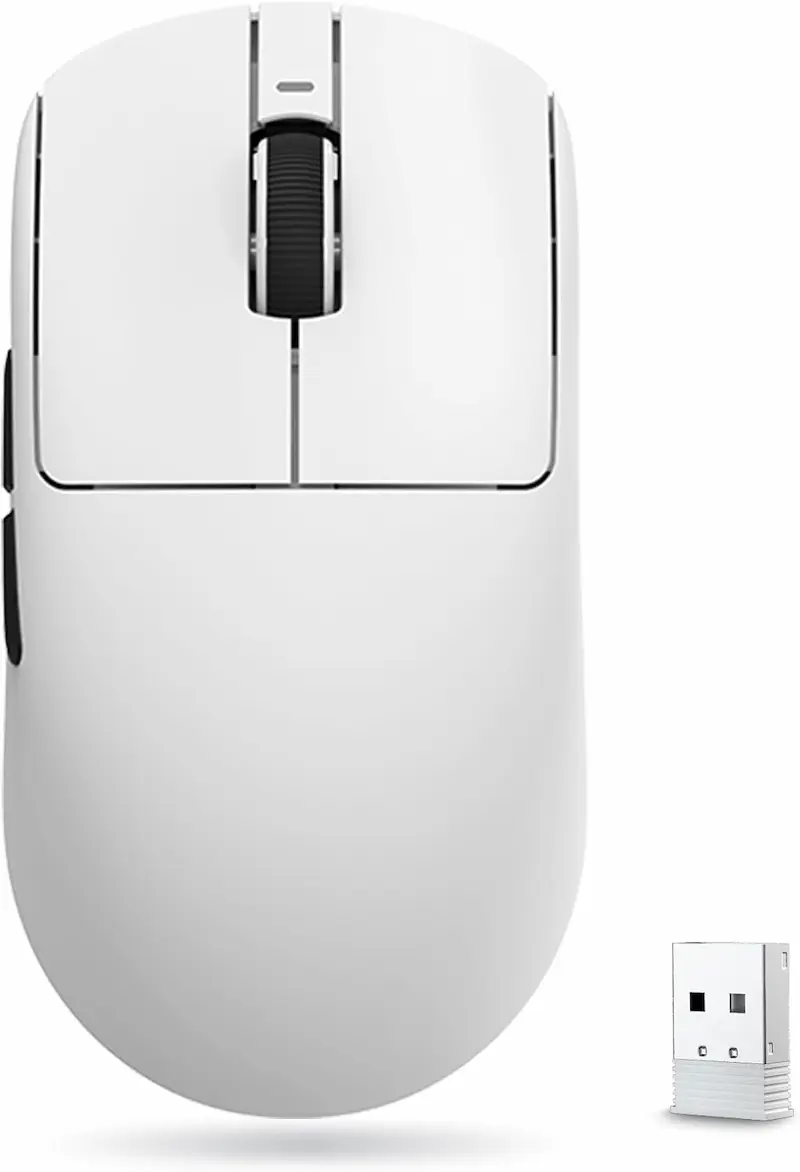
ATK VXE Dragonfly R1 SE: The Definitive PAW3311 Leader
* As an Amazon Associate I earn from qualifying purchases.
- 1
300 IPS PAW3311 — 3× the PMW3325 Tracking Ceiling
300 IPS clears typical competitive sensitivities with margin: a 90 ms 180° flick at 800 CS2 eDPI peaks at 213 IPS, and even at 600 eDPI it reaches 284 IPS, still under the limit.
- 2
51 g Ultralightweight Shell & Tri-Mode Wireless
Zero cable drag and minimal mass reduce the mechanical force needed for fast lateral swipes and fine recoil adjustments in tactical shooters.
ATK VXE Dragonfly R1 SE Evaluation
Pros
300 IPS / 35G PAW3311 handles typical low-sens CS2/Valorant flicks without spinout
51 g ultralightweight ambidextrous shell with balanced weight distribution
Tri-mode wireless (2.4 GHz, BT, wired Type-C) with 1000 Hz polling over 2.4 GHz and wired
Huano mechanical switches with crisp tactile actuation
Cons
Smooth matte surface; sweat-prone hands benefit from grip tape
Small 250 mAh battery; expect frequent recharging under heavy use
18000 DPI listing exceeds the PAW3311's native 12000 CPI (interpolated), which adds nothing to tracking
Conclusion
The VXE Dragonfly R1 SE delivers the PAW3311 sensor inside a 51 g ambidextrous shell with Tri-mode wireless connectivity. At 300 IPS and 35G, it stays within its tracking limit for typical 90 ms arm flicks down to 600 CS2 eDPI (284 IPS); only extreme flicks at that sensitivity can exceed it. The lightweight shell eliminates cable drag and reduces physical inertia during fast lateral direction changes.AJAZZ AJ099: Ultralightweight PAW3311 Value Option
* As an Amazon Associate I earn from qualifying purchases.
- 1
300 IPS PAW3311 at a Lower Cost
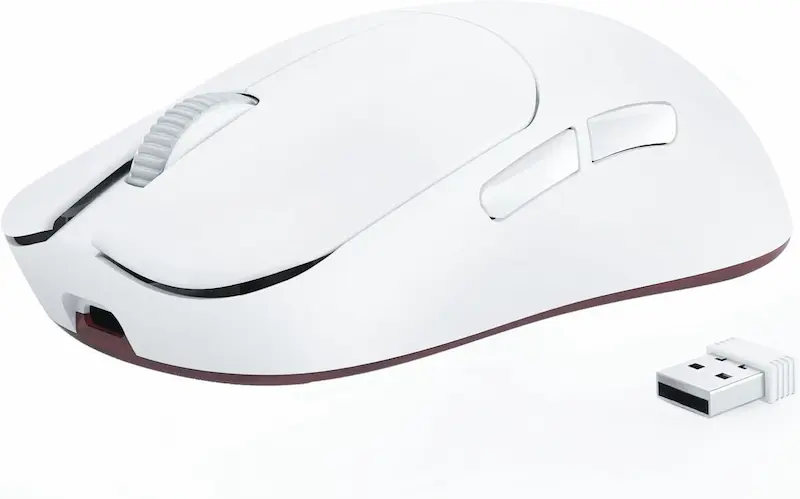
Full 300 IPS tracking and cheaper than the VXE R1 SE. Clears 90 ms flicks down to ~600 CS2 eDPI (thin margin there) and has ample headroom from 800 eDPI up.
- 2
56 g Balanced Ambidextrous Shell
Low physical inertia reduces the mechanical force needed for rapid direction reversals, aiding micro-adjustments in tactical shooter gunfights.
AJAZZ AJ099 Evaluation
Pros
300 IPS / 35G PAW3311 handles typical low-sens CS2/Valorant flicks without spinout
56 g lightweight ambidextrous shell optimized for claw and fingertip grip
Dual-mode wireless (2.4 GHz / wired Type-C) with 1000 Hz polling
Huano Blue Shell White Dot switches rated for 20M actuations
Cons
Smooth matte surface; sweaty hands benefit from add-on grip tape
300 mAh battery; expect frequent recharging under heavy use
Conclusion
The AJAZZ AJ099 houses the PAW3311 sensor inside a 56 g symmetrical shell. At 300 IPS and 35G, it stays within its tracking limit for typical 90 ms arm flicks down to 600 CS2 eDPI, with comfortable headroom from 800 eDPI up. The compact shell and low mass minimize lateral inertia, providing an agile claw-grip platform and a cheaper alternative to pricier wireless mice.Redragon M711 (10000 DPI): PMW3325 — Hardware Bottleneck for Low-Sens
* As an Amazon Associate I earn from qualifying purchases.
- 1
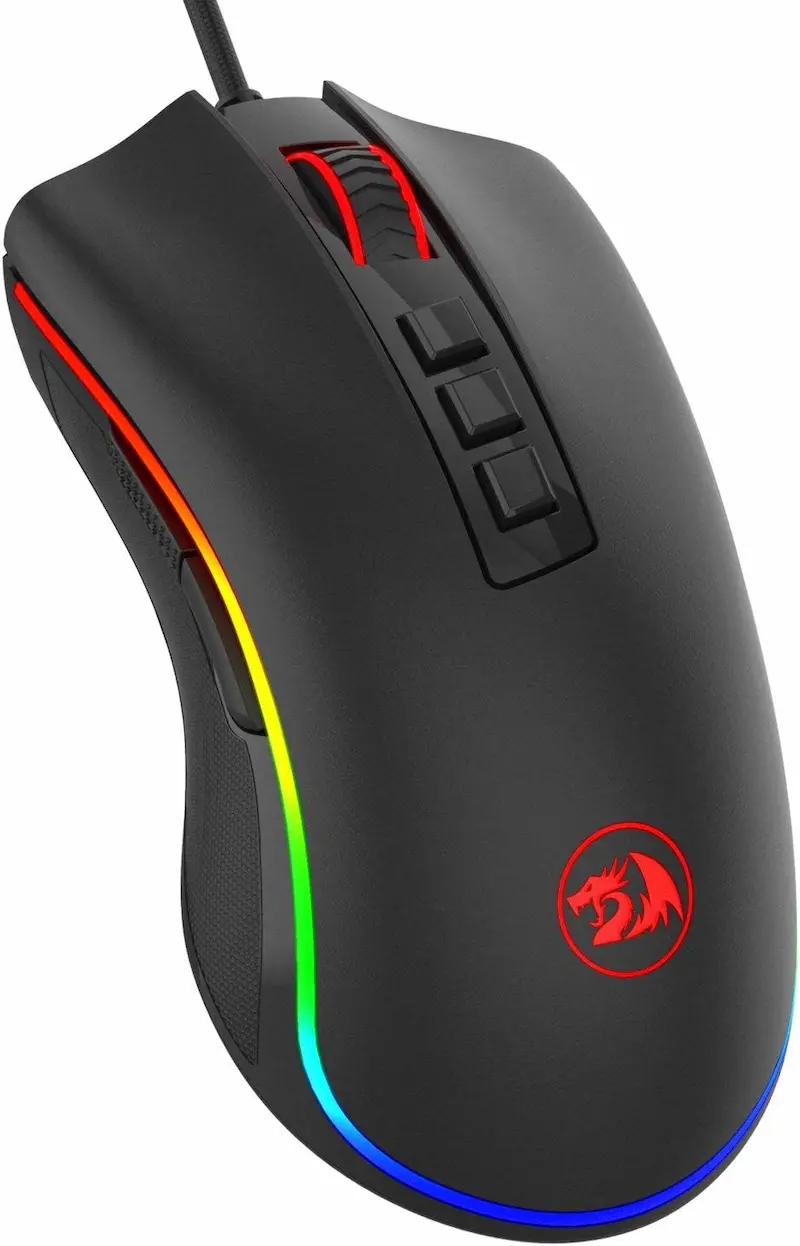
100 IPS = 2.54 m/s Absolute Ceiling
Exceeded during 90 ms 180° arm flicks at competitive sensitivities below ~1700 CS2 eDPI. The crosshair halts or snaps to the floor mid-motion.
- 2
105 g Mass Adds Fatigue and Momentum
The heavy chassis tires the arm and adds inertia on sudden stops. It does not change the sensor limit, but it makes precise stops harder during fast arm sweeps.
Redragon M711 (10000 DPI) Evaluation
Pros
Durable braided cable and textured side grips
Multiple programmable buttons with onboard memory for secondary macros
Cons
PMW3325 sensor is exceeded by arm flicks below ~1700 CS2 eDPI (≈535 Val eDPI)
105 g mass causes fatigue and increases inertia on sudden stops
Reportedly high lift-off distance can cause cursor drift during repositioning lifts
10000 DPI listing exceeds the PMW3325's native ~5000 CPI (interpolated), which adds nothing to tracking
Conclusion
The Redragon M711 (10000 DPI) exemplifies the PMW3325 limitation. At 100 IPS, the sensor is exceeded by a 90 ms 180° flick at any eDPI below ~1700 CS2. The 105 g chassis does not change that limit, but it adds arm fatigue and momentum on sudden stops, making precise flick endpoints harder.Redragon M602 Griffin: High Grip Comfort, Obsolete 100 IPS Engine
* As an Amazon Associate I earn from qualifying purchases.
- 1
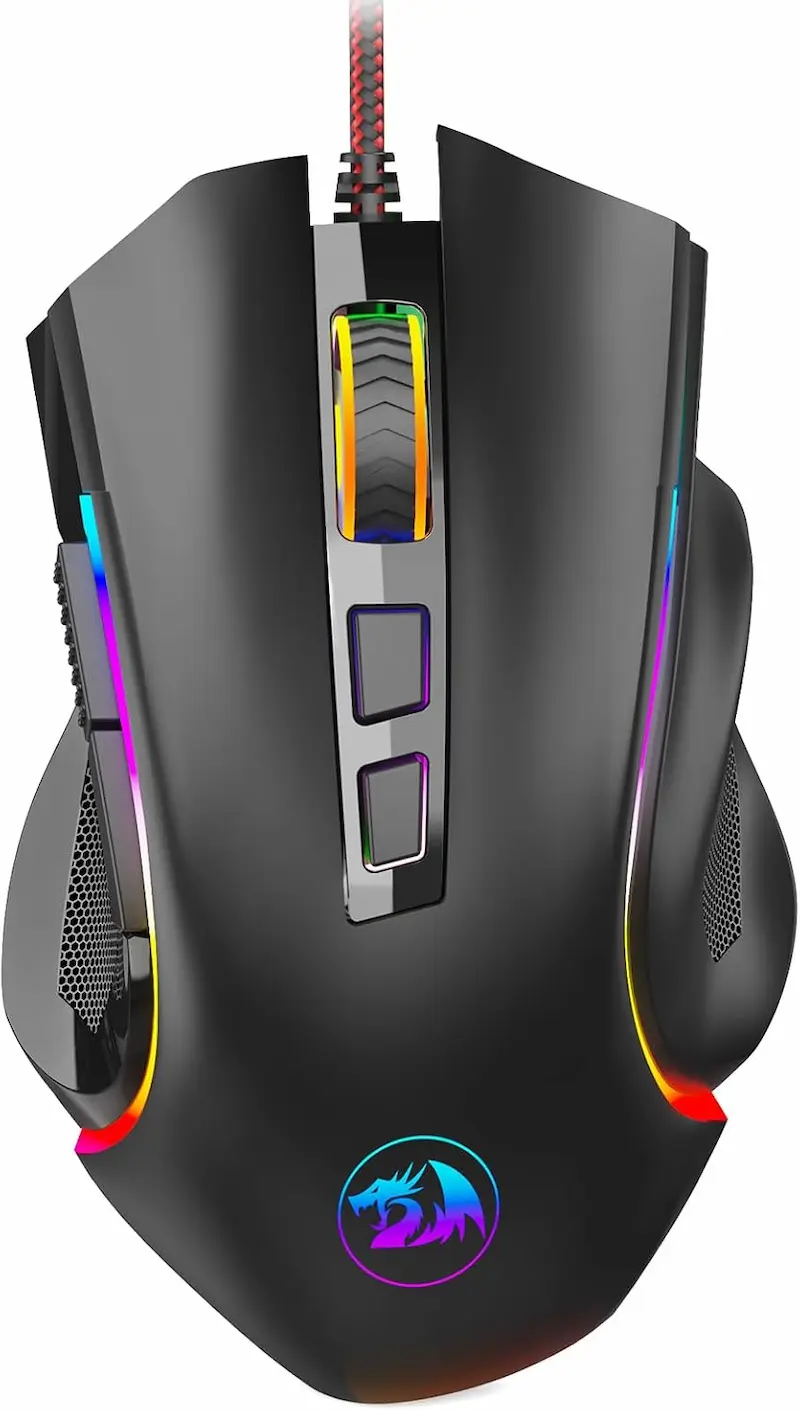
107 g Mass & Wide Right-Hand Flare
Comfortable palm grip contour with thumb rest, but high weight and stiff braided cable create significant pad friction.
- 2
100 IPS Ceiling Breached at Standard Flick Speeds
The optical engine tops out at 2.54 m/s, resulting in spinouts when performing quick 180-degree defensive turns in CS2 and Valorant at low sensitivity.
Redragon M602 Griffin Evaluation
Pros
Wide ergonomic contour with comfortable thumb and ring finger rest
Lowest price of the four mice compared with reliable availability
Cons
100 IPS tracking ceiling spins out on fast 180° arm flicks at low sensitivity
107 g heavy shell creates high physical momentum on sudden stops
Reportedly high lift-off distance can displace the crosshair when recentering
7200 DPI listing exceeds the PMW3325's native ~5000 CPI (interpolated), which adds nothing to tracking
Conclusion
The Redragon M602 Griffin features an ergonomic wide-flare shell with thumb rest at 107 g. Its optical sensor operates at the same 100 IPS (2.54 m/s) ceiling as the M711, which can cause cursor freezes on fast arm sweeps at competitive sensitivities below ~1705 CS2 eDPI.Verdict
The Verdict: Best Budget Sensor Mouse for CS2 & Valorant ATK VXE Dragonfly R1 SE (PAW3311 Wireless)
ATK VXE Dragonfly R1 SE is our top recommendation in this budget sensor comparison. Weighing just 51 grams with a 300 IPS (7.62 m/s) tracking envelope and 2.4GHz wireless connectivity, it eliminates both cable drag and the 100 IPS spinout failure point of older PMW3325 models. Under our minimum-jerk kinematic model, it maintains tracking headroom during standard 90 ms flicks down to 600 CS2 eDPI (188.7 Valorant eDPI).
🎯 Best for different needs:
-
ATK VXE Dragonfly R1 SE — the top competitive pick (pricier PAW3311). Symmetrical 51 g ultralight chassis, PixArt PAW3311 sensor (300 IPS / 35G), and unconstrained wireless motion. Built for low-sensitivity arm aimers who need reliable tracking on rapid 180° resets without cable tension.
-
AJAZZ AJ099 — the cheaper PAW3311 alternative. A 56 g lightweight wireless chassis delivering the identical 300 IPS / 35G PAW3311 tracking envelope at a lower cost than the VXE R1 SE. The most economical wireless entry point for competitive tactical FPS.
-
Redragon M711 — budget option for high-sensitivity wrist aimers (entry-level wired). Ergonomic contoured chassis, but mechanically constrained by a 105 g weight, stiff braided cable, and a 100 IPS (2.54 m/s) PMW3325 tracking ceiling. Safe only for players operating above 1705 CS2 eDPI (536.2 Valorant eDPI).
-
Redragon M602 Griffin — casual ergonomic entry with physical limits (entry-level wired). Wide right-handed flared chassis with integrated thumb rest. At 107 grams with a 100 IPS PMW3325 sensor, arm swipes exceeding 2.54 m/s will saturate the optical array. Recommended exclusively for high-sens casual play.
💡 Kinematic sensor rule for CS2 & Valorant:
If you play below ~1705 CS2 eDPI (536.2 Valorant eDPI), avoid PMW3325 mice. At 600–1200 CS2 eDPI, a 90 ms 180° flick peaks at roughly 3.6–7.2 m/s, which exceeds the 100 IPS limit and is likely to cause tracking loss. The PAW3311's 300 IPS ceiling gives adequate headroom down to ~600 CS2 eDPI, with a thin margin at the very bottom.
Frequently Asked Questions
Under the minimum-jerk kinematic model with a 90 ms flick, about 1700 CS2 eDPI (≈535 Valorant eDPI) is where peak hand velocity falls to the 100 IPS (2.54 m/s) limit; 2000 CS2 eDPI (≈629 Valorant eDPI) gives extra margin. Below 1000 CS2 eDPI, a standard 180° turn requires about 21 cm of travel, pushing peak velocity to 4.3 m/s or more, so spinout is very likely.
DPI figures above the sensor's native hardware resolution (about 5000 CPI for the PMW3325) are generated through firmware interpolation. The MCU extrapolates artificial coordinates between physical optical frames. This adds no real tracking fidelity, and the physical 100 IPS limit remains unchanged. The same applies to any listing above a sensor's native CPI, including the 18000 DPI listing on a PAW3311 (native 12000 CPI).
For typical flicks, yes. 200 Valorant eDPI equals approximately 636 CS2 eDPI (32.7 cm per 180°). A 100 ms arm flick peaks at about 6.13 m/s (241 IPS), roughly 20% under the PAW3311's 300 IPS rating; a faster 90 ms flick peaks at about 6.81 m/s (268 IPS), roughly 11% under. An extreme flick below ~80 ms could exceed it.
No. A bungee reduces cable drag and aftermarket skates reduce friction, which only makes fast flicks easier and can push hand velocity higher, closer to the 2.54 m/s ceiling. Spinout is an optical sensor limit, not a mechanical friction issue.
The PAW3311 tracks up to 300 IPS / 35G, while the PAW3395 tracks up to 650 IPS / 50G. Motion Sync is a firmware feature of the mouse's MCU rather than of the sensor itself, so whether a given PAW3311 or PAW3395 mouse offers it depends on the model. For most players, 300 IPS is rarely exceeded outside extreme flicks at ultra-low eDPI, so the PAW3395's practical advantage is small.
You May Also Like
- Budget Keyboard Tuning: The $2 Tape Mod for a Premium Sound and Feel
- How to Set Up 4:3 Stretched in CS2: No Black Bars + FPS Boost (NVIDIA, AMD & Intel)
- Best Ultra-Budget XXL Mousepads for CS2 & Valorant under $10: Akduss, Naukay, and JOCYRN
- CS2 Mouse Settings Guide 2026: DPI, eDPI & Sensitivity Explained
- PixArt PAW3311 vs PAW3395 in CS2 & Valorant: Does 300 IPS Cause Spinouts on Low Sens?