accessories
Best Ultra-Budget USB-C to 3.5mm Audio Adapters Under $10 for CS2 & Valorant
Upgrade your competitive gaming setup for under $10. We compare budget USB-C to 3.5mm DAC adapters from UGREEN, JXMOX, and JSAUX for footstep audio clarity, mic support, and cable durability in CS2 and Valorant.
- 6 min read
In CS2 and Valorant, clear footstep audio and clean voice comms can decide a round. But plugging gaming earbuds directly into a PC's front-panel jack or budget motherboard often introduces background hiss and muddy sound caused by internal electrical noise. An external USB-C to 3.5mm DAC adapter moves digital-to-analog audio decoding outside your PC case, cleaning up static and sharpening acoustic detail. We evaluated three popular sub-$10 USB-C adapters — the 24-bit UGREEN Hi-Res DAC, the flexible JXMOX dongle, and the heavy-duty JSAUX adapter — to see which one delivers the cleanest footstep audio and best durability for competitive gaming.
Info
Digital-to-Analog Conversion for Competitive Tactical Shooters
External audio decoding and noise floor reduction are essential for competitive tactical shooters. In CS2 and Valorant, integrated PC sound cards often pick up electromagnetic noise from high-draw graphics cards. An external USB-C DAC isolates audio processing, keeping footstep transients sharp and voice comms clean.
Why USB-C DAC dongles beat cheap PC front-panel ports: PC case front-panel audio cables run directly alongside power cables and GPU PCIe lanes, introducing electromagnetic hiss and muddying quiet footsteps. A dedicated USB-C DAC processes sound digitally outside the PC chassis, delivering clear audio and eliminating static interference for your gaming earbuds.
Four specs that determine gaming performance in budget USB-C DACs:
- Sampling Rate & Bit Depth - While games render audio at 16-bit / 48 kHz, a 24-bit / 96 kHz DAC provides cleaner digital filtering and sharper separation for subtle audio cues.
- Noise Floor & Electromagnetic Shielding - Metal aluminum housings block external RF interference from Wi-Fi routers and GPUs, keeping quiet in-game scenes free of background static.
- Microphone & In-Line Control Pass-Through - TRRS (CTIA) 4-pole support ensures clear mic pass-through without added electrical hum in Discord and in-game voice chat.
- Strain Relief & Cable Bending Durability - Reinforced braided nylon prevents conductor breakage when connected to tight front I/O ports or mobile gaming devices.
Four tips for optimizing your USB-C DAC in CS2 & Valorant:
- Plug the USB-C adapter directly into the motherboard rear I/O or a dedicated Type-C port rather than an unpowered USB hub
- Set Windows Sound format to 24-bit/96kHz (for UGREEN) or 16-bit/48kHz to avoid unnecessary software resampling
- Ensure your headset plug is pushed fully into the 3.5mm female jack until it clicks to engage the microphone channel
- Disable audio enhancements and spatial sound virtualization in Windows to preserve exact stereo panning in Source 2 and Valorant
USB-C DAC Adapters Comparison: Key Specs & Build Quality
| Adapter | DAC & Resolution | Build & Durability | Microphone Support | |
|---|---|---|---|---|
UGREEN USB-C to 3.5mm Hi-Res Audio Adapter Best Pick | 24-bit / 96 kHz Integrated Hi-Res DAC Chip | Aluminum Alloy Casing Braided Nylon (10,000+ Bends) | CTIA / TRRS (Audio + Voice + Inline Controls) | Check price on Amazon |
JXMOX USB Type-C to 3.5mm Headphone Jack Adapter | 16-bit / 48 kHz Smart Hi-Fi DAC Audio Chip | Anodized Aluminum Alloy Reinforced Braided Nylon (12,000+ Bends) | CTIA / OMTP (Audio + Mic + Calling) | Check price on Amazon |
JSAUX USB-C to 3.5mm Headphone Jack Adapter | 16-bit / 48 kHz Digital Decoding DAC Chip | Aluminum Shell with Textured Grip Double-Braided Nylon (15,000+ Bends) | TRRS 4-Pole (Audio Playback + Voice) | Check price on Amazon |
UGREEN USB-C to 3.5mm Hi-Res Audio Adapter Best Pick
DAC: 24-bit / 96 kHzMic: CTIA / TRRS (Audio + Voice + Inline Controls)Shell: Aluminum Alloy CasingCable: Braided Nylon (10,000+ Bends)JXMOX USB Type-C to 3.5mm Headphone Jack Adapter
DAC: 16-bit / 48 kHzMic: CTIA / OMTP (Audio + Mic + Calling)Shell: Anodized Aluminum AlloyCable: Reinforced Braided Nylon (12,000+ Bends)JSAUX USB-C to 3.5mm Headphone Jack Adapter
DAC: 16-bit / 48 kHzMic: TRRS 4-Pole (Audio Playback + Voice)Shell: Aluminum Shell with Textured GripCable: Double-Braided Nylon (15,000+ Bends)
* As an Amazon Associate I earn from qualifying purchases.
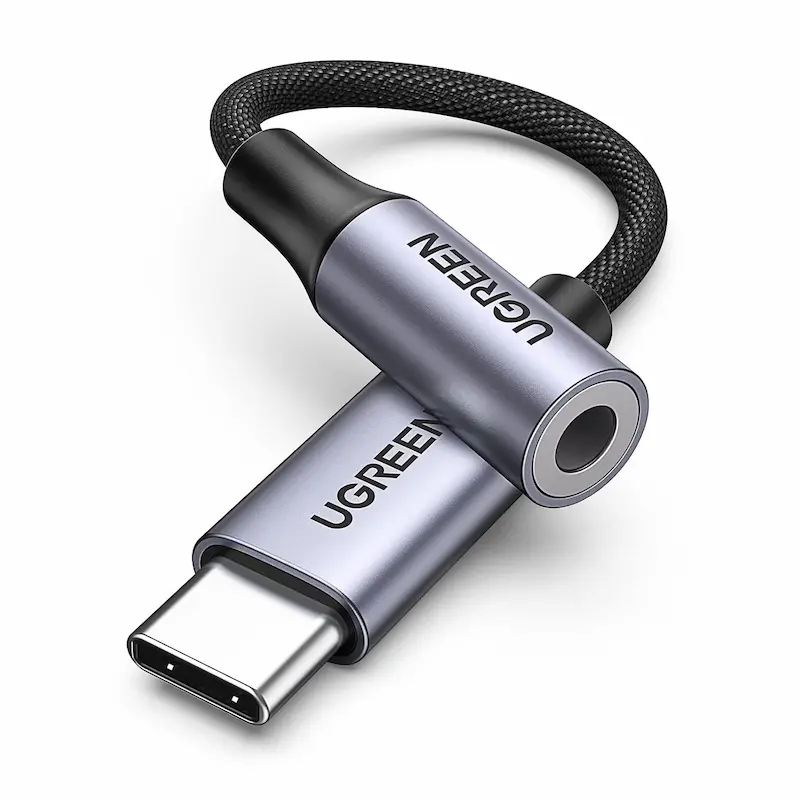
UGREEN Hi-Res DAC: 24-bit Precision & Tactical Clarity
* As an Amazon Associate I earn from qualifying purchases.
- 1
24-bit / 96 kHz Hi-Res Sampling
Equipped with an integrated Hi-Res DAC chip capable of decoding 24-bit / 96 kHz streams. This provides higher dynamic range and sharp transient response, making subtle pin-pull sounds and distant footstep cues noticeably clearer in competitive tactical shooters.
- 2
Shielded Enameled Copper & Braided Nylon
Features enameled copper conductors protected by multiple shielding layers and a braided nylon jacket rated for over 10,000 bend cycles, eliminating static popping when moved.
- 3
Full TRRS & In-Line Control Support
Maintains compatibility with 4-pole 3.5mm headset jacks, transmitting clean voice comms to Discord or in-game voice chat without introducing background static.
- 4
Thermal Behavior & Shell Warmth
Because 24-bit / 96kHz processing generates slightly more heat than standard 16-bit chips, the compact aluminum casing can feel warm during extended gaming marathons, which is normal operation for high-bitrate audio processing.
UGREEN Hi-Res DAC Pros & Cons
Pros
Highest audio resolution in the group (24-bit / 96 kHz) for crisp treble and clear spatial imaging.
Lowest noise floor with effective suppression of motherboard electrical hiss.
Durable aluminum alloy shell with dense, fray-resistant braided nylon.
Full TRRS mic transmission and in-line volume control support.
Cons
Priced slightly higher than basic 16-bit adapters ($9.99 vs $5.98–$6.98).
Aluminum housing gets noticeably warm during continuous 24-bit audio playback.
Conclusion
The UGREEN Hi-Res DAC is the top recommendation for competitive gamers seeking maximum acoustic clarity. Its 24-bit / 96 kHz decoding brings out subtle footstep cues and utility sounds with sharp definition.JXMOX DAC Adapter: Flexible Ergonomics & Balanced Acoustics
* As an Amazon Associate I earn from qualifying purchases.
- 1
16-bit / 48 kHz Native Gaming Audio
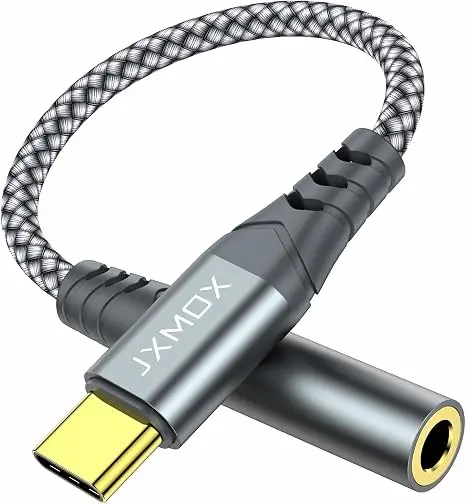
Delivers 16-bit / 48 kHz decoding that matches native CS2 and Valorant audio engines, offering a warm sound profile with clear mid-range for team voice comms.
- 2
Extended Strain Relief & Slim Shell
High-density nylon braiding paired with a flexible strain-relief neck fits easily into crowded PC front I/O ports and thick phone cases without placing mechanical stress on the host port.
- 3
Corrosion-Resistant Gold Contacts
Features gold-plated 3.5mm female contact points and CNC-machined aluminum housing to block GPU electromagnetic interference (EMI).
JXMOX DAC Adapter Pros & Cons
Pros
Most flexible cord design, placing minimal strain on crowded PC front I/O ports.
Slim plug profile fits easily into thick phone and laptop cases.
Gold-plated 3.5mm contacts prevent corrosion and signal degradation.
Cons
Capped at standard 16-bit / 48 kHz (does not support 24-bit studio resolution).
Conclusion
The JXMOX adapter is a balanced option for players who value cable flexibility and natural vocal presence. It delivers dependable 16-bit / 48 kHz audio without bulky connector strain.JSAUX Audio Dongle: Maximum Durability & Accessible Value
* As an Amazon Associate I earn from qualifying purchases.
- 1
15,000+ Bend Heavy-Duty Braiding
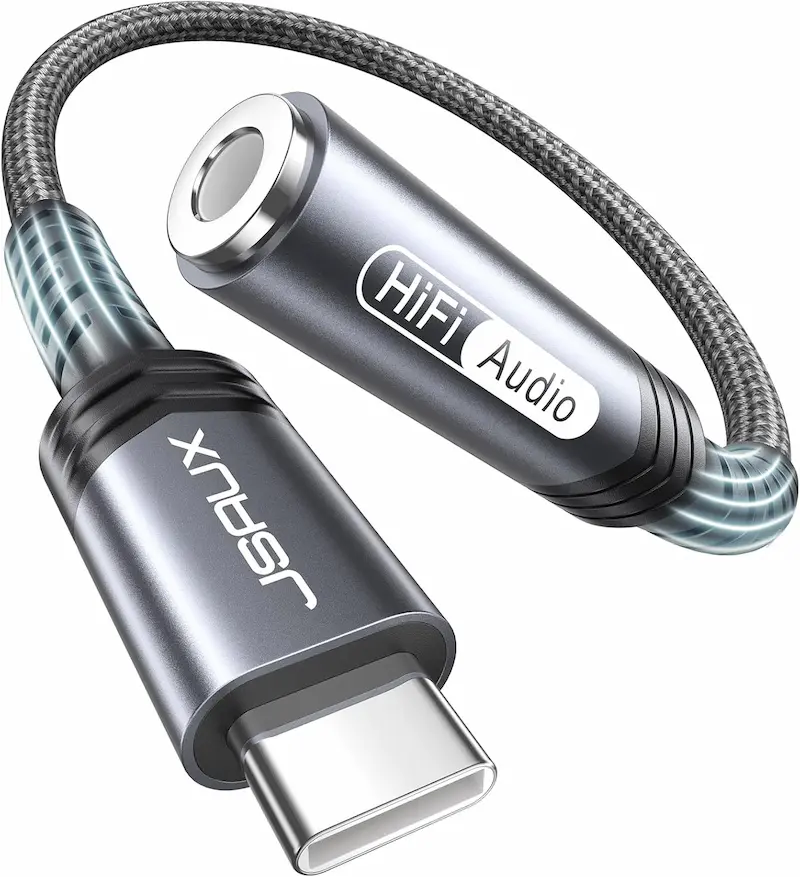
Built with double-braided nylon and thick rubberized strain joints, making it the most physically rugged adapter in this ultra-budget class.
- 2
Textured Ergonomic Metal Grip
Features ridged aluminum plug housings that provide extra grip when plugging and unplugging between desktop PCs, laptops, and mobile gear.
- 3
Low Impedance & IEM Noise Floor
Provides clean 16-bit / 48 kHz output for standard dynamic IEMs and headsets, though ultra-sensitive balanced armature IEMs may pick up a faint hiss at 100% volume in silent scenes.
JSAUX Audio Dongle Pros & Cons
Pros
Lowest price point ($5.98), making it the most accessible option.
Toughest double-braided exterior rated for 15,000+ bends.
Textured aluminum grip shells make plugging and unplugging quick and effortless.
Cons
Standard 16-bit / 48 kHz decoding limits high-bitrate audiophile playback.
Ultra-sensitive balanced armature IEMs may detect faint noise at maximum system volume.
Conclusion
The JSAUX adapter represents a budget-friendly workhorse. With double-braided reinforcement and 15,000-bend durability, it offers reliable toughness for everyday LAN and desktop use.Verdict
One adapter delivers high-resolution audio clarity — the others provide solid durability and low-cost access UGREEN Hi-Res DAC
UGREEN Hi-Res Audio Adapter earns our top recommendation for competitive gaming in CS2 and Valorant. Thanks to its 24-bit / 96 kHz DAC chip, it provides a low noise floor and clear high-frequency audio for enemy footsteps, defuse sounds, and utility cues.
How the other contenders compare:
-
JXMOX DAC Adapter offers strong cable flexibility and balanced value. Its slim connector and supple 12,000-bend cable make it comfortable for mobile setups and crowded PC ports while delivering clean 16-bit / 48 kHz audio.
-
JSAUX Audio Adapter is the most durable choice. With a double-braided nylon jacket rated for 15,000+ bends and a low price point, it works well as a tough backup adapter for LAN setups and daily travel.
Frequently Asked Questions
Front-panel audio jacks use unshielded internal cables that run near the power supply and graphics card, introducing electrical static. An external USB-C DAC processes audio digitally outside the case for a cleaner soundstage.
Yes. All three adapters support the standard 4-pole TRRS (CTIA) connector. Your microphone and inline controls will function properly for Discord and tactical voice comms.
While game audio is rendered at 16-bit / 48 kHz, a 24-bit DAC like the UGREEN provides cleaner digital filtering and lower harmonic distortion, helping keep subtle footstep cues distinct during loud firefights.
No. All three adapters are plug-and-play devices compatible with Windows 10/11, macOS, Android, iPadOS, iOS, and gaming consoles like the PS5.
These compact dongles are optimized for gaming earbuds, IEMs, and mainstream headsets with 16Ω to 64Ω impedance. For demanding 250Ω+ headphones, a dedicated desktop amplifier is recommended.
You May Also Like
- Best Ultra-Budget Rapid Trigger Keyboards Under $40 for CS2 & Valorant (2026)
- Best Ultra-Budget Wireless Keyboards Under $20: CS2 & Valorant
- Best Budget Microphones for CS2 & Valorant Under $20 (2026): TONOR TC‑777 vs Neptune Sonus vs LRUFOB MU5000
- How to Hear Footsteps in CS2 & Valorant: Loudness Equalization + Audio Settings Guide
- Best Ultra-Budget IEM Earbuds under $20 for CS2 & Valorant: KZ Taurus vs CCZ DC01 Pro vs Yeabomy AK3FILE