peripherals
Best Ultra-Budget 144Hz Monitors Under $80 for CS2 & Valorant (2026)
Panel architectures, pixel density, video interfaces, and mechanical compromises in sub-$80 high-refresh displays.
- 9 min read
Competitive FPS demands clean motion feedback. On a 60Hz panel, every frame stays on screen for 16.67 ms. During horizontal mouse sweeps and counter-strafes, fast-moving geometry blurs noticeably on Mirage mid or Ascent A main. Upgrading to 144Hz drops frame persistence to 6.94 ms, cutting sample-and-hold motion blur by more than half. In 2026, ultra-budget 144Hz displays are available for under $80, but aggressive cost-cutting creates real hardware bottlenecks. Manufacturers reduce cost on video interfaces, overdrive tuning, backlights, and stand stability. Missing DisplayPort can complicate Adaptive-Sync on discrete GPUs, while sluggish black-to-gray transitions on budget VA panels can introduce dark smearing behind moving models. This guide compares three ultra-budget 144Hz options: KTC H24B9S, Sceptre E225W-FW144G, and ArcticPro AD24ZF1. Analysis is based on manufacturer specifications, retailer listings, and buyer feedback; we did not run hands-on lab measurements.
Info
FPS Hardware Checklist: Evaluating Sub-$80 144Hz Panels
Refresh rate and pixel response mechanics dictate how cleanly an enemy renders during rapid peeks. At 144Hz, a new frame arrives every 6.94 ms (1000 ms / 144). If a panel's true gray-to-gray (GtG) transition exceeds 6.94 ms, pixels cannot finish color switching before the next frame refreshes, generating visible smear trails. Note that advertised '1ms MPRT' is usually achieved with backlight strobing or simply quoted as a marketing figure, making real GtG transitions the critical factor for motion clarity.
21.5-inch vs 23.8-inch: Pixel density vs physical screen area At 1920x1080, screen size dictates pixel density. The Sceptre's 21.5-inch viewable area provides 102.46 PPI, making aliased edges slightly cleaner. However, at the exact same in-game FOV and resolution, target models cover the same pixel count across all panels, but a 23.8-inch (KTC, 92.56 PPI) or 24-inch (ArcticPro, 91.79 PPI) display renders enemy models physically larger in millimeters at standard 60 cm viewing distances.
Primary compromises in the ultra-budget monitor segment:
- Limited video input arrays - Some budget listings omit DisplayPort, relying on HDMI 1.4 and analog VGA. Modern dedicated graphics cards feature DisplayPort outputs and omit analog VGA entirely. Relying solely on HDMI narrows GPU connectivity and can complicate Adaptive-Sync depending on card drivers.
- Dark-level pixel transitions on budget VA - While budget VA panels offer high static contrast (2000:1), real black-to-dark-gray transitions frequently lag behind manufacturer best-case GtG figures. This can produce visible dark smearing when clearing shadowed corners on maps like Inferno or Bind.
- Basic factory OSD calibration - Sub-$80 displays often ship with generic color presets. Expect to adjust brightness, contrast, and color temperature inside the on-screen display (OSD) to achieve a neutral competitive image.
- Tilt-only stands - Stands in this segment offer forward/backward tilt only, omitting height, swivel, and pivot adjustments. A rigid 75x75 mm VESA monitor arm remains a high-value upgrade.
Pre-purchase checklist for budget FPS monitors:
- Check video inputs: DisplayPort is the most reliable connector for Adaptive-Sync / G-Sync compatibility on modern graphics cards.
- Select panel type by priority (contrast vs dark transitions): IPS (KTC, ArcticPro) offers consistent viewing angles and faster dark transitions; VA (Sceptre) provides deeper blacks at the risk of dark trailing.
- Confirm VESA mount support: All three models use 75x75 mm patterns, compensating for the lack of height adjustment on stock stands.
- Manually set 144Hz in Windows: New monitors frequently default to 60Hz over HDMI until configured in Windows Advanced Display settings.
Best Ultra-Budget 144Hz Monitors: Key Specifications Compared
KTC 24 Inch Gaming Monitor 144Hz IPS FHD (H24B9S) Best pick | 23.8 inches | 144Hz | 3ms (GtG, manufacturer spec) | IPS | 300 cd/m² | 1500:1 | 1 x DisplayPort 1.2, 1 x HDMI 1.4, 1 x Audio Out | Check price on Amazon |
ArcticPro 24 Inch Gaming Monitor 144Hz IPS FHD (AD24ZF1) | 24 inches | 144Hz | 1ms (MPRT, manufacturer-stated) | IPS | 250 cd/m² | 1000:1 | 1 x HDMI 1.4, 1 x VGA (no DisplayPort) | Check price on Amazon |
Sceptre 22-Inch Gaming Monitor 144Hz FHD (E225W-FW144G) Highest pixel density | 22 inches (21.5" viewable) | 144Hz | 5ms (GtG with overdrive, Sceptre spec) / 1ms (MPRT, listing) | VA (per buyer reports; not stated by Sceptre) | 250 cd/m² | 2000:1 (listing) | 1 x DisplayPort, 1 x HDMI, Audio In/Out | Check price on Amazon |
KTC 24 Inch Gaming Monitor 144Hz IPS FHD (H24B9S) Best pick
23.8 inches1920 x 1080 (FHD)IPS144Hz1500:11 x DisplayPort 1.2, 1 x HDMI 1.4, 1 x Audio OutArcticPro 24 Inch Gaming Monitor 144Hz IPS FHD (AD24ZF1)
24 inches1920 x 1080 (FHD)IPS144Hz1000:11 x HDMI 1.4, 1 x VGA (no DisplayPort)Sceptre 22-Inch Gaming Monitor 144Hz FHD (E225W-FW144G) Highest pixel density
22 inches (21.5" viewable)1920 x 1080 (FHD)VA (per buyer reports; not stated by Sceptre)144Hz2000:1 (listing)1 x DisplayPort, 1 x HDMI, Audio In/Out
* As an Amazon Associate I earn from qualifying purchases.
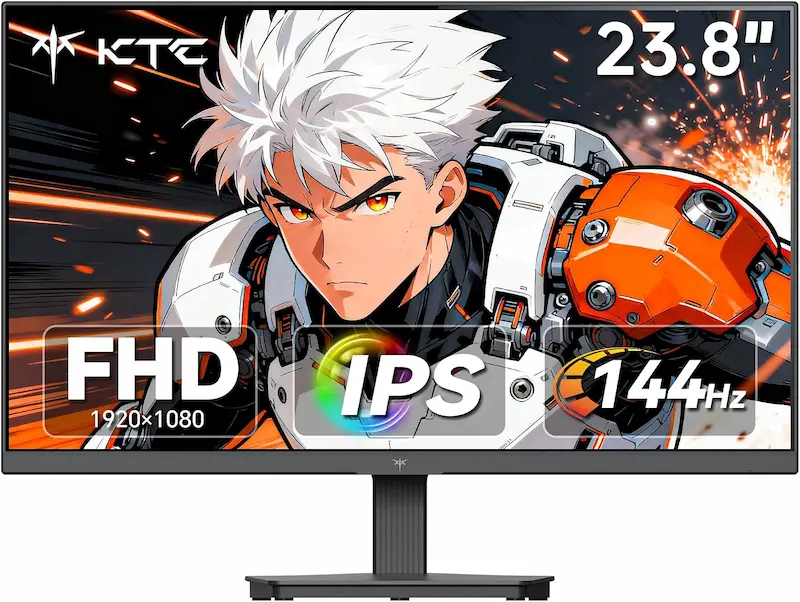
KTC H24B9S: 300 cd/m² IPS panel, DisplayPort 1.2, and listed 3-year warranty
* As an Amazon Associate I earn from qualifying purchases.
- 1
Higher brightness and contrast headroom for IPS
KTC lists 300 cd/m² brightness and a 1500:1 static contrast ratio, outperforming typical 250 cd/m² / 1000:1 budget baselines. The extra luminance helps maintain visibility in illuminated rooms.
- 2
DisplayPort 1.2 and HDMI 1.4 connectivity
Equipped with both DisplayPort and HDMI, the H24B9S provides flexible GPU connectivity. The listing features a flicker-free backlight (marketed as eye-care) and carries a 3-year manufacturer warranty (as listed by brand policy).
- 3
Tilt-only stand
The stand tilts between -5° and +15° without height adjustment, making an aftermarket 75x75 mm VESA mount advisable for ergonomic setups.
Strengths and Compromises: KTC H24B9S
Pros
300 cd/m² brightness maintains visibility in lit environments
1500:1 static contrast ratio exceeds standard budget IPS levels
DisplayPort 1.2 and HDMI 1.4 for flexible GPU connectivity
Flicker-free backlight marketed as eye-care feature
3-year warranty listed by manufacturer policy
Cons
Tilt-only stand (-5° to +15°) without height adjustment
No integrated speakers (audio pass-through jack only)
Conclusion
The KTC H24B9S provides the most balanced spec profile of the three: 300 cd/m² brightness, 1500:1 IPS contrast, DisplayPort 1.2 plus HDMI, and a listed 3-year warranty at the lowest price in this group.Sceptre E225W-FW144G: 21.5-inch compact chassis with 102 PPI density
* As an Amazon Associate I earn from qualifying purchases.
- 1
High pixel density in a slightly smaller footprint
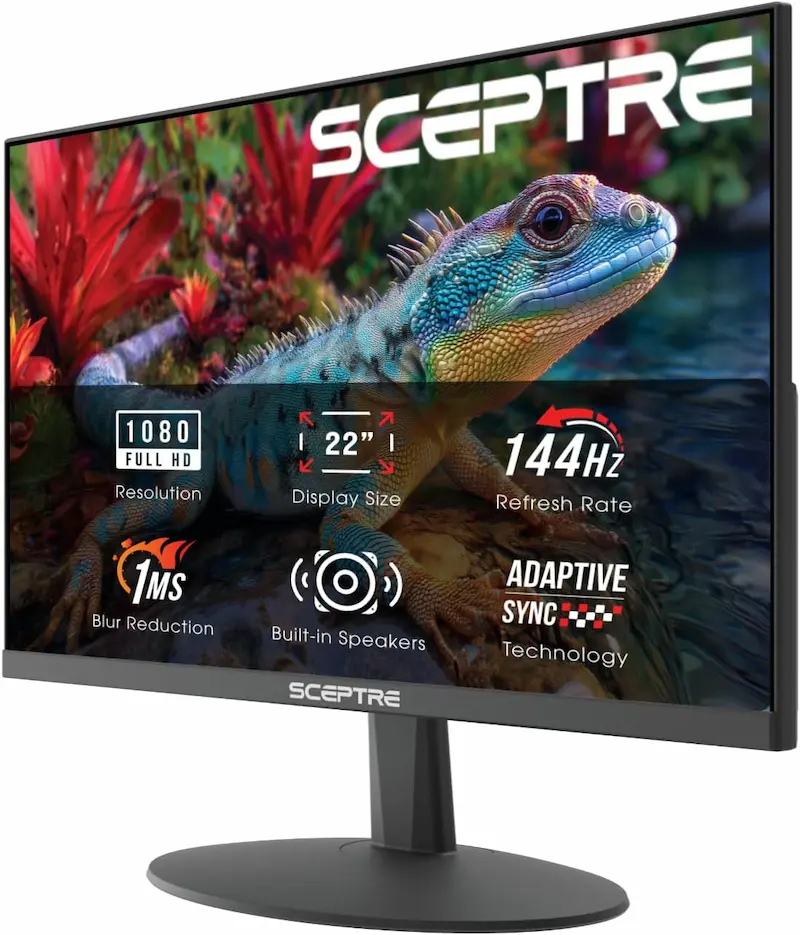
A 21.5-inch viewable area at 1080p yields 102.46 PPI, producing slightly crisper edges. The 505 mm chassis width offers a slightly smaller overall footprint than 24-inch alternatives.
- 2
Unconfirmed panel type with conflicting source specs
Sceptre does not state the panel type, but buyer reports suggest a VA panel with deep 2000:1 contrast. Figures differ between Sceptre's spec sheet (5ms GtG with overdrive, 178° viewing angles) and the Amazon listing (1ms MPRT, 170°/160° viewing angles). While 5ms GtG fits within a 6.94 ms frame window, budget VA panels typically show slower transitions in dark tones.
- 3
Basic integrated speakers
The monitor includes built-in speakers (per listing) for casual desktop audio. However, they lack the low-end definition and spatial accuracy needed for tactical audio cues like defuse taps or footsteps.
Strengths and Compromises: Sceptre E225W-FW144G
Pros
Highest pixel density (102.46 PPI) among the three compared
2000:1 static contrast provides deep black levels
DisplayPort and HDMI connectivity included
Slightly smaller chassis footprint (505 mm width)
Built-in speakers (per listing) for basic desktop notifications
Cons
Panel type unspecified by OEM; buyer reports suggest VA with slower dark transitions
Discrepancies between Sceptre's site and retailer listing specifications
Smaller 21.5-inch screen renders target models physically smaller
Integrated speakers lack directional fidelity for competitive tactical sound
Conclusion
The Sceptre E225W-FW144G provides 102.46 PPI sharpness on a compact 21.5-inch panel with 2000:1 contrast and DisplayPort. Buyer reports point to a VA panel, meaning deeper blacks but potentially slower dark transitions.ArcticPro AD24ZF1: 24-inch IPS display with limited inputs and spec discrepancies
* As an Amazon Associate I earn from qualifying purchases.
- 1
Standard 24-inch IPS panel with 178° viewing angles
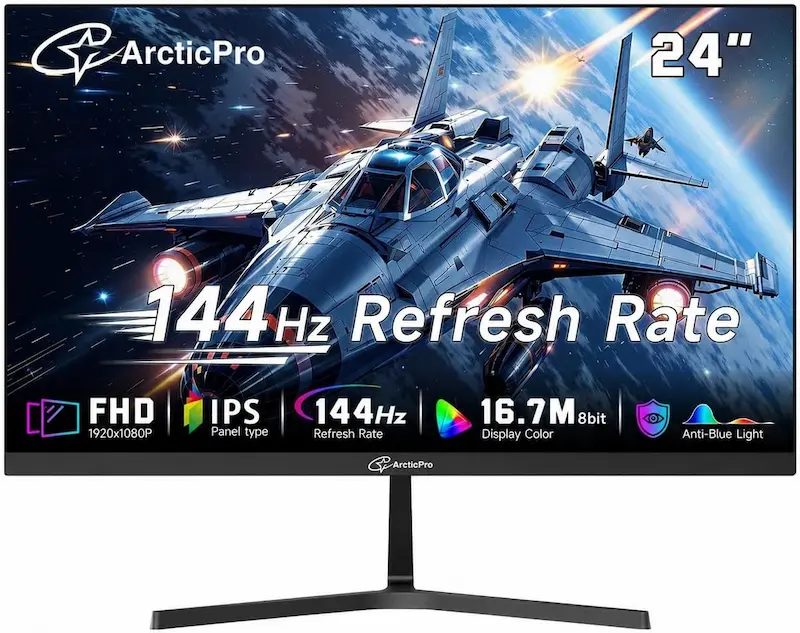
The AD24ZF1 features a 24-inch IPS panel with 178° viewing angles and listed 99% sRGB coverage. It delivers consistent color reproduction, though its 250 cd/m² luminance offers less headroom than the KTC.
- 2
Input selection cited as HDMI 1.4 and VGA in listing
Retailer listings for this model cite one HDMI 1.4 port and an analog VGA port without DisplayPort. In addition, while listed as 144Hz in store titles, OEM technical documentation frequently lists native 120Hz refresh rates. Modern graphics cards lack VGA outputs entirely, so verify your GPU port compatibility before purchase.
- 3
Expect to adjust OSD picture settings
Like most ultra-budget monitors, factory color profiles may require manual tuning of brightness, contrast, and color temperature to achieve a balanced competitive image.
Strengths and Compromises: ArcticPro AD24ZF1
Pros
IPS panel with consistent 178° viewing angles
Three-sided frameless design with slim outer bezels
Standard 75x75 mm VESA mount compatibility
Adaptive-Sync support listed
Cons
Retail listing cites HDMI 1.4 and VGA without DisplayPort
OEM documentation lists 120Hz native refresh rate despite 144Hz retail titles
Highest price tag among the three compared models ($76.99)
250 cd/m² brightness provides less headroom than the KTC
1-year warranty coverage
Conclusion
The ArcticPro AD24ZF1 offers a standard IPS panel, but its retail listing lacks DisplayPort confirmation (HDMI + VGA only), technical specs list 120Hz native refresh rate despite 144Hz titles, and it carries the highest price with a 1-year warranty.Verdict
Final Verdict: Choosing the Right 144Hz Panel Under $80 KTC H24B9S
The KTC H24B9S is the most balanced choice among the three compared models. It combines a 144Hz IPS panel with 300 cd/m² brightness and 1500:1 contrast, provides confirmed DisplayPort 1.2 and HDMI 1.4 connectivity, and carries a 3-year manufacturer warranty. At $70.57, it is also the lowest-priced unit in this group.
Breakdown of the alternatives:
-
Sceptre E225W-FW144G ($74.99) is the secondary option for players seeking a slightly smaller footprint. Its 21.5-inch panel provides the highest pixel density (102.46 PPI) and includes DisplayPort. However, buyer reports indicate a VA panel, meaning deeper contrast at the risk of slower dark transitions. Specifications also vary between Sceptre's site and retailer listings, and the integrated speakers (per listing) are not suitable for tactical audio cues.
-
ArcticPro AD24ZF1 ($76.99) is harder to recommend against the KTC. It carries the highest price among the three, offers lower brightness (250 cd/m²), has a 1-year warranty, relies on HDMI 1.4 and VGA without DisplayPort, and technical documentation notes a native 120Hz refresh rate despite 144Hz marketing titles.
Frequently Asked Questions
At 60Hz, each frame remains on screen for 16.67 ms. During fast mouse swipes or counter-strafes, moving geometry blurs noticeably. At 144Hz, the frame interval drops to 6.94 ms, cutting sample-and-hold motion blur by more than half and providing smoother visual feedback during counter-strafes.
At 1920x1080, screen size determines pixel density and the physical dimensions of rendered targets. The 21.5-inch Sceptre yields 102.46 PPI, making jagged edges slightly smoother. The 23.8-inch KTC yields 92.56 PPI, rendering enemy models physically larger on screen at standard 60 cm viewing distances. In-game target pixel coverage remains identical at the same FOV.
IPS is generally preferable for tactical shooters due to uniform color transitions across shades. While the Sceptre's stated 5ms GtG fits within the 6.94 ms 144Hz frame window, manufacturer ratings represent best-case transitions; budget VA panels typically exhibit slower transitions between dark shades, which can produce dark smearing in shadowy areas.
Modern discrete GPUs (RTX 30/40/50 series, Radeon RX 7000/9000) feature multiple DisplayPorts and typically a single HDMI port, omitting analog VGA entirely. Having native DisplayPort ensures broad driver compatibility for Adaptive-Sync / G-Sync without consuming your primary HDMI output.
No. Ultra-budget monitor speakers like those on the Sceptre lack lower frequency response and stereo channel separation. In tactical shooters where rounds depend on directional audio cues—such as defuse taps, footstep materials, and reload clicks—monitor speakers make positional cues harder to place. Dedicated IEMs or headsets remain mandatory.
Windows frequently defaults new displays to 60Hz. Open Windows Settings > System > Display > Advanced display, select your monitor, and choose 144Hz under 'Choose a refresh rate'. If 144Hz is unavailable, ensure your cable is plugged into the discrete GPU rather than the motherboard, verify you are using HDMI 1.4+ or DisplayPort, and update your GPU drivers.
Yes. All three panels support the standard 75x75 mm VESA pattern. A dedicated monitor arm is recommended because budget stock stands only tilt and transmit desk vibrations from mouse swipes directly to the display.
You May Also Like
- Best Ultra-Budget SSD NVMe for CS2 & Valorant (2026): WD vs Kingston vs fanxiang — Speed and Stability in Shooters
- Best Ultra-Budget 240Hz Monitors Under $120 for CS2 & Valorant (2026)
- How to Overclock Your Monitor from 60 Hz to 75+ Hz Using CRU
- How to Set Up 4:3 Stretched in CS2: No Black Bars + FPS Boost (NVIDIA, AMD & Intel)
- How to Install an NVMe SSD: Step-by-Step Guide for Beginners