hardware
Best Ultra-Budget CPU for CS2 & Valorant 2026: Ryzen 5 5600 vs i3-12100F vs Ryzen 5 5500 vs i5-12400F
Four of the most popular budget processors battle it out on cores, L3 cache, IPC, and total platform cost. Which CPU gives you the most gaming performance per dollar for CS2 and Valorant?
- 10 min read
In 2026, the AM4 and LGA1700 platforms are the undisputed value kings for budget gaming builds. AMD's Ryzen 5000 series and Intel's 12th/13th Gen processors have settled into attractive price points, making it possible to build a capable CS2 and Valorant machine without breaking the bank. But choosing the best ultra-budget gaming CPU is about more than raw clock speed — we need to compare specs, cache, IPC, and value. In this comparison, we evaluate how four of the most popular processors battle it out on cores, L3 cache, IPC, and total platform cost. We've compared the Ryzen 5 5600, Intel Core i3-12100F, Ryzen 5 5500, and Intel Core i5-12400F to find out which CPU gives you the most gaming performance per dollar for CS2 and Valorant.
Info
CPU Buying Guide for Competitive Gamers
L3 Cache is the single most impactful spec for CS2 and Valorant performance on a budget CPU. Games like CS2 are heavily CPU-bound at high frame rates and rely on fast data access from the last-level cache. A processor with a large L3 cache reduces the number of expensive DRAM accesses per frame, directly improving 1% lows and reducing stutters.
IPC vs Clock Speed — what matters more in 2026? For CS2 and Valorant, IPC (Instructions Per Clock) matters more than raw GHz. A CPU running at 4.0 GHz with Zen 3 or Golden Cove architecture will outperform an older chip at 5.0 GHz. Both AMD's Ryzen 5000 (Zen 3) and Intel's 12th Gen use modern architectures that deliver excellent IPC. Don't be fooled by boost clocks alone — also factor in L3 cache and platform total cost.
What to check when buying a budget gaming CPU:
- Platform total cost - While all these CPUs include stock coolers in their boxed versions, the stock Intel cooler is basic and runs noisy under load. Factor in a budget tower cooler (~$20-25) if you want a quiet and cool system.
- L3 cache difference - The Ryzen 5 5600's 32 MB L3 cache is 2× larger than the i3-12100F's 12 MB. In CS2, this translates to measurably better 1% low frame times and less micro-stuttering in smoke-heavy scenarios.
- PCIe generation lock-in - The Ryzen 5 5500 is limited to PCIe 3.0, which is fine for current GPUs but will limit future GPU upgrades. The Ryzen 5 5600 and Intel options support PCIe 4.0 or newer.
- AM4 vs LGA1700 ecosystem - AM4 motherboards can often be cheaper for budget builds. LGA1700 supports DDR5, but budget builds rarely benefit from it at entry level — DDR4 remains more affordable.
Four rules to get the most from a budget CPU build:
- Enable XMP/EXPO in BIOS to run your RAM at its rated speed — stock auto settings often throttle memory to 2133 MHz, costing up to 15% FPS in CS2
- Pair your CPU with at least 16 GB DDR4-3200 dual-channel RAM — single-channel memory can cut CS2 performance by 20–30%
- If buying Intel (i3-12100F or i5-12400F), budget for a cooler: stock-level options like the DeepCool AK400 perform exceptionally well CPU Cooler Installation Guide
- For an AM4 build, check that your existing or planned motherboard BIOS supports Ryzen 5000 — older B450/X470 boards need a BIOS update first
How to install a CPU:
Never seated a processor before? Our step-by-step installation guide walks you through the entire process safely.
CPU Installation TutorialCPU Comparison: Key Specs & Value
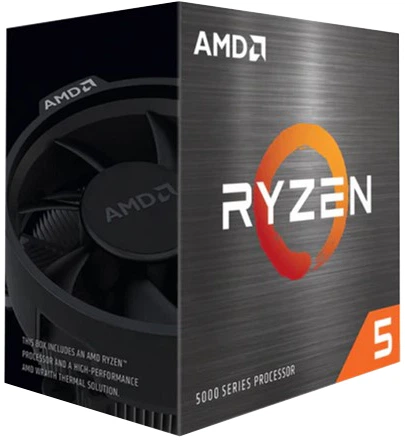
AMD Ryzen 5 5600 Desktop Processor Best choice | 6C / 12T | 4.4 GHz | 32 MB | 65 W | ✔ Included | Check price on Amazon |
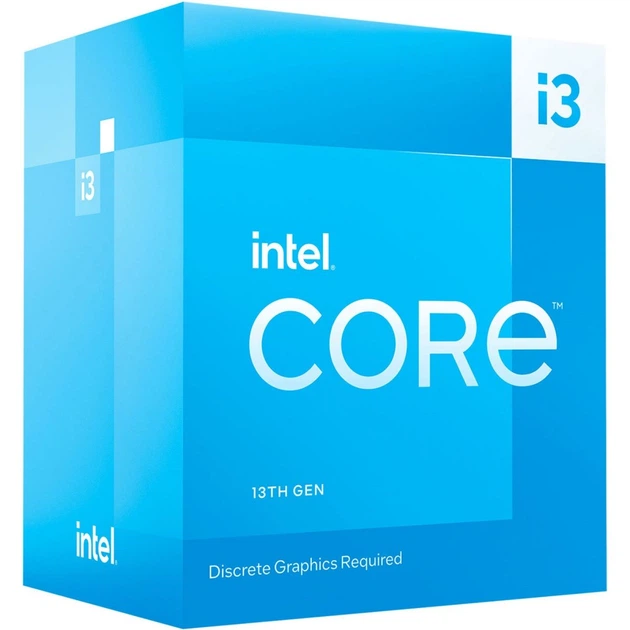
Intel Core i3-12100F Desktop Processor | 4C / 8T | 4.3 GHz | 12 MB | 58 W | ✔ Included | Check price on Amazon |
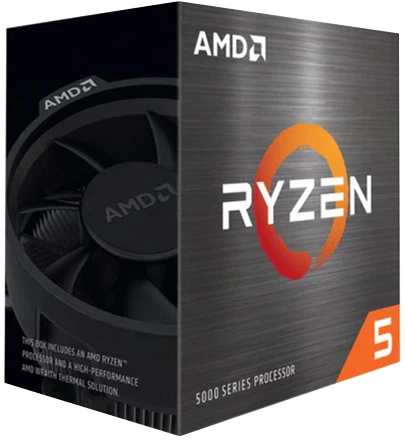
AMD Ryzen 5 5500 Desktop Processor | 6C / 12T | 4.2 GHz | 16 MB | 65 W | ✔ Included | Check price on Amazon |
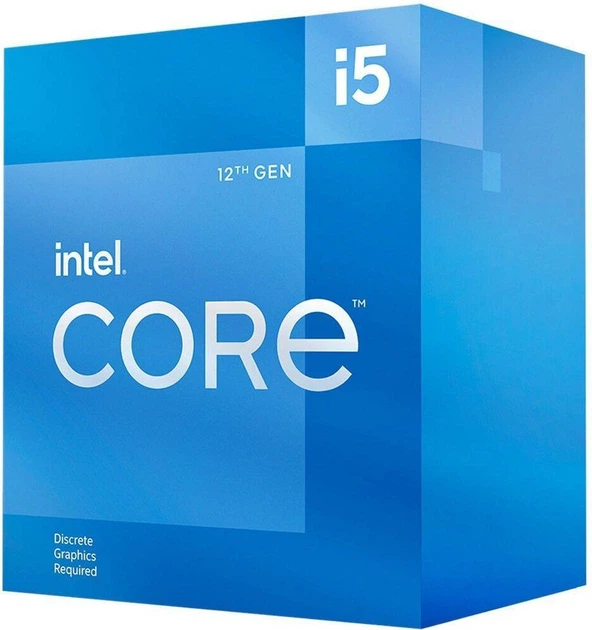
Intel Core i5-12400F Desktop Processor | 6C / 12T | 4.4 GHz | 18 MB | 65 W | ✔ Included | Check price on Amazon |
AMD Ryzen 5 5600 Desktop Processor Best choice
Zen 3 (7nm)6C / 12T4.4 GHz boost32 MB L3AM4Intel Core i3-12100F Desktop Processor
Alder Lake (Intel 7)4C / 8T4.3 GHz boost12 MB L3LGA1700AMD Ryzen 5 5500 Desktop Processor
Zen 3 (7nm)6C / 12T4.2 GHz boost16 MB L3AM4Intel Core i5-12400F Desktop Processor
Alder Lake (Intel 7)6C / 12T4.4 GHz boost18 MB L3LGA1700
* As an Amazon Associate I earn from qualifying purchases.
AMD Ryzen 5 5600: The Balanced Champion
* As an Amazon Associate I earn from qualifying purchases.
- 1
32 MB L3 Cache — The CS2 Advantage
The Ryzen 5 5600 is the standout pick for competitive FPS gaming in 2026 for one decisive reason: its 32 MB L3 cache. CS2 is notoriously cache-sensitive — the engine loads map geometry, textures, and hit detection data directly from the last-level cache. With 32 MB, the Ryzen 5 5600 rarely has to reach out to slower DRAM during frantic rounds on Dust 2 or Mirage. The result is consistently high 1% low frame rates and near-zero micro-stuttering, even at 400+ FPS when the GPU is not the bottleneck. Pair it with a fast B550 motherboard and DDR4-3600 kit and this CPU will not be the limiting factor in your CS2 rig for years. The Zen 3 architecture (TSMC 7nm) also delivers exceptional IPC — a meaningful step above the Ryzen 3000 or first-gen Ryzen chips. With the Wraith Stealth cooler included, this is the best CPU value for competitive esports on a budget in 2026.
- 2
Platform Maturity and Drop-in Upgrades
The AM4 ecosystem has never been more mature. Motherboards range from highly affordable B450/B550 budget options to premium X570 models for overclockers. The Ryzen 5 5600 slots into any existing AM4 board with a BIOS update, meaning it is a zero-effort upgrade for anyone already on Ryzen 1000/2000/3000 platforms. The Wraith Stealth cooler included in the box is adequate for the 65W TDP and keeps the Ryzen 5 5600 at comfortable temperatures in a ventilated case — no extra spending required. Six cores and twelve threads are ample for streaming CS2 at 720p or 1080p alongside a game, and Zen 3's efficient branch prediction keeps game threads running smoothly. The only limitation is DDR4 — the Ryzen 5 5600 cannot use DDR5 — but at this price point, high-speed DDR4 (3600–4000 MT/s) remains the most cost-effective choice for a gaming build.
Pros and Cons: AMD Ryzen 5 5600
Pros
32 MB L3 cache — the largest in this comparison, best for CS2
Wraith Stealth cooler included — lower total build cost
Excellent Zen 3 IPC — punches above its price in esports
PCIe 4.0 support — compatible with current and next-gen GPUs
Mature AM4 platform — huge motherboard selection at all price points
Cons
DDR4 only — no upgrade path to DDR5
No integrated graphics — requires a dedicated GPU
AM4 is aging — no future CPU upgrade path beyond Ryzen 5000
Conclusion
The Ryzen 5 5600 is the best all-around budget CPU for CS2 and Valorant in 2026. Its 32 MB L3 cache, mature AM4 platform, included cooler, and excellent IPC make it the top value pick for competitive gaming.Intel Core i3-12100F: The High-IPC Quad-Core Champion
* As an Amazon Associate I earn from qualifying purchases.
- 1
4.3 GHz Boost and Modern IPC — at the Lowest LGA1700 Entry Cost
The i3-12100F is Intel's value-punching 4-core, 8-thread processor based on the Alder Lake architecture. With a 4.3 GHz maximum boost clock and Golden Cove P-cores delivering some of the best single-threaded IPC at this price tier, it holds its own against the 6-core Ryzen 5 5600 in lightly-threaded esports titles like Valorant. Paired with an H610 or B660 motherboard, it can match the Ryzen 5 5600 in framerate-focused benchmarks where the thread count advantage of AMD isn't utilized. The 58W TDP makes it one of the most efficient CPUs in this comparison, running cooler and quieter under stock loads — useful if you are working with a basic case or a quiet setup.
- 2
The Cache Ceiling and Stock Cooling
The i3-12100F's main weakness is its 12 MB L3 cache — the smallest in this comparison by a wide margin. In CS2 specifically, this cache deficit becomes visible when the engine loads multiple agents and environment assets simultaneously: 1% lows drop more sharply than on the Ryzen 5 5600 in cache-sensitive scenarios. The processor includes the basic Intel Laminar RM1 cooler, which handles this 58W chip safely without additional cost, though it can run noisy under load. For Valorant, where the engine is less cache-dependent and single-threaded speed dominates, the i3-12100F is an excellent and very affordable choice. For CS2 at the highest attainable frame rates, the smaller cache is a measurable bottleneck. Best suited to: Valorant-first players, budget-first builders who already have an LGA1700 board.
Pros and Cons: Intel Core i3-12100F
Pros
4.3 GHz boost clock and high single-core IPC
58W TDP — the most power-efficient chip here
LGA1700 platform — supports DDR4 and DDR5
PCIe 5.0 support for future GPU compatibility
Cons
Only 12 MB L3 cache — smallest in the group; visible in CS2 1% lows
Only 4 cores / 8 threads — weakest multi-threaded performance
Stock Laminar RM1 cooler can run loud under sustained load
Struggles more than rivals in heavily threaded streaming scenarios
Conclusion
The i3-12100F is an excellent budget value for Valorant, but its 12 MB L3 cache is a visible bottleneck in cache-heavy CS2 scenarios. Stock cooler is included, but upgrading is recommended for lower noise.AMD Ryzen 5 5500: The Budget Entry Point
* As an Amazon Associate I earn from qualifying purchases.
- 1
6 Cores, Wraith Cooler Included — at the Lowest Price
The Ryzen 5 5500 is the most affordable entry point in this comparison, offering six Zen 3 cores and twelve threads — and crucially, with the Wraith Stealth cooler included, making the true out-of-pocket cost for the processor alone lower than any competitor. At 3.6 GHz base and 4.2 GHz boost, it covers the basics well. In Valorant, which scales cleanly with single-core performance and does not depend on cache as heavily as CS2, the Ryzen 5 5500 performs within a few percent of the more expensive Ryzen 5 5600. For casual and semi-competitive play at 1080p or 1440p with mid-range GPUs, the Ryzen 5500 is a perfectly capable starting point that leaves more budget for a faster GPU, more RAM, or storage.
- 2
PCIe 3.0 Limitation and the Cache Gap
The Ryzen 5 5500 has two meaningful downsides compared to its sibling, the Ryzen 5 5600. First, it ships with only 16 MB of L3 cache versus the Ryzen 5 5600's 32 MB — half as much. In CS2, this is a noticeable gap: 1% low frame rates are measurably lower on the Ryzen 5 5500 in CPU-bound scenarios. Second, the Ryzen 5 5500 is locked to PCIe 3.0 for the primary GPU slot, whereas the Ryzen 5 5600 offers PCIe 4.0. This means current GPUs run at reduced bandwidth on the Ryzen 5 5500 — in practice, the performance difference is small for existing cards (under 5%), but it limits future upgrades. If you are starting a new build and the price difference between the Ryzen 5 5500 and Ryzen 5 5600 is within reach, the Ryzen 5 5600 is the far smarter long-term investment. The Ryzen 5 5500 makes most sense as an upgrade for existing Ryzen 3000 or older AM4 systems where the PCIe limitation already exists at the board level.
Pros and Cons: AMD Ryzen 5 5500
Pros
Lowest price of the four — best for ultra-tight budgets
6 cores / 12 threads — strong multitasking at this price
Wraith Stealth cooler included — no extra cooling cost
3.6 GHz base clock — higher than the Ryzen 5 5600's base
Zen 3 IPC — same architecture as the Ryzen 5 5600
Cons
Only 16 MB L3 cache — half the Ryzen 5 5600's cache; noticeable in CS2
PCIe 3.0 only — limits future GPU upgrades
For slightly more, the Ryzen 5 5600 is a significantly better buy
No integrated graphics — requires a dedicated GPU
Conclusion
The Ryzen 5 5500 is the most affordable entry point with a cooler included, but its smaller 16 MB L3 cache and PCIe 3.0 limitation make it a better upgrade pick than a new-build foundation. Spend slightly more and get the Ryzen 5 5600.Intel Core i5-12400F: The Multitasking Leader
* As an Amazon Associate I earn from qualifying purchases.
- 1
6 P-Cores + Alder Lake IPC — Streaming and Multitasking King
The i5-12400F is the most capable processor in this comparison for tasks beyond pure gaming. Its six Golden Cove Performance cores with 12 threads deliver the best multi-threaded performance of the four, making it a strong choice for anyone who streams CS2 or Valorant on OBS, renders video in the background, or runs a heavy Discord/browser workload alongside games. The Alder Lake architecture also introduced an improved memory controller that handles both DDR4 and DDR5, offering a future upgrade path. In gaming benchmarks, the i5-12400F trades blows with the Ryzen 5 5600 — sometimes ahead, sometimes behind — depending on whether the game prefers cache (Ryzen 5600 wins) or raw core performance (12400F holds its own). For the majority of CS2 and Valorant players, both CPUs deliver an excellent experience.
- 2
Stock Cooler vs Aftermarket Upgrade
The i5-12400F includes Intel's basic Laminar RM1 stock cooler, which handles normal gaming adequately. However, since the i5-12400F has a higher power draw under multi-threaded loads, the stock cooler can get quite warm and loud during heavy multitasking or streaming. Upgrading to a budget tower cooler (like the DeepCool AK400 or ID-COOLING SE-226-XT) is recommended to keep noise levels and temperatures low. Compared to the Ryzen 5 5600 (which includes the quieter Wraith Stealth cooler), the i5-12400F represents a higher overall motherboard and cooling cost for a quiet gaming build.
Pros and Cons: Intel Core i5-12400F
Pros
Best multi-threaded performance — ideal for streaming + gaming
DDR4 and DDR5 support — flexible memory options
PCIe 5.0 — fully future-proof GPU slot
Strong overall gaming performance, trades blows with Ryzen 5 5600
18 MB L3 cache — solid for esports titles
Cons
Stock Laminar RM1 cooler gets warm and noisy under heavy multitasking/streaming
Most expensive CPU in the comparison
Gaming advantage over Ryzen 5 5600 too small to justify the premium for pure gaming
No integrated graphics — requires a dedicated GPU
Conclusion
The i5-12400F is the best performer for streaming and multitasking, and it holds its own in gaming against the Ryzen 5 5600. It includes a stock cooler, but runs best with a budget aftermarket tower cooler under heavy workloads.Verdict
Best ultra-budget CPU for CS2 & Valorant in 2026: AMD Ryzen 5 5600
The Ryzen 5 5600 wins on every axis that matters for competitive CS2 and Valorant: its 32 MB L3 cache delivers the best 1% low performance and stutter resistance, its Zen 3 IPC is class-leading at this price, and the included Wraith Stealth cooler makes the all-in cost the most competitive in the group. It is the easiest recommendation for any budget gaming build targeting CS2 or Valorant.
🎯 Best for different needs:
-
Intel Core i5-12400F — the clear pick for streamers and content creators. Its six P-cores and 12 threads handle OBS software encoding and multitasking far better than the 4-core i3-12100F. Includes stock cooler, but an aftermarket tower cooler is recommended for a quiet setup.
-
Intel Core i3-12100F — best for Valorant-focused players on LGA1700 boards. Its high single-core IPC and efficient 58W TDP are hard to beat in Valorant, which is less cache-sensitive than CS2. Includes stock cooler.
-
AMD Ryzen 5 5500 — the ultra-budget entry point for AM4 builders. With a cooler included, it works — but for slightly more the Ryzen 5 5600 is a substantially better buy. Best for upgrading an existing Ryzen 3000 system.
Frequently Asked Questions
Absolutely. The Ryzen 5 5600 remains one of the best value gaming CPUs available in 2026. Its Zen 3 IPC, 32 MB L3 cache, and included Wraith Stealth cooler make it a complete package in this class. CS2 and Valorant are not particularly demanding on thread count — they benefit far more from single-core speed and cache — and the Ryzen 5 5600 delivers both. The AM4 platform is mature, with a huge selection of affordable B550 and B450 motherboards. Unless you specifically need DDR5 or plan to upgrade beyond Ryzen 5000, the Ryzen 5 5600 is a smart and future-resistant budget choice through at least 2027.
Yes — more than almost any other CPU spec for CS2 specifically. The CS2 engine is derived from Source 2 and heavily relies on the CPU's last-level cache for map geometry, entity data, and physics calculations. When the cache is saturated, the CPU must fetch data from much slower DRAM, causing micro-stuntters and dips in 1% low performance. The Ryzen 5 5600's 32 MB L3 cache is noticeably better than the i3-12100F's 12 MB in cache-sensitive maps like Nuke and Ancient. The gap is smaller in Valorant, which was built with lower hardware requirements in mind.
No, you do not need to buy one immediately. Both Intel CPUs include the stock Intel Laminar RM1 cooler in their retail boxed versions. However, this cooler is basic and can run loud or let the CPUs run warm under heavy sustained gaming, streaming, or rendering loads. Buying an affordable aftermarket air cooler (like the DeepCool AK400, ID-COOLING SE-226-XT, or Thermalright Assassin X 120 R SE) is highly recommended for lower noise and better thermal headroom, but it is not strictly required to get your build running.
In most cases, yes. The Ryzen 5 5600 costs slightly more than the Ryzen 5 5500, but delivers twice the L3 cache (32 MB vs 16 MB), PCIe 4.0 instead of PCIe 3.0, and measurably better CS2 1% lows in CPU-bound scenarios. Both include the Wraith Stealth cooler. If you are building a new system from scratch, the extra cost for the Ryzen 5 5600 is consistently worth it. The Ryzen 5 5500 makes more sense as an upgrade for an existing Ryzen 3000 AM4 build where the board already caps the PCIe lane width.
The Intel Core i5-12400F wins for streaming-focused builds. Its six Golden Cove Performance cores deliver the best multi-threaded performance in the comparison, and OBS software encoding scales well with its thread count. The Ryzen 5 5600 is a close second and nearly equivalent for 720p streaming. The i3-12100F's four cores start to show strain when encoding a stream alongside a full CS2 session at high settings. If streaming is your primary use case alongside gaming, the i5-12400F's premium over the Ryzen 5 5600 has a stronger justification.
Yes, but a BIOS update is required for older boards (B450, X470, A520). Most major board manufacturers (ASUS, MSI, Gigabyte, ASRock) have released updates that add Ryzen 5000 support. Important: some very early B450 boards have limited flash memory and cannot receive the update — check your specific board model on the manufacturer's website before purchasing. B550 motherboards support Ryzen 5000 out of the box or with a simpler update process.
Our top recommendation for a complete first-time build is the AMD Ryzen 5 5600. With a cooler included, paired with an affordable B550 motherboard and 16 GB DDR4-3200 dual-channel RAM, you have a solid foundation for CS2 and Valorant that will not bottleneck a mid-range GPU like an RX 7600 or RTX 5050. If your budget is very tight, the Ryzen 5 5500 works as an entry point — but save up for the Ryzen 5 5600 if you can. The Intel options are also excellent value, but their stock cooler runs louder than AMD's Wraith Stealth under load.
Yes — the i3-12100F's LGA1700 platform officially supports both DDR4 and DDR5, depending on the motherboard. However, for a budget gaming build, DDR4 remains the smarter choice: DDR4 kits are cheaper, and the performance difference between DDR4-3600 and DDR5-4800 in CS2 and Valorant is minimal at this CPU tier. Choose a DDR4-based B660 or H610 board to keep total costs down.
You May Also Like
- Best Ultra-Budget CPU Coolers Under $20 in 2026: Thermalright AX120 SE vs ID-COOLING SE-214-XT V2 vs Ocypus
- Best Ultra-Budget DDR4 RAM for CS2 & Valorant: G.Skill vs Corsair vs Silicon Power — CL16 Beats CL22
- Best Ultra-Budget 240Hz Monitors Under $120 for CS2 & Valorant (2026)
- Best Ultra-Budget 144Hz Monitors Under $80 for CS2 & Valorant (2026)
- How to Overclock Your Monitor from 60 Hz to 75+ Hz Using CRU