accessories
Best Ultra-Budget Monitor Arms Under $20 for CS2 & Valorant (2026): Bracwiser vs HUANUO vs Utopia Home
In tactical FPS like CS2 and Valorant, large mousepad area and comfortable monitor distance matter. We compare three ultra-budget monitor arms under $20 from Amazon to free up your desk space.
- 8 min read
In competitive tactical shooters like CS2 and Valorant, running out of desk space directly impacts your aim. Most stock monitor stands come with wide tripod legs that jut forward 6 to 10 inches onto your desk, colliding with your mousepad and restricting wide crosshair swipes at low sensitivity (in CS2, roughly 400–800 eDPI). Getting your display up on a pole mount swaps that footprint for a single small clamp: the screen hovers above your desk, your mousepad can slide back toward the rear edge, and you can pull the panel close to eye level without knocking your keyboard sideways. We dug into the hardware specs and long-term user feedback for three popular pole-mount desk arms sold under $20 on Amazon — the Bracwiser MD7421, the HUANUO Single Monitor Mount, and the Utopia Home Dual Monitor Mount. Below is how their clamp clearances, tilt joints, and weight limits hold up when you need a clean, stable gaming setup on a tight budget.
Info
Monitor Arm Buying Guide for Competitive FPS
Why competitive shooter players ditch stock monitor stands Low-sensitivity aim requires uninterrupted arm motion. Stock desktop stands force you to shove your mousepad off to the side or cut your swipes short just to keep from hitting plastic feet during a 180-degree turn. A solid desk mount lifts the panel completely off the table, giving your mouse forearm full clearance while letting you dial in monitor height and viewing tilt.
What actually matters when buying an under-$20 monitor mount Don't worry about flashy marketing terms; focus on clamp clearance, joint torque, and your monitor's true bare-panel weight (without its factory base). For a standard 24- to 27-inch esports monitor, the Bracwiser MD7421 has the strongest specs of the three: a 10 kg (22 lb) rating, a wide ±80° tilt range, and a deep C-clamp that fits desks up to 3.86 inches thick. HUANUO's single arm is a solid lightweight backup if your screen weighs under 8 kg and your desktop isn't unusually thick. If you run a secondary panel for Discord, OBS, or chat, the Utopia Home Dual gives you two independent arms on one base.
Key factors to evaluate in budget monitor desk mounts:
- VESA bolt pattern (75x75 mm vs 100x100 mm) - Almost every competitive 144Hz–240Hz monitor uses four threaded rear mounting holes spaced 75 mm or 100 mm apart. All three mounts here support both patterns natively. Check whether your screen's mounting plate is recessed; deeply inset panels sometimes need small plastic standoffs and longer screws.
- Desktop thickness and C-clamp vs grommet installation - The Bracwiser clamp opens wide up to 3.86 inches (roughly 98 mm), while the HUANUO clamp supports desktops between 0.39 and 3.07 inches (10–78 mm). For grommet bolt-through mounting, HUANUO handles up to 2.36 inches (60 mm), whereas Bracwiser requires a through-hole of at least 1.65 inches (42 mm). If your desk has a hollow paper-honeycomb core (like budget IKEA Linnmon tops), always slide a wooden block or steel reinforcement plate underneath the clamp to distribute clamping pressure.
- Tilt tension bolt and forward screen droop - Because budget pole mounts use friction collar joints rather than sealed pneumatic struts, you must tighten the tilt screw firmly with the supplied Allen hex key once your monitor is hung. If you leave it at factory tightness, heavier 27-inch displays will slowly nod downward.
- Cable slack for 360-degree rotation - Pole clips keep DisplayPort and power lines from dangling onto your mousepad. Leave at least 8 to 12 inches of slack between the arm elbow and the back of your PC so you can pivot the screen vertically into portrait mode without tugging on ports.
Practical setup tips for CS2 and Valorant desks:
- Set the monitor height so the top edge of the screen sits at or just below eye level, keeping your neck relaxed during long match queues
- Clamp the base off-center toward the back corner of your desk, freeing the entire center table space for an XL or XXL mousepad
- Tighten the tilt pivot bolt firmly with the provided hex key right after mounting your screen, and re-check it two weeks later once parts settle
- Leave enough cable slack through the arm clips so you can extend the arm forward or spin into vertical mode without strain on the video card ports
Best Ultra-Budget Monitor Arms Under $20: Key Specs & Features
HUANUO Single Monitor Arm Desk Mount Compact Single Arm | 13" – 32" | 17.6 lbs (8 kg) | 75x75 mm / 100x100 mm | C-clamp & Grommet | Check price on Amazon |
Utopia Home Dual Monitor Arm Desk Mount Best for Two Screens | 13" – 32" (x2 screens) | 22 lbs (10 kg) per arm | 75x75 mm / 100x100 mm | Desk clamp & Grommet mount | Check price on Amazon |
Bracwiser Single Monitor Arm Desk Mount MD7421 Best Single Arm | 13" – 32" | 22 lbs (10 kg) | 75x75 mm / 100x100 mm | C-clamp & Grommet | Check price on Amazon |
HUANUO Single Monitor Arm Desk Mount Compact Single Arm
13" – 32"17.6 lbs (8 kg)75x75 mm / 100x100 mmUtopia Home Dual Monitor Arm Desk Mount Best for Two Screens
13" – 32" (x2 screens)22 lbs (10 kg) per arm75x75 mm / 100x100 mmBracwiser Single Monitor Arm Desk Mount MD7421 Best Single Arm
13" – 32"22 lbs (10 kg)75x75 mm / 100x100 mm
* As an Amazon Associate I earn from qualifying purchases.
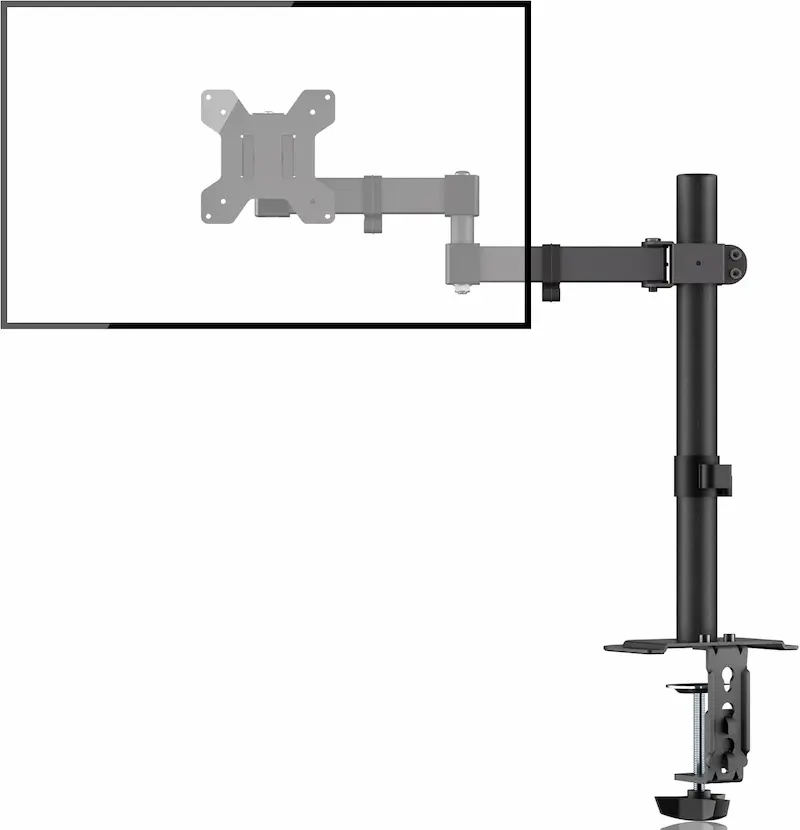
Bracwiser MD7421: 10 kg payload and ±80° tilt on a single arm
* As an Amazon Associate I earn from qualifying purchases.
- 1
10 kg (22 lb) payload for solid 24–32-inch monitor support
Many entry-level single arms stop at 6–8 kg. The MD7421 is rated up to 10 kg (22 lbs) on its single arm, meaning typical 24- to 27-inch gaming monitors (which usually weigh roughly 3 to 5 kg without their stands) sit comfortably inside its sweet spot without straining the friction joints.
- 2
Generous ±80° tilt and ~400 mm pole height
While budget brackets usually stop at ±45°, the Bracwiser hinge tilts from +80° to -80°, giving you extreme angle adjustments to cut down on ceiling light glare. The center pole stands roughly 400 mm tall, which is plenty of travel to float a monitor at natural eye level for taller players.
- 3
Extra-deep C-clamp fits thick desktops up to 3.86 inches
If your desk has an apron frame, an under-desk reinforcement beam, or a thick solid-wood slab, the Bracwiser C-clamp opens all the way to 3.86 inches (98 mm). It also supports grommet hole mounting through desks with at least a 1.65-inch (42 mm) hole diameter.
- 4
Real-world user feedback notes
Verified buyers consistently highlight the sturdy alloy-steel feel and stable clamp grip. The main note from user feedback: the tilt joint needs a solid initial turn of the hex wrench during assembly, otherwise heavier screens can tip forward. Set your angle, torque down the bolt, and check it once more after a couple of weeks of active use.
Bracwiser MD7421: Pros & Cons
Pros
10 kg (22 lb) payload gives strong stability reserve for 24–32-inch gaming monitors
Widest tilt of the three picks (±80° vs ±45°) — cuts out room glare without repositioning your entire setup
C-clamp opens to 3.86 inches, wider than HUANUO's 3.07 inches — handles thick framed desks
360° screen rotation and 400 mm pole height for flexible ergonomics
Grommet bolt-through option gives a permanent, vibration-free alternative to clamp mounting
Cons
Tilt joint bolt needs firm initial tightening to prevent screen drooping over time
Height changes need a hex key (same as the other two picks), not a floating gas-spring motion
Conclusion
The top single-screen pick of the three. Its 10 kg capacity, wide ±80° tilt, and deep 3.86-inch clamp clearance give competitive CS2 and Valorant players maximum stability and desk clearance for low-DPI mouse swipes.HUANUO Single Arm: Clean, compact pole mount for lightweight panels
* As an Amazon Associate I earn from qualifying purchases.
- 1
8 kg (17.6 lb) rating suited for standard 24–27-inch screens
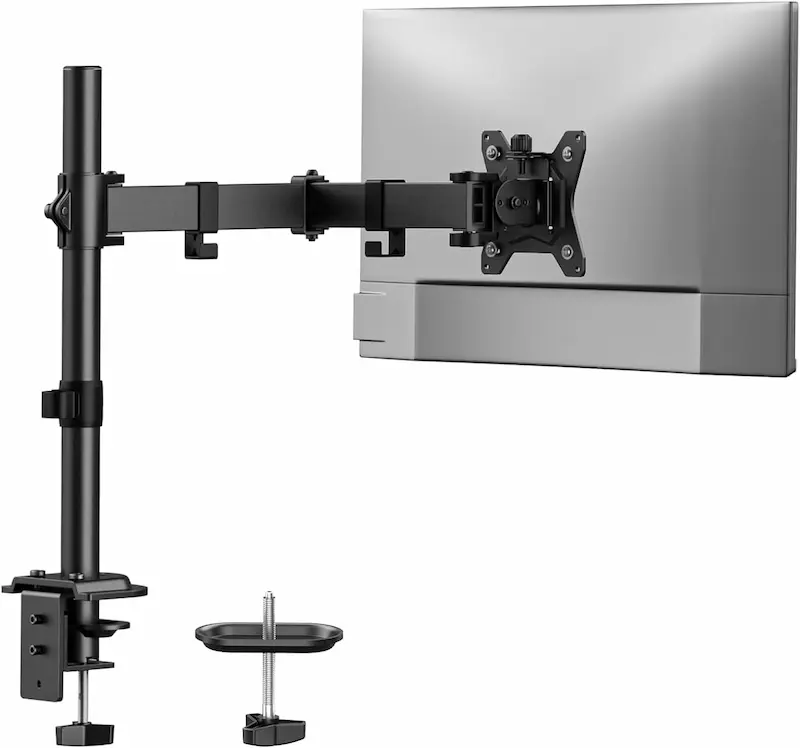
HUANUO's single-arm desk mount is built for 13- to 32-inch monitors weighing up to 17.6 lbs (8 kg). It easily supports standard competitive panels like 24-inch 144Hz–240Hz models from AOC, BenQ, or ASUS, but leaves slightly less headroom than Bracwiser if you mount heavier 32-inch displays.
- 2
Dual mounting clamp with neat cable routing
The package includes both a C-clamp (fitting desks between 0.39 and 3.07 inches thick) and a grommet base (supporting desks from 0.39 to 2.36 inches). The pole stands roughly 16 inches (400 mm) tall, and detachable clips along the arm keep power and video cables secured.
- 3
What to expect day to day
This is a set-and-forget pole mount: changing height along the pole means loosening and retightening the collar clamp with an Allen wrench, not a floating gas-spring motion. Assembly is a basic bolt-together job, and once your angle is dialed in the arm stays put.
HUANUO Single Monitor Arm: Pros & Cons
Pros
Simple single-pole design with a 16-inch (400 mm) height range
Ships with hardware for both C-clamp and grommet installations in the box
Full 360° plate rotation and integrated cable clips keep the desk tidy
Cons
Lower weight limit (8 kg vs 10 kg) leaves less margin for heavier 27–32-inch displays
Narrower tilt range (±45° vs ±80°) — less room to fight glare or to angle a screen far up or down
Single-display only — a second screen needs a separate mount
Conclusion
A reliable, compact single-arm option for standard 24- to 27-inch esports displays up to 8 kg. It clears desk space cleanly if you don't need extreme tilt angles or an extra-thick clamp opening.Utopia Home Dual Arm: Dual-screen real estate on a single base
* As an Amazon Associate I earn from qualifying purchases.
- 1
Two independent articulated arms rated up to 10 kg each
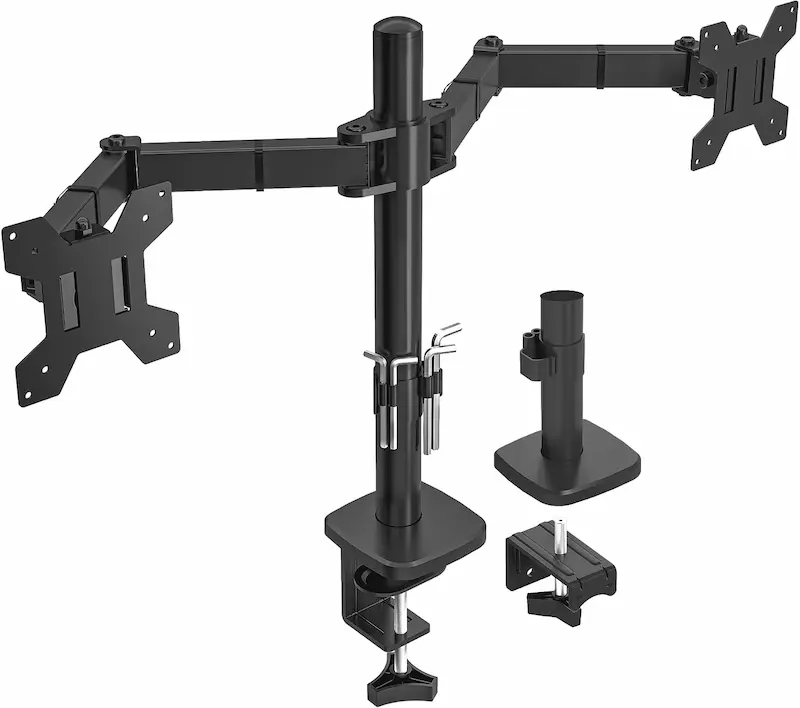
The Utopia Home mount puts two independent arms onto a single desktop pole, each rated for 13- to 32-inch monitors up to 22 lbs (10 kg). That lets you mount a primary competitive 240Hz screen right in front of you while floating a second monitor beside it for Discord, OBS, or Spotify.
- 2
Independent 360° rotation and tilt on both panels
Both arms tilt 45°, swivel 90°, and rotate 360°, so you can keep your main gaming display in landscape while spinning your secondary display vertically for chat feeds and web reading. Height locks on the central pole up to roughly 410 mm.
- 3
Dual cable clips to clean up desk clutter
With two monitors, cable mess doubles. Built-in plastic clips on both arms and the center post keep two DisplayPort cords and two power bricks routed cleanly down behind the desk instead of dragging across your workspace.
- 4
What to watch for
Because both monitors hang off a single clamp, the joint places concentrated pressure on one spot on your desk edge. If you are using thin particleboard or two heavy 27-inch monitors, use a reinforcement plate underneath the clamp to prevent desk flex.
Utopia Home Dual Monitor Arm: Pros & Cons
Pros
Floats two independent monitors on one clamp — the only dual-arm mount in this guide
10 kg (22 lb) rating per arm comfortably holds two 24–27-inch panels
Full 360° rotation lets you mix landscape gaming + vertical chat display layouts
Cons
Concentrates the weight of two monitors onto a single desk clamp contact point — reinforcement plate recommended for thin desks
Articulated dual elbows need extra clearance behind the desk — not ideal if the desk is pushed against a wall
More complex cable routing with two screens — takes extra patience to thread both sets of cables neatly
Conclusion
The pick for streamer and multi-tasking setups. It floats two independent 10 kg screens on one post, keeping your primary game screen centered while running a vertical feed on the side.Verdict
The Verdict: Best Ultra-Budget Monitor Arms Under $20 for CS2 & Valorant (2026) Bracwiser Single Monitor Arm Desk Mount MD7421
Bracwiser MD7421 takes our top recommendation for single-monitor competitive FPS setups under $20. It has the strongest hardware headroom of the three: a 10 kg (22 lb) payload limit that easily handles 24- to 32-inch monitors, a ±80° tilt range to eliminate glare, and a heavy-duty C-clamp that opens up to 3.86 inches. It frees up your mousepad area for unobstructed low-sens swipes while keeping your screen rock-steady at eye level.
🎯 When to consider the alternatives:
-
HUANUO Single Monitor Arm — Best for compact single-screen setups. A solid, no-fuss option for lightweight 24- to 27-inch monitors under 8 kg when you have a standard desk thickness (under 3.07 inches) and don't need more than ±45° of tilt.
-
Utopia Home Dual Monitor Arm — Best for dual-display streaming setups. The pick if you run a dual-display setup (primary 240Hz screen + Discord/OBS panel). Two independent 10 kg arms on one central post mean a second screen without a second clamp point on your desk.
Frequently Asked Questions
Stock monitor stands spread broad tripod legs directly across the center of your desk. Low-sens CS2 players (often around 400–800 eDPI) can need roughly 10 to 20 inches of uninhibited mousepad travel for a clean 180-degree sweep. A monitor arm hovers your display above the desk, so you can slide a large mousepad back toward the rear edge and position the screen at your exact focal sweet spot without physical obstruction. It doesn't change your aim by itself, it just removes the obstacles.
All three mounts use universal VESA 75x75 mm and 100x100 mm square hole patterns. Check the back of your monitor for four threaded screw holes. As long as your monitor's bare-panel weight (measured without its factory stand) is under 8 kg for the HUANUO or under 10 kg for the Bracwiser and Utopia Home, it will mount securely.
On solid wood, plywood, or 18mm+ MDF desks, the C-clamps attach securely without issue. If your desk has a hollow honeycomb paper core (such as budget IKEA Linnmon or Lagkapten tops), the concentrated clamping force can crush the surface. In that case, place a small wooden block, metal reinforcement plate, or mousepad rubber spacer between the lower clamp plate and the desk to distribute the load.
Both share roughly the same 400 mm pole height and under-$20 pricing, but Bracwiser offers a higher weight rating (10 kg vs 8 kg), a significantly wider tilt range (±80° vs ±45°), and a clamp that fits thicker tabletops (up to 3.86 inches vs 3.07 inches). HUANUO is a simpler, lighter-duty bracket, a no-fuss option for lighter 24-inch screens.
This is the most common user complaint on entry-level pole mounts, and it almost always comes down to loose factory torque on the tilt joint. Once your monitor is mounted, use the included Allen wrench to firmly tighten the bolt on the side of the tilt collar until the screen stays locked at your chosen angle.
You May Also Like
- Best Budget Microphones for CS2 & Valorant Under $20 (2026): TONOR TC‑777 vs Neptune Sonus vs LRUFOB MU5000
- Best Ultra-Budget Gaming Monitors Under $100 for CS2 & Valorant (2026)
- Best Ultra-Budget Gaming Arm Sleeves for CS2 & Valorant
- Gaming Eye Strain Prevention Guide 2026: Monitor Settings, Lighting & Habits
- Best Ultra-Budget Footrests for CS2 & Valorant (2026)