peripherals
Best Ultra-Budget Gaming Monitors for CS2 & Valorant 2026 under $100: Gawfolk GF240A vs Sansui ES-G24F4 vs AOC 27G51F
Three ultra-budget monitors with gaming on the label. Which one renders every peek without smearing, tearing, or ghosting? Let's dive into the specs.
- 10 min read
Ultra-budget monitors in 2026 are a different breed than they were two years ago: high refresh rates and sub-1ms response times are no longer locked behind $150+ price tags. In CS2 and Valorant, where screen tearing during a close-quarters peek or a smeared enemy model on a slow panel can instantly cost you the round, the hardware baseline matters. The difference between a genuine high-refresh gaming monitor and an overclocked office panel is immediately visible when tracking targets. We compared the specifications and real-world usage scenarios of three popular budget contenders — Gawfolk GF240A, Sansui ES-G24F4, and AOC 27G51F — to identify which one delivers the fluid refresh rate, pixel speed, and reliability that competitive shooters demand without breaking the $100 barrier.
Info
Monitor Buying Guide for FPS Games
Refresh rate & response time determine whether your monitor can keep up with fast-paced movements in CS2 and Valorant. A higher refresh rate means smoother motion during strafe-peeks, and a lower response time reduces ghosting — the blurring of fast-moving objects that can obscure enemy hitboxes at critical moments.
24-inch vs 27-inch — size affects pixel density and immersion 24–24.5-inch monitors at 1080p offer a sharper pixel density (~91–93 PPI) that keeps enemy models crisp at range, and they require less eye travel to scan the full screen — preferred by most CS2 professionals. 27-inch monitors at 1080p have a lower pixel density (82 PPI), but they provide a wider field of view and more immersive gameplay for casual and ranked play.
What to check before buying an ultra-budget monitor:
- Low or variable refresh rates - Monitors that advertise a high Hz figure but only deliver it over DisplayPort — with HDMI capped significantly lower — can catch you off guard if you connect via the wrong cable. Always check per-port Hz limits.
- High GtG response time - A slow gray-to-gray response time creates ghosting — a trailing blur behind fast-moving objects. At 144Hz+, a 4ms GtG response is acceptable; anything above 5ms becomes visibly problematic.
- Low brightness - Budget panels with under 250 cd/m² brightness can wash out in a bright room, making it difficult to spot enemies in well-lit in-game environments. This is the most common spec cut at the ultra-budget tier.
- Limited port selection - Monitors with only one HDMI port at a lower version will cap your refresh rate if you don't connect via DisplayPort. Verify both the port type and the maximum Hz each port supports.
Four rules to avoid a disappointing monitor purchase:
- Verify per-port Hz limits: some 200Hz monitors deliver that refresh rate only over DisplayPort, while the HDMI port tops out at 120Hz. Connect with the right cable or you won't see the full refresh rate.
- Check MPRT vs GtG: MPRT (Moving Picture Response Time) describes backlight strobing, while GtG (Gray-to-Gray) describes actual pixel transition speed. Both matter; GtG above 5ms at 144Hz+ is a red flag.
- IPS panels offer better viewing angles and significantly faster pixel response times than budget VA alternatives, preventing dark smearing when clearing corners.
- Confirm FreeSync / Adaptive-Sync compatibility with your GPU to eliminate screen tearing without requiring VSync input lag penalties.
Monitor Comparison: Key Specs & Features
Gawfolk GF240A 24.5 Inch 200Hz Gaming Monitor | 24.5 inches | 200Hz (DP) / 120Hz (HDMI) | 1ms (GtG) | VA | 240 cd/m² | AMD FreeSync / Adaptive-Sync | Check price on Amazon |
SANSUI 24" 1ms 180Hz Gaming Monitor ES-G24F4 Best pick | 24 inches | 180Hz | 1ms (MPRT) | IPS | 300 cd/m² | AMD FreeSync / Adaptive-Sync | Check price on Amazon |
AOC 27G51F 27 inch Gaming Monitor | 27 inches | 144Hz | 0.5ms (MPRT) / 4ms (GtG) | IPS | 300 cd/m² | Adaptive-Sync / AMD FreeSync/ G-Sync | Check price on Amazon |
Gawfolk GF240A 24.5 Inch 200Hz Gaming Monitor
24.5 inches1920 x 1080 (FHD)VA200Hz (DP) / 120Hz (HDMI)AMD FreeSync / Adaptive-SyncSANSUI 24" 1ms 180Hz Gaming Monitor ES-G24F4 Best pick
24 inches1920 x 1080 (FHD)IPS180HzAMD FreeSync / Adaptive-SyncAOC 27G51F 27 inch Gaming Monitor
27 inches1920 x 1080 (FHD)IPS144HzAdaptive-Sync / AMD FreeSync/ G-Sync
* As an Amazon Associate I earn from qualifying purchases.
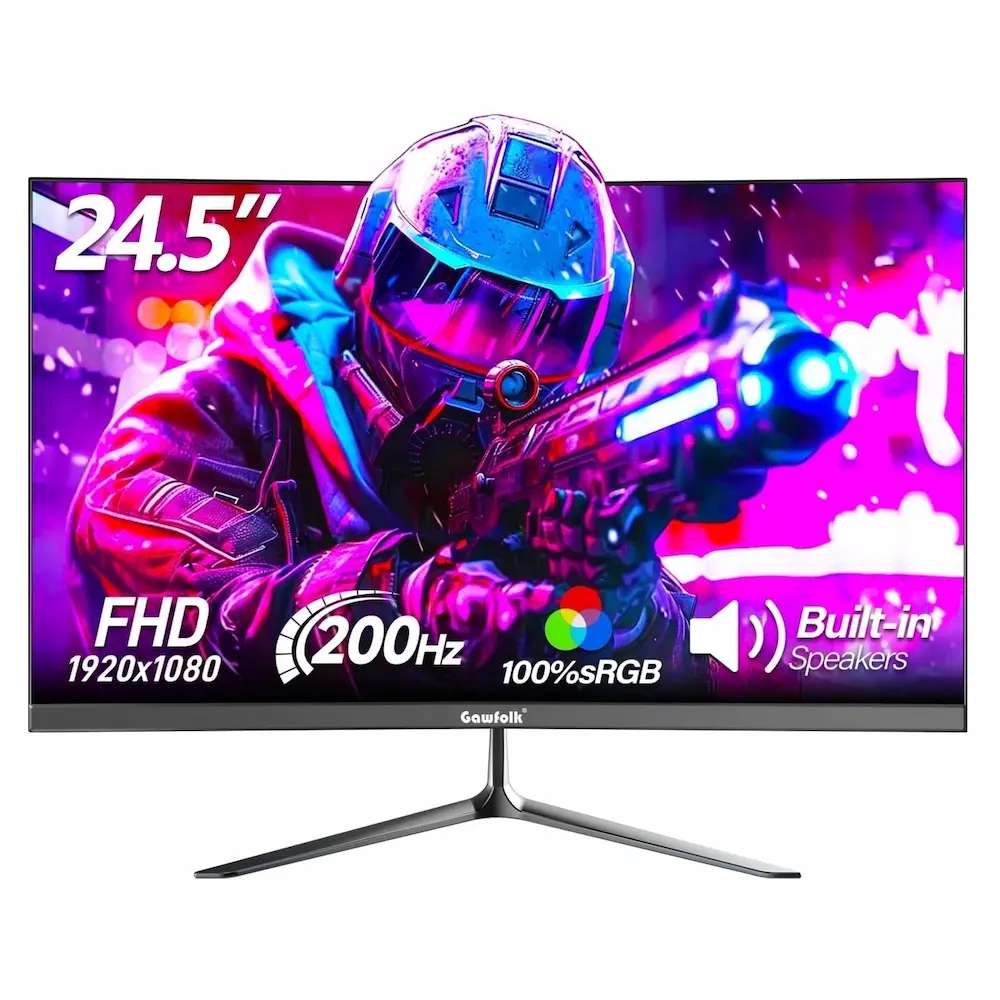
Gawfolk GF240A: 200Hz speed at the lowest price — with a hidden asterisk
* As an Amazon Associate I earn from qualifying purchases.
- 1
24.5-inch panel, 200Hz over DP, fast response — the spec headline looks impressive
The Gawfolk GF240A leads this comparison in raw speed: 200Hz is available over DisplayPort, pushing well beyond the 144Hz baseline. Built-in speakers are included, a small but useful extra at this price point, and Adaptive-Sync handles frame dips smoothly. The high-refresh advantage makes fast-moving targets readable during rapid strafe-peeks when connected correctly.
- 2
The HDMI cap at 120Hz and lower panel brightness are real trade-offs to understand
The 200Hz speed comes with a hard caveat: the HDMI port is limited to 120Hz due to the older HDMI 1.4 interface. If you connect via HDMI from a gaming laptop or console, you won't get the full speed. You must use a DisplayPort cable to unlock the rated 200Hz. Additionally, at 240 cd/m², the brightness can feel muted if your desk is next to a sunny window, and its VA architecture requires careful overdrive tuning to avoid slight dark smearing.
- 3
Built-in speakers and 1ms response included — practical extras for the budget buyer
At this price tier, built-in speakers are an uncommon inclusion that reduces peripheral clutter for players without a dedicated audio setup. The 1ms response time helps keep fast action under control on your screen, preventing excessive trailing behind enemy models in the moments that decide competitive rounds. The frameless design keeps the visual footprint minimal on a desk.
Pros and Cons: Gawfolk GF240A
Pros
200Hz over DisplayPort
1ms response time helps mitigate fast motion blurring
Built-in speakers included — great fallback for basic audio
FreeSync / Adaptive-Sync support eliminates tearing
Cons
HDMI port capped at 120Hz — restricts laptop/console users
VA panel structure — can introduce slight dark smearing compared to IPS alternatives
240 cd/m² brightness — can struggle in heavily lit rooms
Minor backlight bleeding typical of panels in this budget bracket
Conclusion
The Gawfolk GF240A is a 24.5-inch VA 200Hz monitor at a low price point, with a 1ms response time. Connect via DisplayPort to unlock the full 200Hz — HDMI is capped at 120Hz. An exceptional spec-per-dollar pick for DP users.Sansui ES-G24F4: The 180Hz IPS spec leader with great out-of-the-box colors
* As an Amazon Associate I earn from qualifying purchases.
- 1
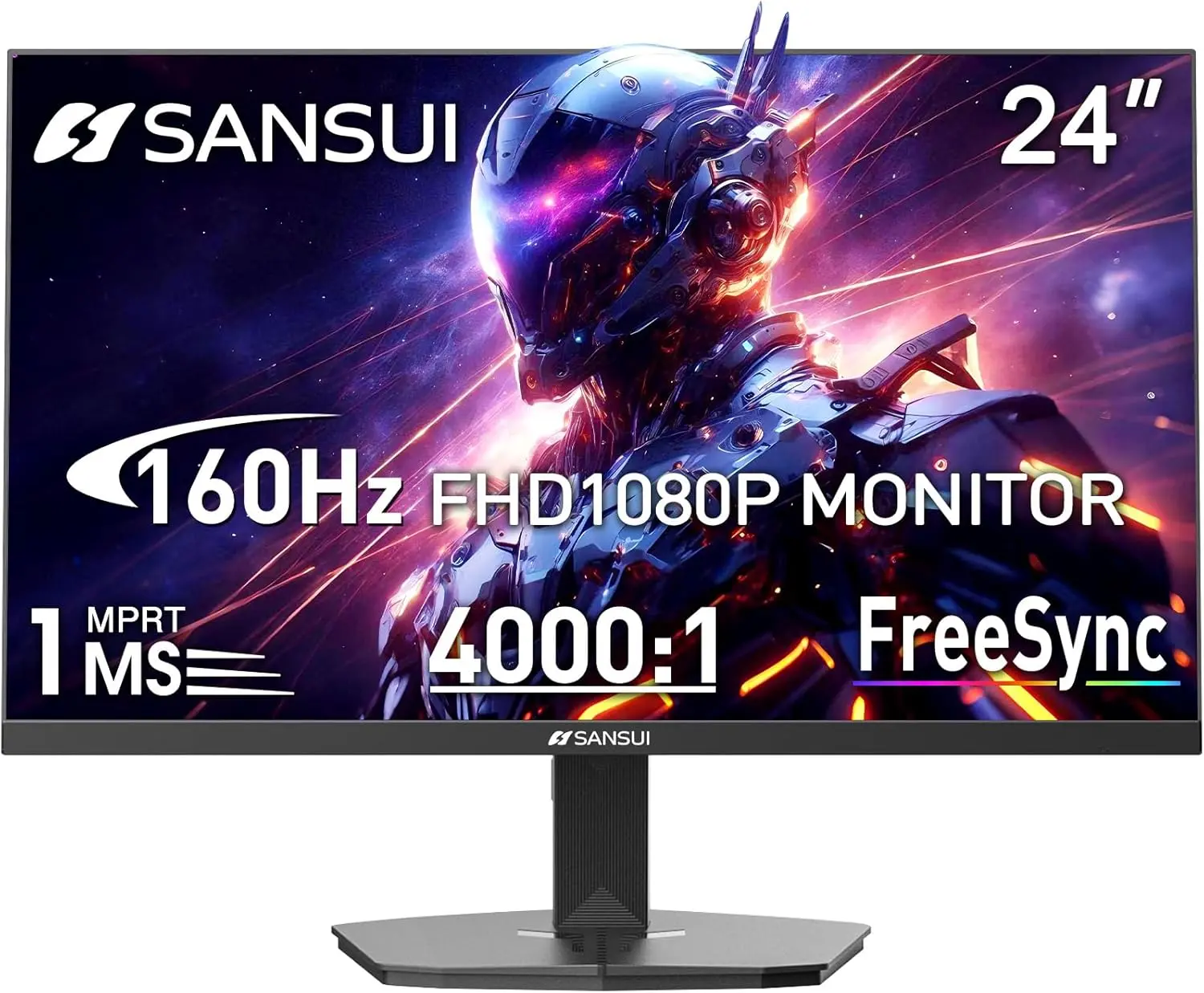
180Hz IPS panel, dual HDMI 2.0 — no per-port compromises for modern setups
The Sansui ES-G24F4 stands out for practical usability. Unlike other budget panels, its dual HDMI 2.0 ports and DisplayPort 1.4 mean you can achieve high refresh rates across all connections. It features a fast 180Hz IPS panel that delivers sharp motion handling and surprisingly rich out-of-the-box colors (110% sRGB), meaning you won't need to spend hours tweaking the OSD settings just to make the game look correct.
- 2
300 cd/m² brightness and solid build quality — but watch out for OSD navigation
With 300 cd/m² brightness, this monitor pops much better in lit rooms compared to the Gawfolk. The fast-IPS panel handles motion cleanly, ensuring that clearing corners remains ghosting-free. While the panel itself is excellent for the money, some users might find the physical OSD adjustment buttons on the back slightly clunky to navigate when adjusting black-equalizer settings. The included stand is basic and offers tilt adjustment only.
Pros and Cons: Sansui ES-G24F4
Pros
180Hz available over both HDMI 2.0 and DisplayPort
Fast IPS matrix with clean motion and minimal pixel trailing
300 cd/m² brightness provides vibrant and clear visibility
Dual HDMI 2.0 + DisplayPort 1.4 — best-in-class port setup
110% sRGB color gamut delivers great punchy colors out of the box
Cons
OSD adjustment buttons on the back can feel clunky to use
Conclusion
The Sansui ES-G24F4 combines a swift 180Hz IPS panel, 300 cd/m² brightness, dual HDMI 2.0, and DisplayPort 1.4. With no port caps and excellent color accuracy, it stands as the most complete budget package.AOC 27G51F: The 27-inch brand-name choice with the longest warranty coverage
* As an Amazon Associate I earn from qualifying purchases.
- 1
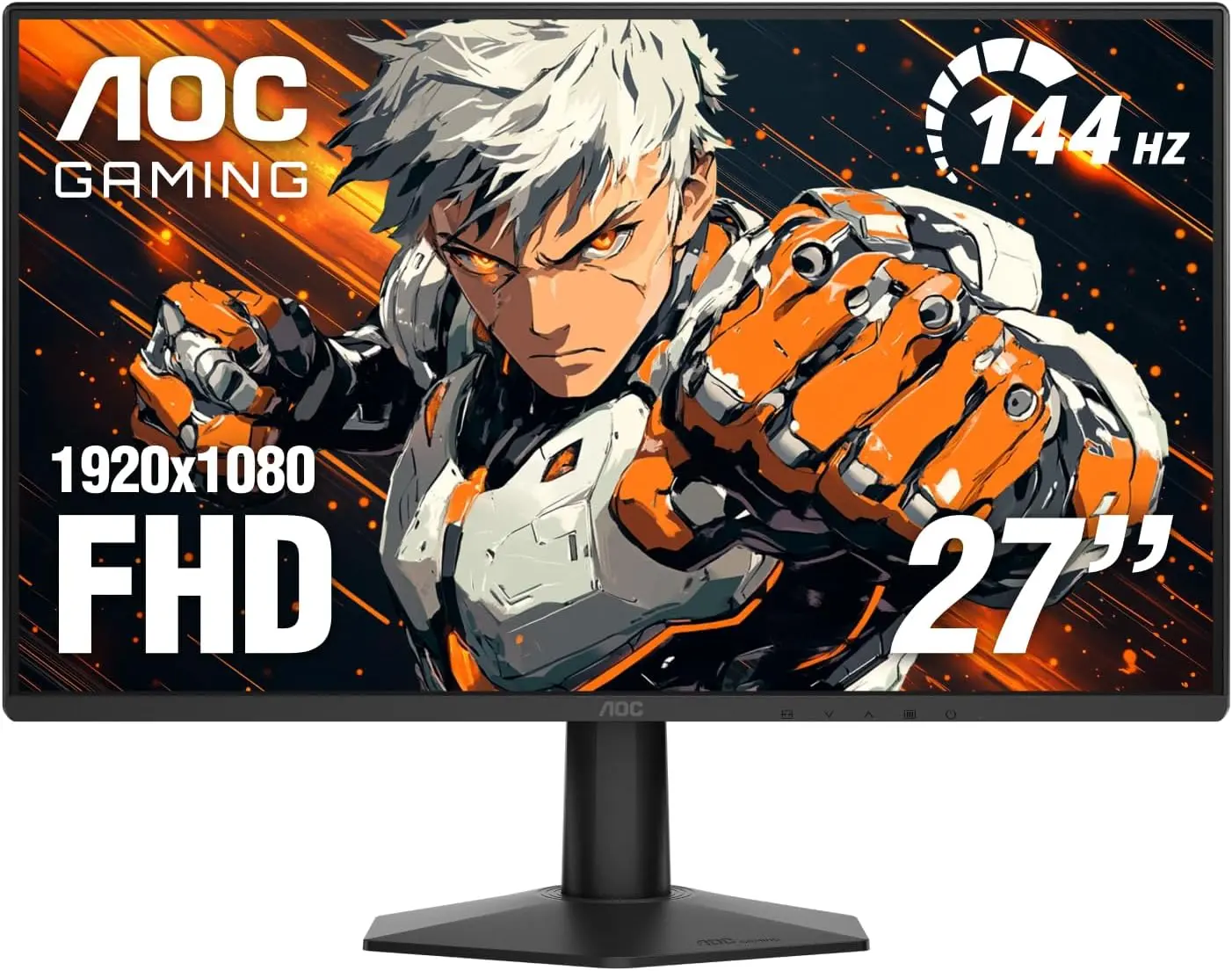
27 inches, 116% sRGB, G-Sync Compatible — the only certified Nvidia option in the group
The AOC 27G51F is the only 27-inch monitor in this comparison and the only one backed by a three-year warranty following the ISO 9241-307 Class 1 standard. It is also the only G-Sync Compatible certified monitor of the three, meaning Nvidia GPU users get verified tear-free performance without needing to test compatibility themselves. The 116% sRGB color gamut is the richest of the group, and its modern layout ensures a clean connection.
- 2
The safe long-term buy — but the 27-inch size comes with a pixel density trade-off
At 27 inches, the AOC 27G51F offers a more immersive experience, but the pixel density drops to 82 PPI — noticeably softer than the 24–24.5-inch panels in this comparison. For casual and ranked CS2 / Valorant players, this is rarely a deciding factor, but players who prioritize crisp enemy models at distance may prefer the sharper pixel density of a 24-inch screen. The 1500:1 contrast ratio provides solid depth for an IPS screen, and the 3-year brand backing makes it the lowest-risk investment.
Pros and Cons: AOC 27G51F
Pros
3-year warranty following ISO 9241-307 Class 1 standard
G-Sync Compatible certified — stable performance on Nvidia GPUs
116% sRGB — richest color gamut of the three
27-inch screen — most immersive of the group
Cons
27-inch at 1080p — lower pixel density (82 PPI) than 24-inch panels
Only 144Hz — the lowest refresh rate of the three
Conclusion
The AOC 27G51F wins on long-term security with a 3-year warranty (ISO Class 1 panel policy), G-Sync compatibility, and the richest color gamut of the three. The safest buy for players who want brand reliability and a larger screen.Verdict
Every monitor has its place, but the ultimate budget balance belongs to Sansui ES-G24F4
Sansui ES-G24F4 emerges as our top ultra-budget recommendation for tactical shooters. Pushing a highly responsive 180Hz IPS panel, it strikes the ultimate sweet spot between fluidity and sharpness. Crucially, its dual HDMI 2.0 and DisplayPort 1.4 selection ensures that you get the full high-refresh rate regardless of your cable setup — avoiding the frustrating port limitations common in this price tier. Combined with 300 cd/m² brightness and great colors out of the box, it delivers everything an entry-level competitive setup needs.
Why the others are still compelling:
-
Gawfolk GF240A is the absolute value champion if you are strictly using a DisplayPort cable. It pushes an impressive 200Hz refresh rate for a rock-bottom price, offering maximum frame-drawn advantages during fast peeks. Just be mindful of its 120Hz cap over HDMI, its VA panel traits, and lower overall brightness.
-
AOC 27G51F represents the safest long-term infrastructure play. While capped at 144Hz, it trades raw speed for a larger 27-inch display footprint, certified G-Sync Compatibility, and an industry-leading 3-year warranty backed by standard ISO Class 1 pixel regulations. If you want zero brand anxiety, this is the pick.
Frequently Asked Questions
144Hz is the competitive baseline that most ranked players should target. At 144Hz, motion during strafe-peeks is smooth enough that enemy models are clearly readable. 180Hz — as offered by the Sansui ES-G24F4 — and 200Hz — as offered by the Gawfolk GF240A over DisplayPort — provide a noticeable additional improvement, particularly if your GPU can consistently push above 144 FPS. Anything below 144Hz (especially 60Hz) creates visible motion blur during lateral movement that makes it harder to accurately track and click on enemies.
For competitive FPS like CS2 and Valorant, IPS is widely preferred. Budget VA panels, like the one in the Gawfolk GF240A, offer solid deep shades but can suffer from slower black-to-gray transition speeds, which causes a minor 'smearing' effect behind moving enemies in dark areas. IPS panels (found on the Sansui and AOC) handle pixel transitions faster across the board out-of-the-box, meaning you get minimal ghosting, ensuring that crosshair placement and targets stay crystal clear.
The 200Hz refresh rate on the Gawfolk GF240A is only available over the DisplayPort connection. The HDMI port on this monitor caps at 120Hz — a common spec trade-off at the ultra-budget tier where manufacturers use a lower HDMI 1.4 version to reduce costs. The DisplayPort cable is included in the box, so as long as your GPU has a DisplayPort output, you can reach 200Hz. If you plan to connect from a console (PlayStation, Xbox) or laptops with only HDMI outputs, you will be limited to 120Hz.
Yes, in two ways. First, larger monitors at the same resolution (1080p) have lower pixel density, which makes the image slightly less sharp — most noticeable when trying to read small text or spot distant enemies. Second, a wider screen requires more eye movement to track from one side to the other, which can slow target acquisition slightly. Most CS2 professionals use 24-inch 1080p monitors for these reasons. That said, for non-professional ranked play, the difference is small enough that the AOC 27G51F's larger screen and robust 3-year warranty make it a compelling choice.
GtG (Gray-to-Gray) measures how long a pixel takes to transition between two shades of gray — a direct measure of pixel speed that affects ghosting. MPRT (Moving Picture Response Time) measures the clarity of moving images using backlight strobing, which can make motion appear sharper than the panel's actual pixel speed allows. The Gawfolk GF240A lists 1ms GtG, which indicates aggressive voltage overdrive on its VA panel to hit high speeds, but you should still expect a bit more trailing than on a native fast-IPS panel like the Sansui.
If your GPU has DisplayPort and you want the highest refresh rate at the lowest price, the Gawfolk GF240A delivers 200Hz for less than $80 — an outstanding entry point. If you want the best all-round spec sheet without port-version caveats, the Sansui ES-G24F4 is the strongest performer: 180Hz on every port, native IPS clarity, and dual HDMI 2.0. If you prefer a trusted brand name with the best long-term coverage and a 27-inch screen, the AOC 27G51F's 3-year warranty coverage makes it the lowest-risk choice.
Yes, but it's a balance. High contrast ratios mean deeper blacks, which help in atmospheric single-player games. However, in tactical shooters like CS2 and Valorant, ultra-deep blacks can sometimes cause shadows to swallow up details. The 1000:1 to 1500:1 contrast found on the IPS panels in this list provides a flatter, more even image that makes it easy to spot an enemy agent standing in a dark cubby or corner without losing detail.
Yes. Adaptive sync eliminates screen tearing — the horizontal line artifact that appears when your GPU's frame rate doesn't align with your monitor's refresh rate. Without it, you must choose between enabling VSync (which adds input lag) or accepting tearing. All three monitors support Adaptive-Sync (FreeSync), meaning they work with AMD GPUs. Only the AOC 27G51F is G-Sync Compatible certified, meaning it has been tested and approved by Nvidia for use with RTX and GTX GPUs — relevant if you use an Nvidia card.
You May Also Like
- Best Ultra-Budget Monitor Arms Under $20 for CS2 & Valorant (2026): Bracwiser vs HUANUO vs Utopia Home
- Best Ultra-Budget AM4 Motherboards Under $80: MSI A520M-A PRO vs GIGABYTE A520M K vs B550M K
- Best Ultra-Budget GPU 2026 Under $300: RTX 5050 vs RX 7600 vs Arc B570 for CS2 & Valorant
- Best Ultra-Budget 240Hz Monitors Under $120 for CS2 & Valorant (2026)
- Best Ultra-Budget 144Hz Monitors Under $80 for CS2 & Valorant (2026)