Modding Guide
The $2 Premium Keyboard Hack: Ultimate DIY Tuning for Budget Gears
You don't need a $150 custom mechanical keyboard to get that satisfying, premium 'thocky' or 'poppy' sound. Learn how to transform a hollow, pingy $20 mechanical keyboard using basic painter's tape and leftover packaging foam — the whole process takes about 20 minutes.
- 5 min read
The Hollow Echo of Budget Keyboards
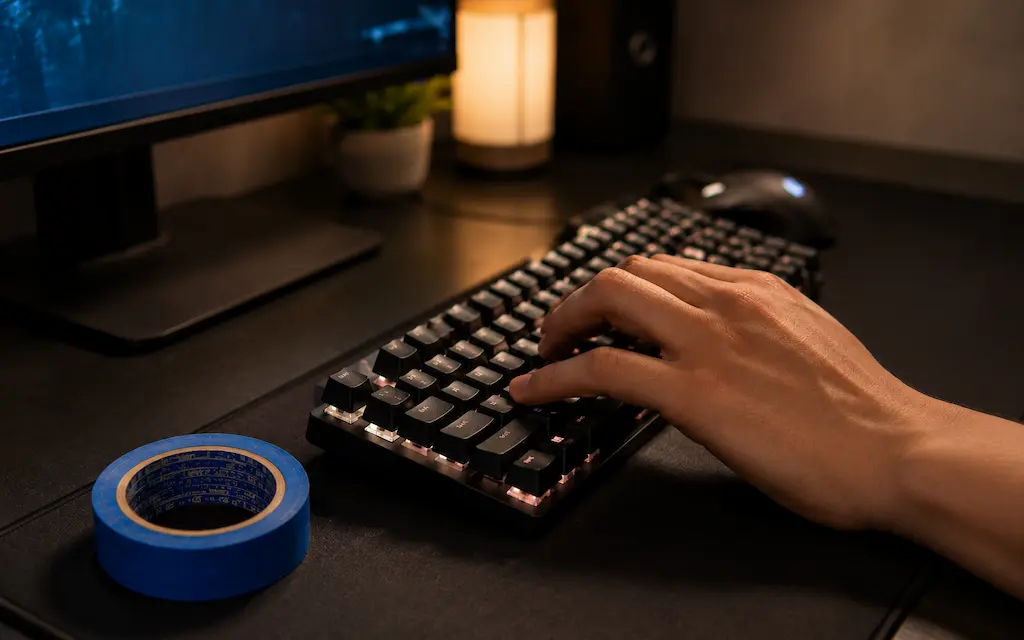
Most ultra-budget mechanical keyboards suffer from a common acoustic flaw: emptiness. Manufacturers use thin plastic cases with zero internal dampening, leaving massive hollow air pockets beneath the PCB. When you hit a key during a clutch round in CS2 or Valorant, that mechanical vibration echoes inside the chassis, producing a harsh, metallic 'ping' and cheap plastic resonance.
This budget keyboard modding process — known across the enthusiast community as the Tempest Tape Mod — is the most cost-effective sound upgrade available. By applying layers of paper tape to the underside of the circuit board, the tape acts as an acoustic low-pass filter, absorbing high-frequency clatter while reflecting deeper, lower-pitched sound waves back through the switches.
Note: This guide is specifically tailored for tray-mount and direct-mount budget boards — the standard construction in the $15–$40 range. If your keyboard uses a gasket or top-mount design, the tape mod will have minimal acoustic effect. Furthermore, keep in mind that the tape mod targets PCB and switch resonance; if your spacebar or Shift key rattles with a metallic tick, that is caused by loose wire tolerances in the stabilizers, which requires dedicated wire lubrication (dielectric grease or the Holee mod) alongside this mod.
The $2 Modding Kit: Choosing Your Tape & Foam
Achieving a premium sound profile for $2 is completely realistic, but material choice directly affects acoustic results and ease of removal. You want standard paper-based tape with low-tack adhesive that won't leave sticky residue on switch pins over time, paired with thin, compressible foam that fits inside tight plastic enclosures without straining case clips.
Blue Painter's / Paper Masking Tape (~$2)
The Holy Grail
Standard paper-based painter's tape features a low-tack, temperature-stable adhesive. Its fibrous paper backing cleanly absorbs high-frequency vibrations while remaining completely safe for electronics, peeling away cleanly without leaving adhesive residue on soldered joints.
Recommended Gear:
- 3M ScotchBlue Multi-Surface Painter's Tape
- Generic Paper Masking Tape
Leftover Packaging Foam (PE / EVA Foam)
Zero-Dollar Solution
The thin, squishy foam sheet that wrapped your motherboard, GPU, or even the keyboard itself inside its retail box. Placing a 1–2mm layer at the bottom of the case acts as a powerful acoustic absorber that swallows the remaining low-end case echo.
Recommended Gear:
- 1mm/2mm Packaging Foam Sheets
- Generic Craft Foam Sheets
* As an Amazon Associate I earn from qualifying purchases.
Step-by-Step Guide: Tuning Your Keyboard's Acoustics
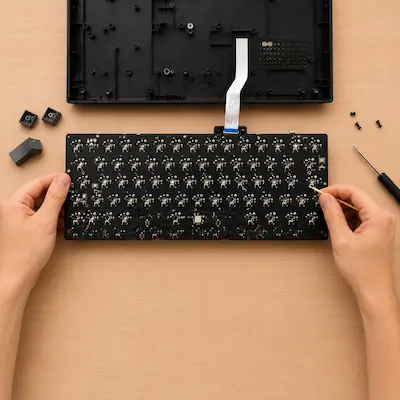
1Open the Case and Expose the PCB
Preparation steps:
1. Unplug keyboard and remove keycaps around case screws.
2. Locate hidden screws under rubber feet or warranty stickers.
3. Carefully pry housing apart, minding the internal USB ribbon cable.
4. Expose the back of the PCB to reveal soldered switch pins.
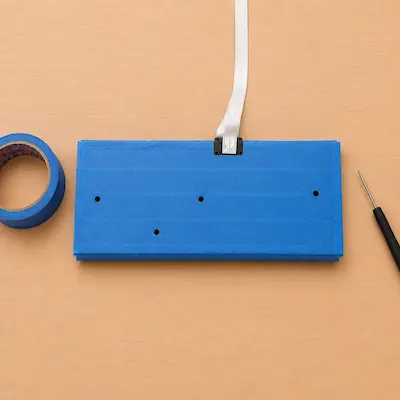
2Apply the Tape Layers
Taping instructions:
• Mechanical Boards: Apply 1st layer of paper painter's tape directly onto back of PCB covering switch pins.
• Crosswise Layer: Apply 2nd strip perpendicularly over the first for broader frequency dampening.
• Passthroughs: Poke clean holes at screw points and ribbon cable slots with a toothpick.
• Membrane Boards: Skip tape on membrane sheets to avoid key registration interference.
Use paper painter's or masking tape only. Avoid duct tape, heavy vinyl electrical tape, or gorilla tape — their rubber adhesives leave stubborn gummy residue on the PCB over time and their dense backing deadens sound rather than shaping clean acoustics.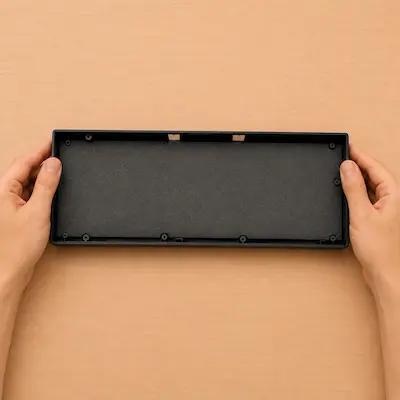
3Add Case Foam and Reassemble
Reassembly steps:
1. Cut thin packaging or craft foam (1–2mm) to match bottom case shell.
2. Place foam inside case to swallow low-end case echo.
3. Re-seat taped PCB, reconnect ribbon cable, and snap housing closed.
4. Test every key before replacing keycaps.
What You Actually Get After the Mod
Deeper, Cleaner Sound Profile
Key improvements: • Low-pass filtering: Tape layers transform harsh high-frequency 'clacks' into a deeper 'thocky' pop. • Acoustic transformation: Eliminates cheap plastic resonance on $20–$30 boards.
Crisper, More Planted Tactile Feedback
Key improvements: • Solid keystroke feel: Removing air pockets creates a more immediate, tactile response. • Reduced blur: Keystrokes feel precise during rapid counter-strafing or weapon switching.
Knowing When to Stop
Mod limitations: • Mounting style: Designed for tray-mount/direct-mount boards (minimal acoustic impact on gasket-mount or top-mount boards). • Stabilizers: Does not eliminate stabilizer wire rattle (requires dedicated wire lubing with dielectric grease or the Holee mod).
Frequently Asked Questions
Yes, opening the keyboard chassis almost always voids the manufacturer's warranty, as you usually have to break a warranty sticker to access the internal case screws. On an ultra-budget $15–$25 keyboard, that trade-off is almost always worth it — but it's worth knowing upfront.
Yes, it is completely safe as long as you use standard paper painter's tape or masking tape. These materials are non-conductive, heat-stable, and leave no sticky residue when peeled. Avoid using vinyl electrical tape, duct tape, or gorilla tape, as their thick rubber adhesives degrade over time into gummy goo that is difficult to clean off PCB solder points.
Partially. Skip putting tape directly on the membrane sheet — it can interfere with key registration and matrix contacts. Instead, focus purely on case foam at the bottom of the chassis. That alone can dramatically reduce the hollow plastic rattle of budget membrane frames and make them feel noticeably more solid.
For 95% of budget keyboards, 2 layers provide the perfect balance. Adding a third layer deepens the sound slightly and makes it a touch quieter. Avoid going beyond 3 layers — the added thickness can make the internal assembly too thick to fit back inside tight injection-molded budget cases.
You May Also Like
- Best Ultra-Budget XXL Mousepads for CS2 & Valorant under $10: Akduss, Naukay, and JOCYRN
- How to Set Up 4:3 Stretched in CS2: No Black Bars + FPS Boost (NVIDIA, AMD & Intel)
- Best Ultra-Budget Wireless Keyboards Under $20: CS2 & Valorant
- The Ultimate PE Foam Mod: Creamy Keyboard Sound on a Budget
- Best Ultra-Budget Rapid Trigger Keyboards Under $40 for CS2 & Valorant (2026)