Guide
Mouse Grip Tape: Are Cheap Anti-Slip Stickers Worth It?
Do your hands sweat during intense matches, making your mouse slip? Find out if buying cheap anti-slip stickers is a smart way to improve your grip and control.
- 4 min read
The Slippery Mouse Problem
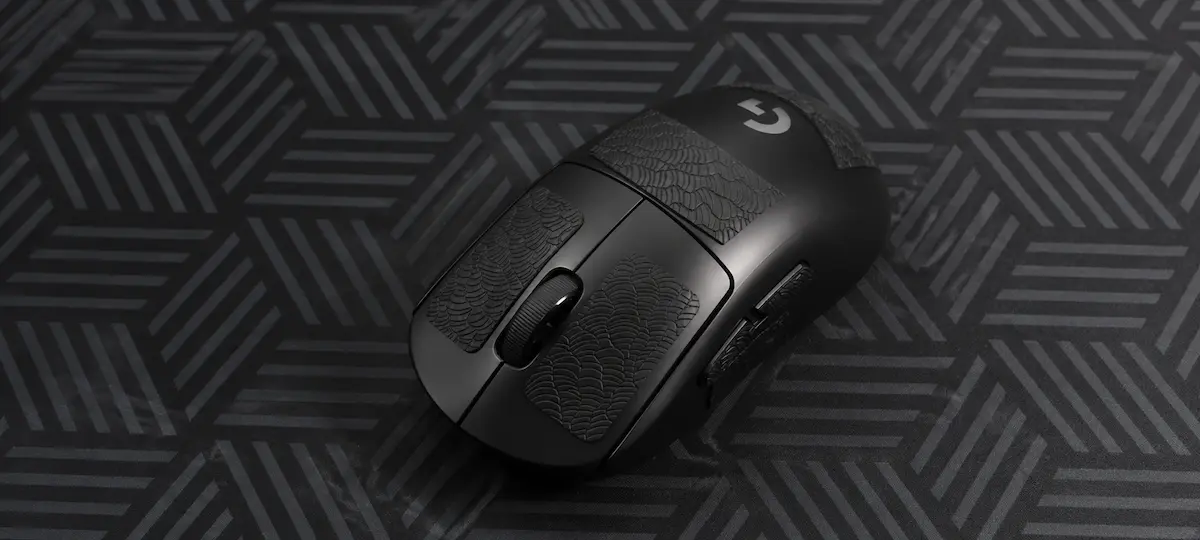
During clutch moments in competitive matches, adrenaline spikes and your hands start to sweat. If your budget gaming mouse has smooth plastic sides, it instantly turns into a slippery bar of soap. You lose your tight hold, your micro-adjustments wobble, and lifting the mouse becomes a struggle. Many players think they need a new shell, but the actual solution costs less than five dollars. So, is mouse grip tape worth it? Specifically, should you buy cheap anti-slip stickers from unbranded alternative shops, or are they just a waste of money? Let's break down the objective truth.
How Cheap Grip Tape Handles Sweat vs. Premium Brands
The main difference lies in physics. While premium brands use porous polyurethane that actively absorbs moisture like a tennis overgrip, budget anti-slip stickers rely on deep textured patterns (like diamond or honeycomb grids) molded into heavy-duty rubber or silicone. Instead of soaking up sweat, cheap grips channel the moisture away into the grooves, ensuring your skin always makes direct contact with the tactile ridges. It feels slightly stiffer than premium options, but it completely stops the horizontal slipping that ruins your aim.
Budget / Unbranded Grip Tape ($3 - $5)
Ultra-Budget Choice
Made of vulcanized textured rubber or basic textured polymers. They solve the sweat problem mechanically via deep grid channeling. A massive upgrade over slippery bare plastic, though the edges are un-chamfered and can feel slightly sharp initially.
What to look for:
- Pre-cut DIY dot sets (universal fit)
- 0.5mm ultra-thin sheets
- Deep honeycomb or diamond textures
Premium Corepad / BTL / Hotline Grips ($10 - $15)
Premium Control
Crafted from premium, soft sweat-absorbing polyurethane with 3M adhesive. They offer a plush feel, perfectly rounded edges pre-cut for specific models, and zero residue, but cost almost as much as an entry-level mouse.
Recommended Brands:
- Corepad Prizm / Soft
- BTL Grips
- Hotline Games 2.0 Plus
* As an Amazon Associate I earn from qualifying purchases.
How to Apply Mouse Grip Tape Perfectly
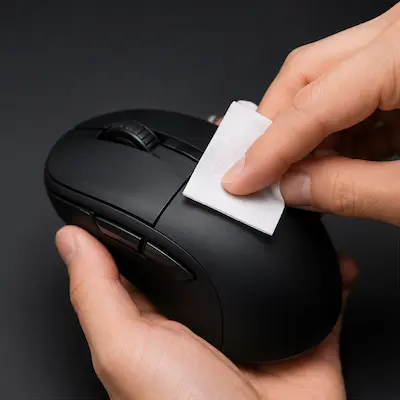
1Clean and Degrease
Use an alcohol prep pad to completely clean the plastic shell where the tape will sit. Any skin oil or dust will ruin the glue, causing the corners of your new anti-slip stickers to peel off within days.
Don't skip this step even if the mouse looks visually clean. Invisible skin oils are the main reason grip tape corners start peeling within the first week.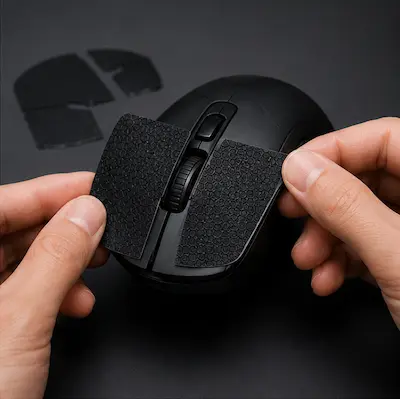
2Dry Test Alignment
Before peeling off the adhesive backing, place the grip tape onto the mouse buttons and sides to see exactly how it aligns. Pre-cut budget kits need careful positioning.
Budget kits are not always cut symmetrically. Check both sides before committing — misaligned tape on the right side will shift your ring finger placement and affect your grip.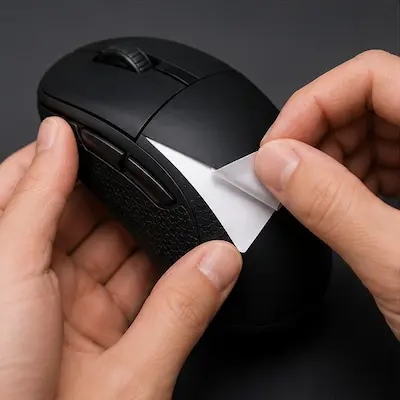
3Apply and Smooth Out
Peel the backing and apply the sticker from one edge to the other to avoid trapping air bubbles. Press firmly with your thumb across the entire surface for 15 seconds to activate the pressure-sensitive adhesive.
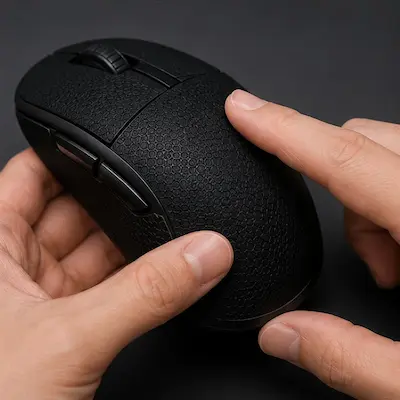
4Press the Edges and Let It Cure
Run your fingernail along all four edges and corners to seal them completely. Then leave the mouse untouched for 30–60 minutes before your first session. Fresh adhesive needs time to fully bond to the plastic — using it immediately causes early edge peeling.
The Tactical In-Game Impact for Tactical Shooters
Eliminating Spray-Control Wobble
When pulling down your mouse to control a difficult rifle spray or executing fast counter-strafes, micro-slips cause major horizontal recoil deviation. Anti-slip stickers lock the mouse into your hand structure, keeping your aim perfectly steady under high-stress situations.
Sharp, Predictable Micro-Flicks
In tactical shooters where headshots are instantaneous, holding a tight crosshair angle requires zero slack between your fingers and the sensor. The extra friction gives you raw mechanical feedback, making tiny micro-adjustments highly precise and stopping over-flicking.
No Grip Readjustments Mid-Round
Budget mice with glossy finishes force you to constantly lift and reposition your hand between fights. With grip tape installed, your preferred claw or palm style stays secured, allowing you to focus entirely on positioning and crosshair placement.
Frequently Asked Questions
Yes, cheap anti-slip stickers are absolutely worth it. For less than $5, they provide 90% of the performance of premium $15 grips. While they rely on textured rubber patterns rather than premium sweat-absorbing tech, they completely eliminate mouse slippage during intense CS2 and Valorant sessions.
Premium brands leave zero residue. Cheap anti-slip stickers might leave a small layer of sticky glue if left on for over 6 months, but this is incredibly easy to clean off using rubbing alcohol and a microfiber cloth in less than two minutes.
The ideal thickness is between 0.4mm and 0.6mm. Anything thicker will drastically alter the shape of your mouse, making it feel bulky and potentially messing up your muscle memory during competitive aim tracking.
Yes. Grip tape works on any mouse with a plastic shell. It's especially effective on budget mice with smooth, glossy sides. The only exception is mice that already have integrated rubberized sides — adding tape on top can feel bulky and might damage the original coating when removed.
Premium tape lasts 12–18 months with daily use. Budget tape typically lasts 6–9 months before the edges start to wear out. If a corner starts peeling early due to aggressive friction, simply trim the tiny loose piece with nail clippers to prevent it from catching further.
No — it only affects how the mouse feels in your hand, not how it glides on the mousepad. The added grip actually improves aim consistency by reducing micro-slips during precise tracking and flick shots, giving you confidence during high-adrenaline clutch situations.
You May Also Like
- Mouse Tuning: Replacing Mouse Skates for Better Performance in CS2 & Valorant
- High LOD Tape Trick: How to Lower Sensor Lift-Off Distance for CS2 & Valorant
- Best Ultra-Budget Gaming Mousepads Under $5 for CS2 & Valorant (2026)
- Valorant Mouse Settings Guide 2026: DPI, eDPI & Sensitivity Explained
- CS2 Mouse Settings Guide 2026: DPI, eDPI & Sensitivity Explained