Restoration Guide
DIY Mousepad Deep Clean: Revive Your Muddy Pad for Perfect Glide
After 3–6 months of heavy tactical shooter sessions, sweat, dead skin, and dust turn your fast cloth surface into a slow, sticky swamp. Discover how to wash your pad perfectly and apply a legendary old-school tuning trick to completely reset its speed without buying new gear.
- 5 min read
The Sticky 'Muddy Pad' Nightmare
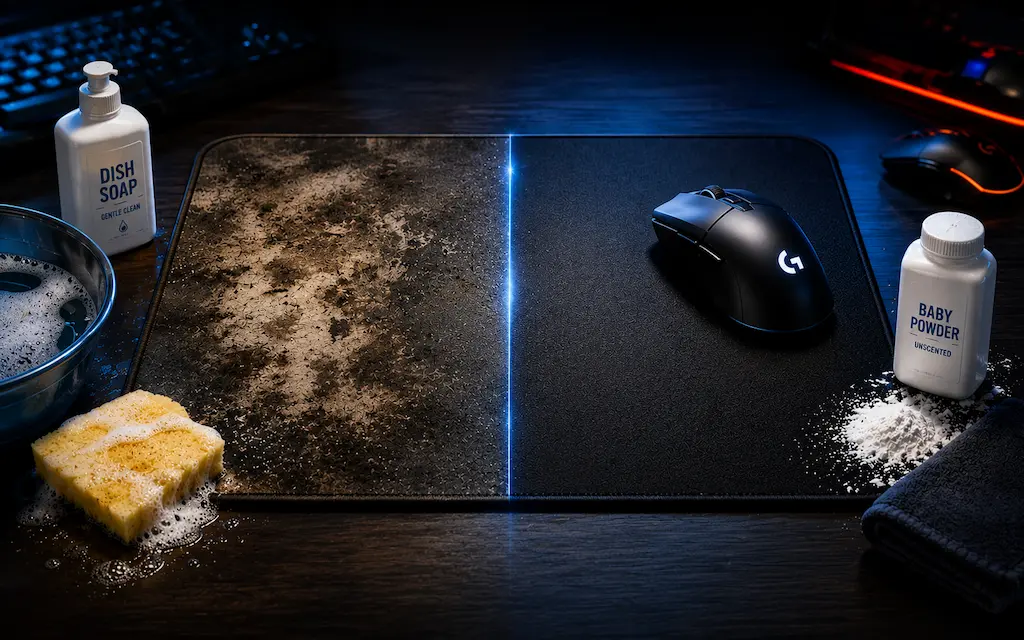
Every competitive gamer eventually hits a wall where micro-adjustments feel sluggish and tracking enemy targets feels like dragging a brick through wet mud. This is what the tactical shooter community calls a 'muddy pad'. Over months of grinding CS2 and Valorant, your forearm rubs skin oils, sweat, and environmental dust deep into the woven microfiber matrix. This creates high-friction dead spots right in the center where you aim most. Buying a new mousepad three times a year is expensive and unnecessary. If you want to fix muddy mousepad cs2 dead spots and save your vertical spray control, a simple bath using household items will solve your problem. Let's break down exactly How to Clean Gaming Mousepad: Restore Glide performance safely without melting the rubber base or fraying the edges.
The Zero-Dollar Deep Cleaning Setup
You do not need expensive specialized cleaning sprays or tactical brushes to completely restore mousepad glide consistency. In fact, aggressive chemicals can dissolve the synthetic heat-pressed coatings on speed pads, permanently ruining the tracking weave. All you need is a clean basin, a mild surfactant, and a classic old-school aiming enthusiast trick to tune the surface tension after it dries completely.
Dish Soap or Gentle Shampoo
The Grease Lifter
Standard liquid dish soap (like Dawn) or a gentle baby shampoo is designed to actively break down stubborn organic compounds, human skin lipids, and grease without degrading the delicate nylon or polyester microfibres of your gaming surface.
What to look for:
- Clear, dye-free liquid dish soap
- Gentle baby shampoo
- No abrasive bleaching agents
Unscented Talcum / Baby Powder
The Pro Friction Mod
An old-school competitive gaming hack. Dusting a microscopic amount of high-grade unscented baby powder over a freshly washed and fully dried cloth pad acts as a dry lubricant. It fills the micro-gaps in worn-down fibers, dramatically lowering static friction. Use sparingly — a thin, even application once a month maximum. Too much powder will clog the weave and make the problem worse.
What to look for:
- 100% Pure unscented talcum or cornstarch powder
- No heavy added oils or fragrances
* As an Amazon Associate I earn from qualifying purchases.
Step-by-Step Guide: Washing and Tuning Your Cloth Pad
1Soak in Lukewarm Water
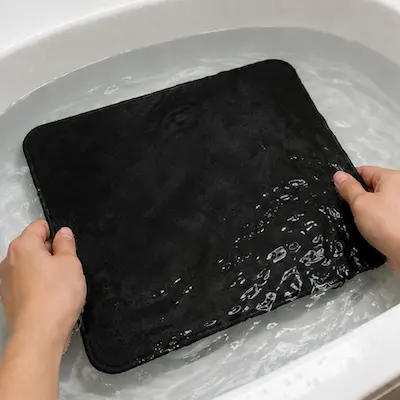
Submerge your mousepad completely in a clean bathtub or sink filled with lukewarm water. Let it soak for 10–15 minutes to soften the hardened, dried skin salts and grime trapped between the synthetic fibers.
NEVER use boiling hot water. Excessive heat will instantly liquefy the glue holding the top fabric layer to the bottom textured rubber base, causing permanent bubbling and warping.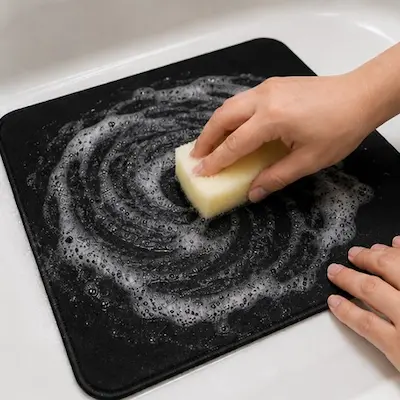
2Massage with Soap and Soft Sponge
Apply a few drops of dish soap or shampoo directly onto the surface. Using the soft, smooth foam side of a clean kitchen sponge (or your bare palms), work the soap into a thick lather using gentle circular motions. Focus heavily on the center aiming area where your wrist and mouse glide skates travel most frequently.
Never use the rough, abrasive scrubbing side of a sponge, stiff plastic brushes, or your fingernails. Aggressive scrubbing will rip the micro-fibers, creating fuzzy pilling that permanently ruins tracking accuracy.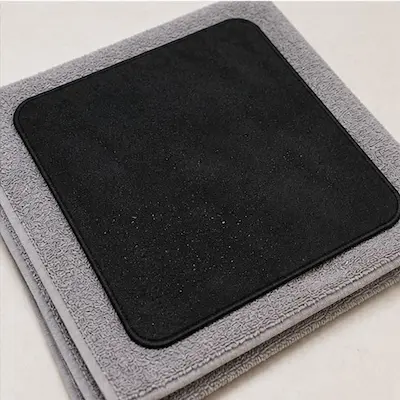
3Rinse Completely and Air Dry
Rinse the pad under running cool water until the water runs completely clear and zero soap bubbles appear when you press down on the rubber. Lay the mousepad completely flat on a clean, dry towel, place another towel on top, and press down firmly to absorb excess moisture. Then, let it air dry flat in a well-ventilated room for a full 24 hours before using it.
NEVER throw your mousepad into a clothes dryer, and never hang it up using clothes pins. Air-drying flat is mandatory to prevent stretching out the rubber base or warping the stitched edges.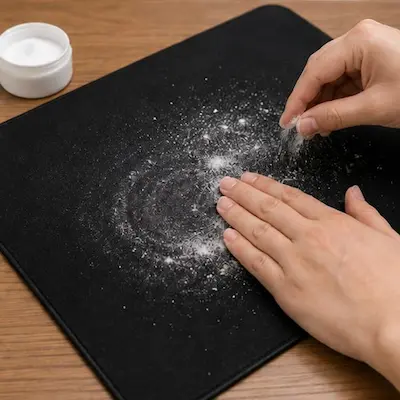
4The Pro Talcum Powder Speed Hack
Once the cloth is 100% dry, sprinkle a tiny pinch of baby powder over the surface. Use a dry cloth or your palm to rub it evenly across the entire pad until the white powder completely disappears into the weave. Blow off any loose excess. This creates an incredibly smooth, low-friction layer that makes micro-flicks and spray control feel effortless. Repeat at most once a month — overuse will clog the weave.
What Changes After a Proper Deep Clean
Dead Zones in the Center Are Gone
Deep cleaning removes the uneven mud patches built up from weeks of wrist contact. The center of the pad — exactly where you track and spray-control — goes back to feeling identical to the edges. 180-degree flicks and fast swipes land where your muscle memory expects them to.
Micro-Adjustments Stop Fighting You
The talcum powder mod reduces the force needed to break static friction. Holding a tight angle with an AWP or Operator — where you make sub-millimeter corrections — stops feeling like the pad is gripping the skates. Movement becomes immediate and consistent.
Your Mouse Skates Last Longer
Embedded grit acts like fine sandpaper against PTFE skates. A clean surface dramatically slows skate wear, so you're not replacing $15 sets of skates every two months alongside the pad itself.
When Cleaning Is No Longer Enough
Deep cleaning can restore dirt, but not physical wear. If your mousepad still has fabric pilling, a peeling or warped rubber base, inconsistent glide, rapid performance loss after several washes, or badly frayed edges after cleaning, it's time for a replacement.
Frequently Asked Questions
While some basic stitched pads can survive a delicate machine wash cycle, it is generally discouraged. The spin cycle can separate the cloth surface from the rubber backing, crease the inner foam, and fray the edges. Manual hand washing takes under 10 minutes and is consistently safer.
If your mousepad smells after washing, it usually means the pad wasn't rinsed thoroughly enough or wasn't dried completely before being stored. Residual soap trapped in the rubber base ferments and creates a mildew smell. Re-soak in clean water with no soap for 10 minutes, rinse until absolutely no bubbles appear, then let it air dry flat for a full 24 hours before touching it.
White residue after drying usually means soap was not fully rinsed out, or your tap water has high mineral content (hard water). Run the pad under cool water for an extra 5 minutes while pressing the surface firmly, then dry again. If your water is very hard, a final rinse with filtered or bottled water helps.
Standard 3mm to 5mm thick cloth pads take a full 24 hours to air dry completely when laid flat in a well-ventilated room. Do not rush the process with a hair dryer or a hot radiator. Localized heat warps the internal rubber core and can separate the layers.
No, as long as you rub it into the weave until it is invisible and blow away any loose excess. Modern gaming sensors read the deep texture of the fabric weave and are unaffected by a dry coating embedded inside the fibers. What will hurt sensor accuracy is leaving a visible white layer sitting on top of the surface.
For serious tactical shooter players, a full soap wash every 3–4 months is ideal. If you play in a hot room or have naturally sweaty hands, a quick wipe with a damp microfiber cloth weekly and a full soak every 2 months will keep tracking consistent.
You May Also Like
- High LOD Tape Trick: How to Lower Sensor Lift-Off Distance for CS2 & Valorant
- How to Reduce Input Lag in CS2 & Valorant: Complete Guide
- Valorant Mouse Settings Guide 2026: DPI, eDPI & Sensitivity Explained
- Best Ultra-Budget Gaming Mousepads Under $5 for CS2 & Valorant (2026)
- CS2 Mouse Settings Guide 2026: DPI, eDPI & Sensitivity Explained